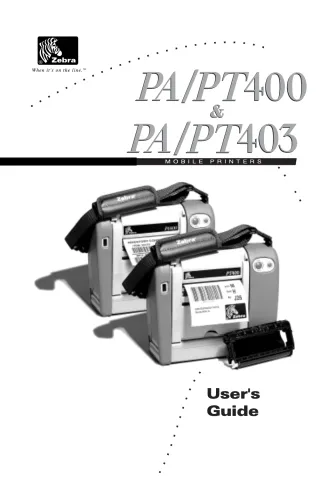
Manual · Zebra
PA/PT403 Mobile Printers User's Guide (PA/PT400 & PA/PT 403)
Manual44 pagesPDF 2.0 MB
User's guide for the Zebra PA400, PT400, PA403 and PT403 portable label printers: battery, media, setup, care and specs.
Names · 2 models
The models it names
 Zebra PA400Portable label printer from$395.001 in stock
 Zebra PT-403Portable label printer from$595.0014 in stock
Filed with · 2 models
Also filed with these models on the old site
Summary
What is in it
Zebra's user's guide for the 400 series mobile label printers: the direct thermal PA models and the thermal transfer PT models, each in 400 and expanded-memory 403 versions. It covers installing and charging the battery, loading media in tear-off and peel-off modes, loading the PT ribbon cartridge, controls and LEDs, connecting to a computer or portable data terminal, IR communications, print width, darkness and printhead pressure, straps, calibration, cleaning, battery life, troubleshooting and specifications with cable pinouts.
Its parts
- Introduction
- Getting Ready to Print
- Calibration
- Preventive Maintenance
- Troubleshooting
- Specifications
From the manual
Key facts from this manual
Each line names its page in the PDF.
User's guide for the Zebra PA/PT400 and PA/PT403 mobile label printers; PA models print direct thermal and PT models use a thermal transfer ribbon. It covers charging the battery, loading media and ribbon, connecting to a computer or portable terminal, calibration, care, troubleshooting by LED pattern, and full specifications.
- Device
- Mobile label printer: PA models direct thermal, PT models thermal transfer p. 7
- Memory
- 400 Series: 1 MB flash, 512 KB DRAM; 403 Series: 2 MB flash, 2 MB DRAM p. 39
- Interface
- RS-232 serial port on an RJ45 connector, 110 to 19,200 baud, XON/XOFF or hardware handshake p. 39
- Infrared
- Optional IrDA 1.1 link, 2,400 to 115,200 baud, up to 39" (1 m) p. 24, 39
- Battery
- Ni-Cd, standard or extended life; charges in about one hour (standard) or two hours (extended) p. 9, 32
- Chargers
- External 120 or 230 VAC battery charger; universal switching charger and battery eliminator offered p. 40, 41
- Printer language
- ZPL II (ZPL II Program Guide part #46530L) p. 7
- Print resolution
- 203 dots/inch (8 dots/mm), print width up to 4.1" (104 mm) p. 38
- Print speed
- 1.5" or 2" per second; 3" per second on 403 Series p. 38
- Media
- Labels 1" to 4.25" wide on outside-wound rolls up to 2.1" diameter, 1" core p. 39
- Size
- 2.9" x 9.2" x 7.9" (74 mm x 235 mm x 200 mm) p. 40
- Weight
- PA400 & 403: 4.0 lbs. (1.8 kg); PT 400 & 403: 4.2 lbs. (1.9 kg), with battery and strap p. 40
- Operating temperature
- 32°F to 104°F (0°C to 40°C) p. 35
- Bar codes
- Code 39, Code 128, Code 93, Interleaved 2 of 5, UPC/EAN, POSTNET, PDF 417, MicroPDF417, MaxiCode, Data Matrix, QR code and others p. 40
What this manual walks you through
- Installing and charging the battery p. 9
- Loading media for tear-off, peel-off and fanfold printing p. 4
- Loading the ribbon on PT models p. 4
- Connecting to a computer or portable data terminal p. 22
- Setting serial parameters and using the infrared link p. 24
- Adjusting print width, darkness and printhead pressure p. 4
- Calibrating the printer automatically or manually p. 4
- Reading the LED patterns and fixing the cause p. 33, 34
- Solving print quality and communication problems p. 35
- Printing a configuration label and resetting factory defaults with the Feed button p. 37
Good to know
- Turn the power off before connecting or disconnecting the communications cable. p. 22
- Infrared is disabled while a cable is plugged in. p. 24
- Batteries are shipped uncharged. p. 9
- Never lubricate the printer; lubricants can damage its finish and mechanical parts. p. 31
- Keep the battery out of direct sunlight and below 104°F (40°C). p. 31
Questions this manual answers
How long does the PA400 battery take to charge?
About one hour for the standard battery and two hours for the extended life battery; the charging LED goes off when done. p. 9
How do I reset the PA400 serial settings?
Hold the Feed button until the Error LED flashes once, twice, then three times, and release. The printer returns to 9600 baud, 8 bits, no parity, 1 stop bit, XON/XOFF. p. 24
What cable connects the PA400 to a PC?
The straight-through printer adapter cable, which plugs into a DB-9 null modem cable to the computer. p. 22
How much memory does the PA/PT403 have?
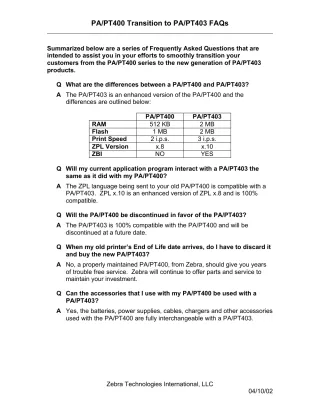
2 MB flash and 2 MB DRAM, against 1 MB flash and 512 KB DRAM on the 400 Series. p. 39
How long a label can the PA400 print?
0.5" to 10" on the 400 Series and 0.5" to 70" on the 403 Series. p. 39
Contents
Chapters and sections
Each line opens the PDF at its page.
- Introduction7
- Unpacking and Inspection7
- Reporting Damage7
- Getting Ready to Print9
- Battery9
- Installing the Battery9
- Charging the Battery9
- Loading the Media10
- Tear-Off Mode10
- Peel-Off Mode13
- Fanfold Media (optional vibration mount required)16
- Loading the Ribbon (PT SERIES only)18
- Operator Controls20
- Power Button20
- Feed Button20
- Indicator LEDs21
- Power LED21
- Error LED21
- Battery Charging LED21
- Printing a Test Label22
- Connecting the Printer and Computer22
- Connecting to a Portable Data Terminal22
- Communicating with the Printer24
- Setting the Communication Parameters24
- IR Communications24
- Setting Up the Software24
- Adjusting the Print Width24
- Adjusting the Print Darkness25
- Adjusting the Printhead Pressure25
- Adjusting the Strap26
- Hand/Shoulder Strap26
- Adjustable Shoulder Strap27
- Calibration28
- Auto Calibration28
- Manual Calibration28
- Preventive Maintenance30
- Cleaning30
- Lubrication31
- Extending Battery Life31
24 more lines, from page 32 on
- Battery Disposal32
- Troubleshooting33
- Help! The LEDs are On/Off/Flashing)33
- Resolutions:33
- Print Quality Problems34
- Troubleshooting Tests36
- Printing a Configuration Label36
- Recalibration36
- Resetting the Factory Default Values36
- Communications Diagnostics37
- Feed Button Modes37
- Specifications38
- Printing Specifications38
- Ribbon Cartridge Specifications (PT SERIES)38
- Label Specifications39
- Memory/Communications Specifications39
- Font/Bar Code Specifications40
- Physical/Environmental/Electrical Specifications40
- Agency Approvals41
- Options41
- Adapter Cable Pinouts 4242
- Null Modem Cable Pinouts42
- Index43
- Index43
The whole text · 6 parts
Read the manual here as text
Its text as extracted from the PDF, unedited, in parts; each page opens the PDF at that page.
The file