Manual · WoongJin
STM-7700 User Manual
Manual57 pagesPDF 1.8 MB
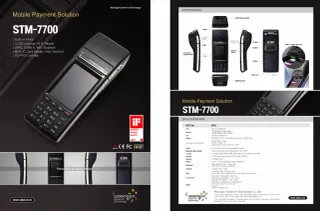
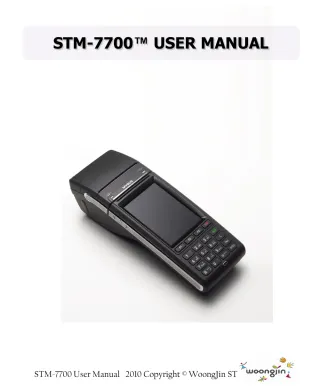
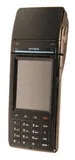
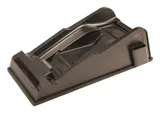
User manual for the WoongJin STM-7700 mobile device with built-in thermal printer, card readers and laser scanner, and its cradle.
Names · 1 model
The models it names
Filed with · 1 model
Also filed with these models on the old site
Summary
What is in it
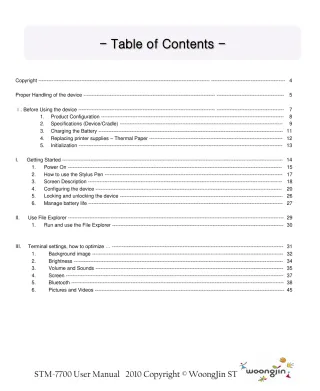
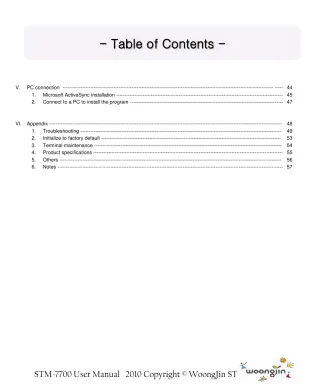
WoongJin's user manual for the STM-7700 handheld mobile device and its cradle. It covers the product configuration, device and cradle descriptions, charging the battery, loading the 2 inch thermal paper and initialization, then getting started with the stylus and screen, File Explorer, terminal settings including Bluetooth, and connecting to a PC with Microsoft ActiveSync. The appendix has troubleshooting, the factory reset, maintenance and the product specifications.
Its parts
- Before Using the device
- Getting Started
- Use File Explorer
- Terminal settings, how to optimize
- PC connection
- Appendix
From the manual
Key facts from this manual
Each line names its page in the PDF.
The 2010 user manual from WoongJin System & Technology for the STM-7700 mobile terminal and its cradle. It explains charging the battery, loading thermal paper, basic Windows Mobile setup, connecting to a PC with ActiveSync and troubleshooting, and it lists the product specifications. A few pages on PC connection call the unit STM-8800.
- Device
- Handheld wireless data device with built-in thermal printer, card readers and barcode scanner p. 55, 56
- Processor
- Samsung 800MHz p. 55
- Operating system
- Microsoft Mobile 6.5 p. 55
- Memory
- 512MB NAND Flash ROM; 128MB Mobile DDR SDRAM p. 55
- Display
- 240x320 3.5’ TFT-LCD touch screen, 260k colors p. 55
- Communication
- WLAN (802.11b/g); GPRS / CDMA 1x; Bluetooth 2.0 Class 2 (SPP profile) p. 55
- Scanner
- 1D barcode laser scanner; 2D imager as an option p. 55
- Printer
- 2-inch thermal printer, 80mm/sec; takes 2-inch thermal roll paper p. 12, 55
- Card readers
- Magnetic stripe reader, triple track, bi-directional (ISO 7810); IC card reader with 4 SAM (ISO 7816) p. 55
- Battery
- Li-Ion 7.4V rechargeable, 2000 mAh p. 55
- Cradle
- USB host/client (Mini B / Standard B), DC jack, two 9-pin D-SUB serial ports, battery charging slot p. 55
- Keys
- 3 function keys, 12 numeric keys, Power, Mode, Enter, Back Space, TAB, Up, Down, Printer, Scanner p. 55
- Expansion
- Micro SD card slot, audio jack, USB client for synchronization p. 55
- Basic package
- Main device, battery and cradle, power cord and adapter p. 8
What this manual walks you through
- Charging the battery in the device on the cradle, or on its own in the cradle p. 11
- Loading thermal roll paper into the printer p. 12
- Resetting an unresponsive device through the reset hole p. 13
- Powering on and calibrating the touch screen p. 15, 16
- Setting the date, time and regional settings p. 20, 21
- Making the battery last longer with power-management settings p. 23, 24
- Installing Microsoft ActiveSync and connecting to a PC p. 45, 46
- Installing programs from Setup.exe, Install.exe or .cab files p. 47
- Troubleshooting power, battery, touch screen, SD card and PC connection problems p. 49, 50, 51, 52
- Restoring factory defaults with a hard reset p. 53
Good to know
- Resetting the device deletes all files and ends running programs; back up to a Micro SD card first. p. 13
- A hard reset clears everything in RAM, including files, system settings and installed programs. p. 53
- If the battery runs out, all information may be lost except what was on the device when delivered. p. 51
- Use only the specified battery charger, and do not remove the battery while the device is on. p. 6
- Avoid looking into the barcode scanner, as it can cause eye damage. p. 6
Questions this manual answers
How much memory does the WoongJin STM-7700 have?
512MB NAND flash ROM and 128MB Mobile DDR SDRAM, with a Samsung 800MHz processor. p. 55
How do I charge the STM-7700 battery?
Place the device on the cradle with the power adapter connected, or charge the battery alone by placing it on the bottom of the cradle. p. 11
What ports does the STM-7700 cradle have?
USB host and client (Mini B / Standard B), a DC jack, two 9-pin D-SUB serial ports and a battery charging slot. p. 55
How do I connect the STM-7700 to a PC?
Install Microsoft ActiveSync on the PC, then connect the device to the PC through ActiveSync. p. 44, 47
What paper does the STM-7700 printer use?
Thermal roll paper of the prescribed 2-inch size. p. 12
The whole text · 6 parts
Read the manual here as text
Its text as extracted from the PDF, unedited, in parts; each page opens the PDF at that page.
The file