Manual · Whittier
Barcode Tagger 600 Barcoded Tray and Sack Label Computer User's Guide
Manual31 pagesPDF 136 KB
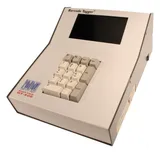
User's guide for the Whittier Barcode Tagger 600, a computer that prints barcoded USPS tray and sack labels by ZIP code.
Names · 1 model
The models it names
Filed with · 1 model
Also filed with these models on the old site
Summary
What is in it
The user's guide for the Whittier Mailing Products Barcode Tagger 600, a tray and sack label computer that looks up USPS labeling lists by 3 or 5 digit ZIP code and prints barcoded tags to an attached label printer. It covers unpacking and cabling, the Utilities menu and system functions (modes, ACT list, device settings), data updates by diskette, Job mode, On Demand mode, ACT Only mode, raw serial data mode and file conversion, with appendices on the job file and data stream programming formats.
Its parts
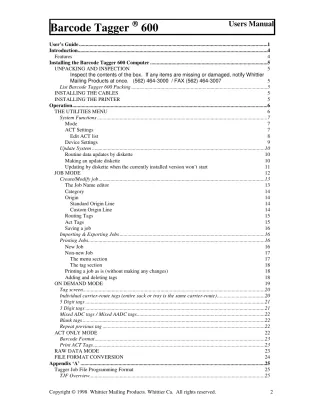
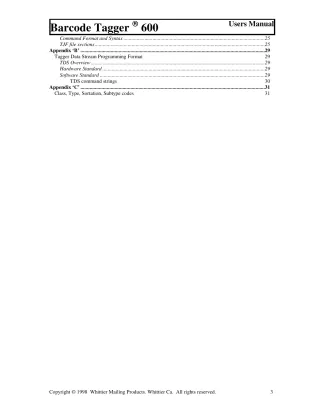
- Introduction
- Installing the Barcode Tagger 600 Computer
- Operation
From the manual
Key facts from this manual
Each line names its page in the PDF.
The Whittier Mailing Products user's guide for the Barcode Tagger 600, a computer that prints USPS tray and sack tags with bar codes; it covers only the Barcode Tagger 600. It explains setup, the operating modes, device settings, postal data updates by diskette, and printing tags on demand, from saved jobs or from a host computer. Appendices give the job file and serial data stream formats and the class and sortation codes.
- Device
- Tray and sack label computer that looks up USPS labeling data from a 3 or 5 digit ZIP code and prints tags with a bar code p. 4
- Job storage
- Up to nine jobs stored internally; unlimited jobs on 3 1/2” floppy disks p. 4
- Memory
- Program and update data kept in permanent flash memory; no diskette needed for normal operation p. 4
- Connections
- 9-pin serial printer connector; serial port labeled Serial Data Link for a host computer; round power socket p. 5
- Power
- Tabletop power supply with a 5 pin DIN style connector and AC power cord p. 5
- Display
- Backlit display p. 4
- Host link settings
- 9 pin PC/AT serial port with a null modem cable; ASCII, 9600 BPS, 8 bits, no parity, 1 stop bit, xon-xoff flow control p. 29
- Operating modes
- Job, On Demand, Act Only and Serial Data p. 7
- Devices supported
- Tray, sack, pink tray, pink sack and ACT printers, a scanner and a computer; example screen shows Eltron 2122 and 2642 printers and a Symbol LS scanner p. 9
- Data updates
- USPS labeling data updates on diskette, downloaded from the Internet or mailed a minimum of four times per year p. 10
- Update diskettes
- IBM or MS-DOS formatted high-density (1.44M) diskettes p. 10
- Software release
- Setup screen example shows Tagger/600 release 9804-002 p. 11
- Job exchange
- Jobs and the ACT list can be moved by diskette to or from another 600 or a 2000 p. 7, 12
- File conversion
- tagcnvt translates GROUP1 .BAR files to WMP Raw tag format on a host computer p. 24
What this manual walks you through
- Unpacking and connecting the printer, power supply and host cables p. 5
- Using the Utilities menu and System Functions p. 6, 7
- Editing the ACT airport list p. 8
- Setting printer, scanner and computer ports p. 9
- Updating postal data from diskette and making backup diskettes p. 10, 11
- Reloading an update when the installed version will not start p. 11
- Printing carrier-route, 5 digit, 3 digit and mixed ADC tags on demand p. 19, 20, 21, 22
- Printing ACT tags p. 22, 23
- Printing tags from a host computer over the serial data link p. 23, 29
- Converting Group1 tag files for printing p. 24
Good to know
- If the unit reports it cannot find the printer, the wrong port is probably selected in Device Settings. p. 9
- A backup of an update disk made on a standard PC may not copy or load reliably. p. 10
- A complete reinstall deletes all previous jobs and settings. p. 11
- Enter the ZIP code of a mail piece in the tray or sack, not the ZIP code you expect on the tag. p. 20
- High Density and Saturation walk sequences are nonautomated only. p. 20
Questions this manual answers
What does the Whittier Barcode Tagger 600 do?
From a 3 or 5 digit ZIP code it looks up the USPS destination line and CIN and prints tray and sack tags with a bar code. p. 4
How many jobs can the Barcode Tagger 600 store?
Up to nine jobs internally, plus unlimited jobs on 3 1/2” floppy disks. p. 4
What serial settings does the Barcode Tagger 600 use with a host PC?
A null modem cable to a 9 pin serial port, at ASCII, 9600 BPS, 8 bits, no parity, 1 stop bit, xon-xoff flow control. p. 29
How do I update the postal data on the Barcode Tagger 600?
Choose Update System from the Utilities menu, then Update from diskette; the unit loads, validates and restarts with previous settings kept. p. 10
Why does the Barcode Tagger 600 say it can't find my printer?
The wrong port is probably selected; change it in Device Settings. p. 9
The whole text · 4 parts
Read the manual here as text
Its text as extracted from the PDF, unedited, in parts; each page opens the PDF at that page.
The file