Manual · Wasp
Pen Scanner Programming Guide
Manual44 pagesPDF 1.9 MB
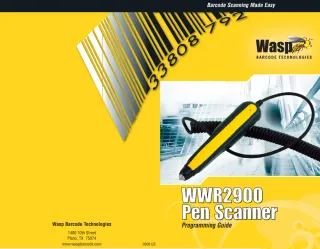
Programming guide for the Wasp WWR2900 (PS2) and WWR2905 (USB) pen scanners: installation, quick start and setup bar codes.
Covers · 2 models
The models it covers
Summary
What is in it
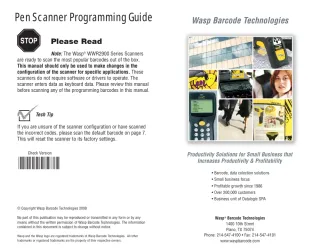
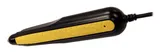
Programming guide for the Wasp WWR2900 Series pen (wand) scanners: the WWR2900 for a PS2 keyboard port and the WWR2905 for USB. It introduces bar code scanning and symbologies, shows installation and quick start, then gives the setup bar codes for factory default, keyboard connection, beep and delays, upper and lower case, keyboard language, preamble and postamble, terminator and code ID, and settings for each symbology, with test symbols, an ASCII table, specifications and FAQs.
Its parts
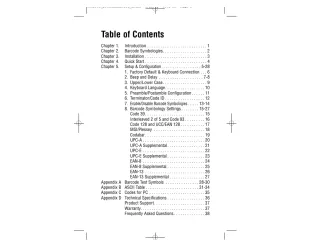
- Introduction
- Barcode Symbologies
- Installation
- Quick Start
- Setup & Configuration
From the manual · read page by page
Key facts from this manual
Each line names its page in the PDF.
Programming guide for the Wasp WWR2900 (PS/2 keyboard wedge) and WWR2905 (USB) pen scanners. It shows how to connect each one and how to change settings by scanning the printed barcodes: beep, delays, letter case, keyboard language, prefix and suffix characters, terminator and each symbology. It ends with test symbols, an ASCII table, PC function codes and the technical specifications.
- Device
- Pen-style (wand) barcode scanner that types data as keyboard input, no software or drivers needed p. 2, 4
- Interface
- WWR2900: PS/2 keyboard port, Din 6 male plug with a female Din 6 for the keyboard; WWR2905: USB p. 6
- Resolution
- Barcodes with X-dimensions as low as 5 mils (0.005 in/0.13mm) p. 5
- Light source
- 650 - 660nm LED with photo diode sensor p. 39
- Supply voltage
- 5VDC ±10% p. 39
- Scan speed and tilt
- 100mm - 600mm / Sec; 45 - 90 degree tilt p. 39
- Symbologies
- Code 39, Code 93, Code 128, Interleaved 2 of 5, UPC-A, UPC-E, EAN/JAN-8, EAN/JAN-13, Codabar, MSI/Plessey p. 5
- Off by default
- Code 93 and MSI/Plessey p. 19, 21
- Drop
- 6.06ft (1.85m) onto concrete p. 39
- Relative humidity
- 0%RH to 95%RH non-condensing p. 39
- Keyboard languages
- U.S. (default), German, French, Spanish, Italian p. 13
- Terminator options
- CR (default), Tab, None, Space, LF, ESC, CR + LF p. 15
- Prefix and suffix
- Up to 8 preamble and 8 postamble characters p. 14
- Approvals
- The guide states FCC class A and CE approval p. 39
What this manual walks you through
- Connecting the WWR2900 to a PS/2 keyboard port or the WWR2905 to USB p. 6
- Resetting the scanner to factory defaults and selecting PC or notebook p. 9
- Setting beep volume, interblock delay and intercharacter delay p. 10, 11
- Setting upper and lower case output with Caps Lock options p. 12
- Choosing the keyboard language p. 13
- Adding preamble and postamble characters from the ASCII table p. 14, 34, 35, 36, 37
- Choosing the terminator and turning Code ID on or off p. 15
- Enabling symbologies and setting check digits, lengths and supplements p. 16, 17, 18, 19, 20, 21, 22, 23
- Practicing with the barcode test symbols p. 31, 32, 33
Good to know
- The wand needs contact with the barcode, a held tilt angle and a steady scanning speed; too slow or too fast may not decode. p. 4
- If stray or scrambled characters appear, increase the intercharacter delay from its 140us default. p. 10
- Caps Lock Auto, for PC XT/AT only, may hurt scanning performance on some PCs. p. 12
- Turn the computer off before plugging the WWR2900 into the keyboard port. p. 6
- Programmed settings overwrite the defaults and stay in non-volatile memory when the PC is turned off. p. 8
Questions this manual answers
How do I reset a Wasp WWR2900 scanner to factory settings?
Scan the Factory Default barcode in the setup chapter; the guide suggests this when you are unsure of the configuration. p. 2, 9
How do I set up the WWR2900 for a laptop?
Scan the Notebook barcode under Keyboard Connection. p. 9, 41
How do I make the Wasp pen scanner send a Tab after each scan?
Scan the Tab barcode in the Terminator section; scanning None removes the terminator. p. 15, 41
Wasp WWR2905 scanner types scrambled characters
Increase the intercharacter delay to slow the transfer rate; the default is 140us. p. 10
Contents
Chapters and sections
Each line opens the PDF at its page.
The whole text · 5 parts
Read the manual here as text
Its text as extracted from the PDF, unedited, in parts; each page opens the PDF at that page.
The file