Manual · Wasp
CCD LR Programming Guide
Manual44 pagesPDF 2.2 MB
Programming guide for the Wasp WLR8900 (PS/2) and WLR8905 (USB) long range CCD barcode scanners, with setup barcodes.
Covers · 2 models
The models it covers
Summary
What is in it
Wasp's programming guide for the WLR8900 Series CCD scanners: the WLR8900 with a PS/2 keyboard wedge connection and the WLR8905 with USB. It explains CCD scanning, supported symbologies, installation and quick start, then gives programming barcodes for factory defaults, autosense stand mode, beep and delay, upper/lower case, keyboard language, preamble and postamble, terminator and code ID, and per-symbology settings, with test symbols, an ASCII table, specifications, warranty and FAQ.
Its parts
- Introduction
- Barcode Symbologies
- Installation
- Quick Start
- WLR8900/8905 Setup & Configuration
From the manual · read page by page
Key facts from this manual
Each line names its page in the PDF.
This is the 2008 Wasp CCD LR Programming Guide for the Wasp WLR8900 (PS/2) and WLR8905 (USB) extended-distance CCD barcode scanners. It shows how to install either model and prints the programming barcodes for factory defaults, keyboard type and language, beeps and delays, prefixes, terminators and each barcode symbology. It ends with test symbols, an ASCII table and WLR8900 specifications.
- Device
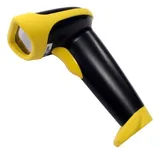
- Hand-held CCD barcode scanner with a trigger and red LED beam; no moving parts p. 4
- Interfaces
- WLR8900: PS/2 keyboard wedge (Din 6 male and female ends); WLR8905: USB p. 4, 6
- Reading distance
- Up to one foot, depending on the mil size of the barcode p. 4
- Finest barcode
- X-dimensions as low as 5 mils (0.005 in/0.13mm) p. 5
- Symbologies
- Code 39, Code 93, Code 128, Interleaved 2 of 5, UPC-A, UPC-E, EAN/JAN-8, EAN/JAN-13, Codabar, MSI/Plessey p. 5
- Software
- No software or drivers needed; data enters as keyboard data p. 2
- Terminator
- CR (default), Tab, None, Space, LF, ESC or CR + LF p. 15
- Prefix and suffix
- Up to 8 characters each for preamble and postamble p. 14
- Hands-free
- Autosense Stand Mode for hands-free scanning p. 9
- Sensor
- WLR8900: 2660 pixels CCD linear imager sensor p. 39
- Operating voltage
- WLR8900: + 5 VDC ± 10% p. 39
- Size and weight
- WLR8900: 106 (L) x 62 (W) x 160 (H) mm; approximately 160g without cable p. 39
- Cable
- WLR8900: 210 cm, interchangeable p. 39
- Drop
- WLR8900: 1.5m drop onto concrete p. 39
What this manual walks you through
- Installing the PS/2 WLR8900 or the USB WLR8905 p. 6
- Resetting the scanner to factory defaults p. 9
- Choosing a notebook or PC keyboard connection p. 9
- Setting beep volume, interblock and intercharacter delay p. 10, 11
- Handling Caps Lock and keyboard language p. 12, 13
- Adding preamble and postamble characters p. 14
- Choosing a terminator and turning Code ID on p. 15
- Enabling symbologies and setting minimum and maximum lengths p. 8, 16, 17
- Check digit, supplement and ISBN/ISSN settings for each symbology p. 18, 24, 29
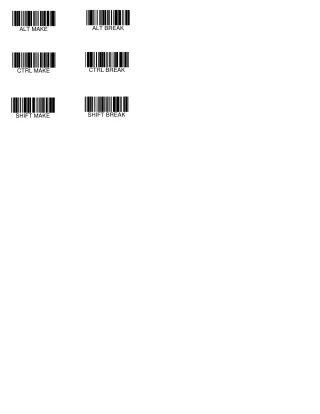
- Practicing with the barcode test symbols p. 31, 32, 33
Good to know
- Change the intercharacter delay only if the scanner cannot keep up with the computer's keyboard buffer; increase it if stray characters appear. p. 10
- Caps Lock Auto can reduce scanning performance on some PCs. p. 12
- A symbology must be enabled before its test symbol will scan. p. 31
- The guide advises against Codabar for new applications except in unusual cases. p. 22
Questions this manual answers
Does the Wasp WLR8900 need drivers?
No. The scanner needs no software or drivers and enters data as keyboard data. p. 2
What is the difference between the WLR8900 and WLR8905?
The WLR8900 connects between the PC and keyboard through the PS/2 (Din 6) port; the WLR8905 plugs into a USB port. p. 6
How do I reset a Wasp WLR8900 to factory settings?
Scan the Factory Default barcode in the setup chapter. p. 9
How far away can the WLR8900 read a barcode?
Up to one foot, depending on the mil size of the barcode. p. 4
Why does my Wasp scanner type stray characters?
Increase the intercharacter delay, which defaults to 140us, to slow the transfer rate. p. 10
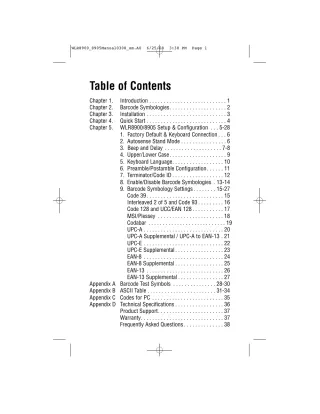
Contents
Chapters and sections
Each line opens the PDF at its page.
The whole text · 5 parts
Read the manual here as text
Its text as extracted from the PDF, unedited, in parts; each page opens the PDF at that page.
The file