Manual · Wasp
WDT3250 RF Setup Guide
Manual9 pagesPDF 225 KB
RF setup guide for the Wasp WDT3250 terminal's Summit 802.11b/g radio, using the Summit Client Utility to configure wireless profiles.
Covers · 1 model
The models it covers

Summary
What is in it
Wasp's short setup guide for the radio in the WDT3250, based on Summit 802.11b/g radio modules. It lists the supported Summit radio cards and operating systems, then walks through the Summit Client Utility (SCU): the Main window (admin login, radio on and off, active profile), the Profile window for SSID, EAP type and encryption, the Status window, the Diags window for reconnecting, DHCP renew, ping and diagnostics, and the Global settings window.
Its parts
- Overview
- Using the Summit Client Utility Software
From the manual · read page by page
Key facts from this manual
Some pages are scans or cannot be read; this says only what the readable text supports. Each line names its page in the PDF.
A 2008 Wasp Technologies RF setup guide for the WDT3250, describing the Summit 802.11b/g radio modules (SDC-CF10G, SDC-CF20G, SDC-PC10G, SDC-PC20G) and the Summit Client Utility used to configure them. It walks through each window of the utility: profiles, security settings, status, diagnostics and global settings. It helps a technician join the terminal to a wireless network and troubleshoot the connection.
- Wireless standards
- IEEE 802.11b and 802.11g (Summit radio, radio type "BG") p. 3, 5
- Setup software
- Summit Client Utility (SCU) with Main, Profile, Status, Diags and Global windows p. 4
- Profiles
- Up to 20 radio and security profiles, defined by an administrator p. 5
- EAP types
- PEAP-MSCHAP, PEAP-GTC, EAP-TLS, LEAP, EAP-FAST p. 6
- Encryption
- WPA2 or WPA with dynamic keys or pre-shared keys; static WEP keys p. 6
- Certifications
- The guide states the Summit radio modules are Wi-Fi CERTIFIED and certified to CCX Version 3 p. 3
- Radio modules
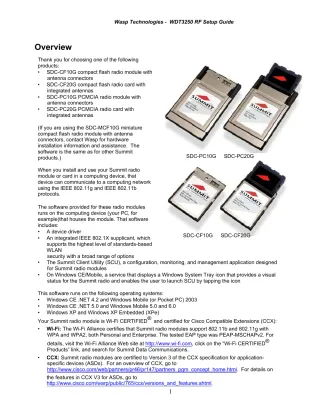
- SDC-CF10G and SDC-CF20G compact flash; SDC-PC10G and SDC-PC20G PCMCIA (10G with antenna connectors, 20G with integrated antennas) p. 3
- Software included
- Device driver, IEEE 802.1X supplicant, SCU, and a system tray status icon on Windows CE/Mobile p. 3
- Operating systems
- Windows CE .NET 4.2 and 5.0, Windows Mobile (Pocket PC) 2003, 5.0 and 6.0, Windows XP and XP Embedded p. 3
- Programming interface
- An API lets another utility manage the radio p. 4
- Diagnostics
- Reconnect, DHCP release/renew, continuous ping, diagnostics dump with AP list, save to file p. 8
What this manual walks you through
- Opening the Summit Client Utility p. 4
- Enabling the radio and choosing the active profile p. 4
- Creating, renaming and deleting profiles, and scanning for access points p. 5, 6
- Setting the SSID, EAP type and encryption to join a business WLAN p. 6
- Reading radio status, access point and channel details p. 7
- Troubleshooting the connection on the Diags window p. 8
- Global settings that apply to all profiles p. 8, 9
Good to know
- The default profile has no SSID, EAP type or encryption, so it joins only an access point that broadcasts its SSID and uses no security. p. 5
- Profile changes are saved only when Commit is pressed. p. 5
- Choosing the ThirdPartyConfig profile hands radio configuration to WZC after a power cycle. p. 4
- The regulatory domain cannot be configured by an administrator or user. p. 5
- The active profile cannot be deleted. p. 6
Questions this manual answers
How do I connect a WDT3250 to a secured Wi-Fi network?
In the Summit Client Utility, an administrator creates a profile with the network's SSID, EAP type and encryption, taps Commit, and makes it the active profile. p. 4, 6
What Wi-Fi security does the Summit radio support?
WPA2 or WPA with dynamic or pre-shared keys, or static WEP; the EAP types are PEAP-MSCHAP, PEAP-GTC, EAP-TLS, LEAP and EAP-FAST. p. 6
Where do I find the Summit Client Utility?
From the Start menu select Programs, open the Summit directory, and run the SCU icon. p. 4
Why does the radio only join open networks?
The default profile specifies no SSID, EAP type or encryption, so it associates only with an access point that broadcasts its SSID and needs no security. p. 5
How do I get a new IP address on the WDT3250 radio?
Use Release/Renew on the Diags window, which obtains a new address through DHCP. p. 8
The whole text · 1 part
Read the manual here as text
Its text as extracted from the PDF, unedited, in parts; each page opens the PDF at that page.
The file