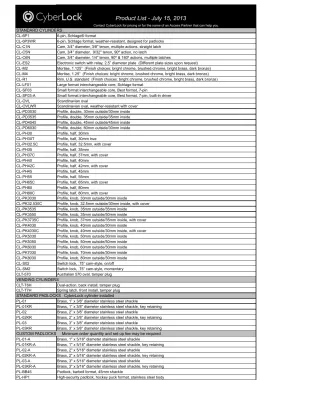
Spec sheet · Videx
CyberLock
Spec sheet6 pagesPDF 2.5 MB
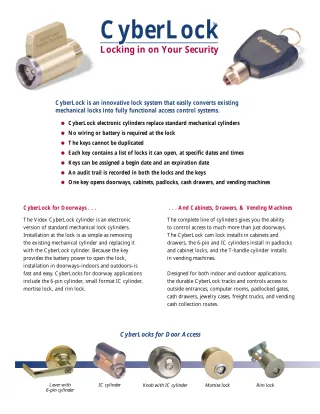
Brochure for the CyberLock key-centric access control system: CyberLock cylinders, CyberKey smart keys, communicators and CyberAudit software.
What this file really is
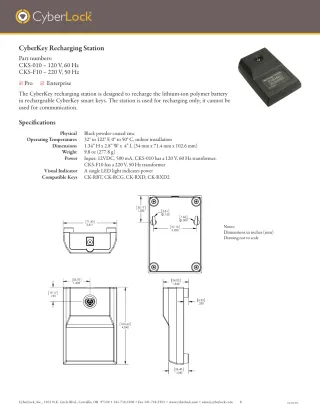
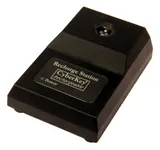
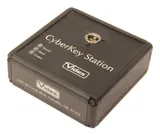
The old site listed this file as “Brochure” for the Videx CKS-010 Recharge Station and CyberKey Station AS-CBCS-010. This is a general CyberLock access control system brochure; it does not mention the CKS-010 recharge station.
Filed with · 2 models
Also filed with these models on the old site
Summary
What is in it
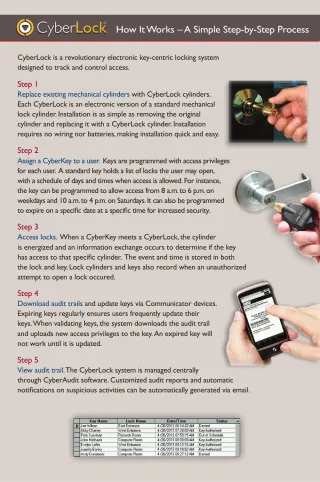
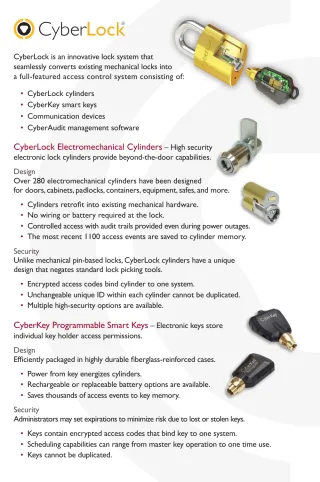
A six-page brochure for the CyberLock electronic key-centric locking system. It explains how the system works step by step, then describes CyberLock electromechanical cylinders, CyberKey programmable smart keys, communicator devices that download audit trails and update keys, the CyberAudit Professional and Enterprise software, and the CyberLock Flex System hub and modules, with three customer examples.
Its parts
- CyberLock How It Works
- CyberLock
- CyberLock Flex System
- CyberLock in Action
From the sheet · read page by page
Key facts from this sheet
Some pages are scans or cannot be read; this says only what the readable text supports. Each line names its page in the PDF.
CyberLock brochure (GCO3344) on the CyberLock key-centric access control system: electronic lock cylinders, CyberKey smart keys, communicators, CyberAudit software and the Flex System. It does not name the CKS-010 recharge station or the AS-CBCS-010 station; USB Stations appear only as one kind of communicator. It explains how keys, locks and audit trails work together.
- System
- Key-centric access control: CyberLock cylinders, CyberKey smart keys, communication devices and CyberAudit software p. 3
- Cylinders
- Electronic cylinders that retrofit existing mechanical hardware; no wiring or battery at the lock, power comes from the key p. 3
- Cylinder memory
- The most recent 1100 access events p. 3
- Cylinder designs
- Over 280, for doors, cabinets, padlocks, containers, equipment and safes p. 3
- CyberKey
- Fiberglass-reinforced case; rechargeable or replaceable battery options; saves thousands of access events p. 3
- Key programming
- List of locks the user may open, with days and times of access, and an optional expiration date and time p. 2
- Communicators
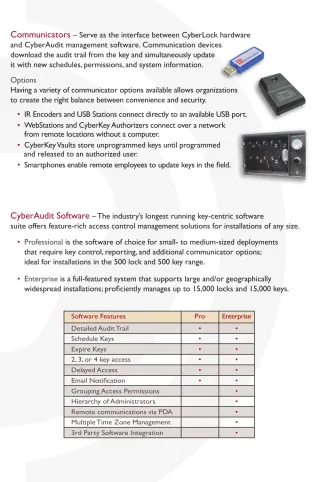
- IR Encoders and USB Stations on a USB port; WebStations and CyberKey Authorizers over a network; CyberKey Vaults; smartphones p. 4
- Software
- CyberAudit Professional for about 500 locks and 500 keys; Enterprise for up to 15,000 locks and 15,000 keys p. 4
- Flex System
- A Hub linked to CyberAudit powers modules such as RFID readers, keypad displays, key vaults, a Keyport and a Door & I/O module p. 5
What this sheet walks you through
- How the CyberLock system works, step by step p. 2
- Choosing a communicator to update keys and download audit trails p. 4
- Choosing between CyberAudit Professional and Enterprise p. 4
- Extending the system with Flex System modules p. 5
- Examples of CyberLock installations p. 6
Good to know
- An expired key will not work until it is updated through a communicator. p. 2
Questions this sheet answers
Do CyberLock cylinders need batteries or wiring?
No. The cylinder takes its power from the CyberKey, so no wiring or battery is needed at the lock. p. 3
How many events does a CyberLock cylinder store?
The most recent 1100 access events. p. 3
How are CyberKeys updated?
Through communicators: IR Encoders and USB Stations on a computer's USB port, or WebStations and Authorizers over a network. They download the audit trail and load new permissions. p. 4
How many locks can CyberAudit software manage?
Professional suits about 500 locks and 500 keys; Enterprise manages up to 15,000 locks and 15,000 keys. p. 4
The whole text · 1 part
Read the sheet here as text
Its text as extracted from the PDF, unedited, in parts; each page opens the PDF at that page.
The file