Manual · Vicon
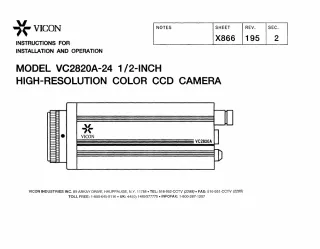
Instructions for Installation and Operation: Model VC2820A-24 1/2-Inch High-Resolution Color CCD Camera
Manual20 pagesPDF 620 KB
Installation and operation instructions for the Vicon VC2820A-24 1/2-inch high-resolution color CCD camera.
Covers · 1 model
The models it covers
Summary
What is in it
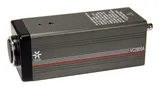
Installation and operation instructions for the Vicon VC2820A-24, a 1/2-inch high-resolution color CCD video camera with a CS-mount and C-mount adapter. It lists the features, precautions in use, the controls and connectors (composite and Y/C video outputs, DC and video iris connectors, 24 VAC power input, white balance and sync switches), shutter speed and gamma settings, lens mounting and back-focus adjustment, connection examples, camera installation and specifications.
Its parts
- Features
- Precautions in Use
- Controls and Their Locations
- Shutter Speed & Gamma Controls
- Lens Installation
- Connection Examples
- Camera Installation
- Specifications
From the manual · read page by page
Key facts from this manual
Some pages are scans or cannot be read; this says only what the readable text supports. Each line names its page in the PDF.
Installation and operation instructions (X866) for the Vicon VC2820A-24, a 1/2-inch high-resolution color CCD camera for NTSC systems. It explains the controls and connectors, shutter, gamma and white balance settings, lens mounting and back focus, line-lock sync, connection examples and the specifications.
- Device type
- 1/2-inch high-resolution color CCD camera, NTSC p. 1, 19
- Pixels
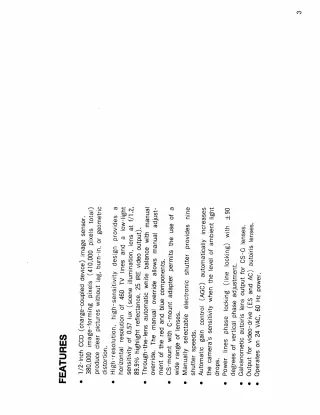
- 380,000 image-forming pixels (410,000 total) p. 3
- Resolution and sensitivity
- 460 TV lines horizontal; 0.57 lux at f/1.2, 25 IRE video output p. 3
- Lens mount
- CS-mount; C-mount lenses with the supplied C-mount adapter p. 3, 6
- Video outputs
- Composite video on a BNC connector; separate Y/C on a 4-pin connector (Y 1 Vp-p, C 0.3 Vp-p burst, 75 ohms) p. 6
- Power
- 24 VAC, 60 Hz; VC 24PS-1 power supply for a 120VAC outlet p. 3, 8
- Autoiris lenses
- DC IRIS 4-pin connector for galvanometric-iris CS-G lenses; VIDEO IRIS 3-pin connector for video-drive ES or AC lenses at 9 VDC, 50 mA or less p. 7
- Electronic shutter
- Nine speeds: DIP switch J1 inside sets 1/60 to 1/10000 second; the SHUTTER switch sets 1/100 for fluorescent flicker p. 3, 9, 11
- White balance
- Through-the-lens automatic, 2700 K to 9000 K, or manual with R and B controls p. 8, 9
- Sync
- Internal crystal control or line lock to the 60 Hz power line, with vertical phase adjustment p. 9
- Gamma
- 0.45 (factory setting) or 1, set by soldering pad J1 on the video signal processor PCB p. 12
- Operating temperature
- 14 to 122 F p. 4
- Mounting
- 1/4-20 UNC threaded holes on top or bottom p. 18
- Supplied accessories
- Lens mount cap, C-mount adapter, back-focus screw L-wrench, Y/C connector p. 19
What this manual walks you through
- Setting automatic or manual white balance p. 8, 9
- Line-lock sync and vertical phase adjustment p. 9
- Changing the shutter speed with the internal DIP switch p. 11
- Changing the gamma setting p. 12
- Mounting a lens and connecting its iris cable p. 13
- Back-focus adjustment for fixed-focus and zoom lenses p. 14
- Choosing a lens focal length p. 15
- Connecting a single camera, or several line-locked cameras to a switcher p. 16, 17
- Cleaning the camera and lens p. 4
Good to know
- Line-lock sync needs 24 VAC, 60 Hz power; it is not possible on a 50Hz power line. p. 9
- The camera outputs NTSC only and cannot be used with recorders or color monitors of other color systems. p. 19
- Do not attach the C-mount adapter when using a CS-mount lens. p. 15
- Above 4,000 lux the linear shutter cannot cope; use a CS-G or ES series autoiris lens. p. 12
- Do not point the camera at the sun, whether it is on or off. p. 4
Questions this manual answers
Can the Vicon VC2820A use C-mount lenses?
Yes, with the C-mount adapter attached; remove the adapter to use CS-mount lenses. p. 15
What power supply does the VC2820A-24 need?
24 VAC, 60 Hz; the manual names the VC 24PS-1 power supply for connecting to a 120VAC outlet. p. 8
How do I stop flicker under fluorescent lights on the VC2820A?
Set the SHUTTER switch to 1/100; otherwise leave it at NORMAL. p. 9
Does the VC2820A work with non-NTSC recorders or monitors?
No. It generates NTSC video and cannot be used with equipment that uses another color system. p. 19
Why do horizontal lines roll on the screen in line-lock mode?
Reverse the polarity of the power cable at the power input connector. p. 9
The whole text · 2 parts
Read the manual here as text
Its text as extracted from the PDF, unedited, in parts; each page opens the PDF at that page.
The file