Manual · VeriFone
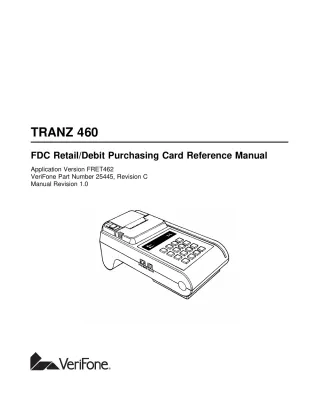
TRANZ 460 FDC Retail/Debit Purchasing Card Reference Manual
Manual116 pagesPDF 474 KB
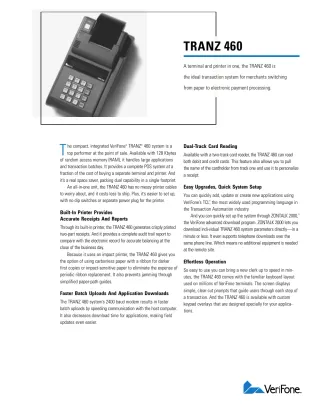
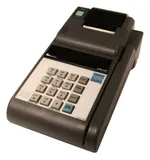
Reference manual for the VeriFone TRANZ 460 card terminal running the FDC Retail/Debit Purchasing Card application, version FRET462.
Covers · 1 model
The models it covers
Summary
What is in it
Reference manual for the VeriFone TRANZ 460 transaction terminal with the First Data (FDC) Retail/Debit Purchasing Card application, version FRET462. It covers unpacking, installation in single or multi-lane setups, the integral printer, maintenance and troubleshooting, general and host programming, credit and debit transactions, batch closing and terminal functions. Appendices describe the PINpad 101 and PINpad 201 devices, prompts and error messages, ZONTALK download parameters and the TRANZport 232.
Its parts
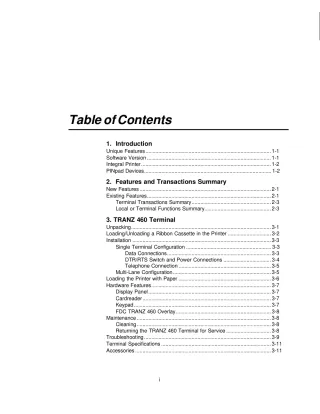
- Introduction
- Features and Transactions Summary
- TRANZ 460 Terminal
- General Programming
- Programming the Terminal for Use
- Standard Key Operations
- Terminal Functions
- Accessories
- TRANZ 460 Integral Printer
- PINpad 101 Device
- PINpad 201 Device
- Prompts and Error Messages
- ZONTALK Download Parameters
- TRANZport 232
- Glossary
From the manual
Key facts from this manual
Each line names its page in the PDF.
The FDC Retail/Debit Purchasing Card reference manual for the VeriFone TRANZ 460 terminal, application version FRET462. It explains setting up the terminal and its printer, connecting it to a phone line, PINpad and TRANZport 232, the transaction keys and setup functions, and troubleshooting.
- Device type
- Credit and debit authorization terminal with integral roll printer p. 15
- Processor
- Z80A CPU at 3.579 MHz p. 25
- Memory
- 32 Kbyte EPROM and 32 Kbyte RAM p. 25
- Display
- 16-character vacuum fluorescent, 14-segment p. 21, 25
- Card reader
- ISO 7811 Track 2 or Track 1 p. 25
- Modem
- Internal; Bell 103 300 baud and Bell 212A 1200/300 baud p. 25
- AC power
- 95 to 130 VAC, 60 Hz (USA Model); 194 to 260 VAC, 50 Hz (International Model) p. 25
- Operating environment
- 0 to 40 C (32 to 104 F); humidity 20% to 80%, no condensation p. 25
- Dimensions
- 4.57 in. high, 5.83 in. wide, 11.85 in. deep; shipping weight about 4 lb p. 25
- Printer
- Epson Model M-180 impact dot matrix, 24 columns, 1 original plus 1 copy p. 63
- Ribbon and paper
- Ribbon cassette CRM0012-01 (Black) or CRM0012-02 (Purple); paper CRM0013 p. 63
- Serial cable
- PN 00446-04, DIN-8 to DB-9 p. 17
- Software version
- Application FRET462; needs EPROM version NEAEU200 or higher p. 9
- PINpads
- PINpad 101 and PINpad 201 p. 10
What this manual walks you through
- Unpacking the terminal and checking the contents p. 15
- Loading and unloading the printer ribbon cassette p. 16
- Connecting the terminal to a TRANZport 232 and DVM p. 17, 18
- Setting up a multi-lane configuration p. 19
- Loading paper in the printer p. 20
- Transaction keys and setup functions p. 13
- Cleaning the terminal p. 22
- Troubleshooting display, telephone, printer, transaction and keypad problems p. 23, 24
Good to know
- Do not spray liquid cleaners directly on the terminal; apply the cleaner to the cloth. p. 22
- The printer will not operate without a paper roll correctly installed. p. 23
- The power on/off switch is the only way to power the terminal down completely. p. 19
- Do not attempt service, adjustments or repairs unless the manual says to. p. 23
Questions this manual answers
What ribbon does the TRANZ 460 printer use?
Ribbon cassette CRM0012-01 (black) or CRM0012-02 (purple), with CRM0013 pressure sensitive paper. p. 63
How do I check the software version on a TRANZ 460?
Unplug the power cord and plug it in again; the display shows the installed software version. p. 9
How do I reset the TRANZ 460?
Set the power on/off switch, found under the paper roll cover, to off and then on again. p. 18, 19
Why does the TRANZ 460 printer not print?
Check that the ribbon cassette (if used) and the paper roll are loaded correctly, look for a power failure, then press CLEAR and try again. p. 23, 24
Which PINpads work with the TRANZ 460?
The manual covers the PINpad 101 and PINpad 201, which attach to the terminal's side panel. p. 10
The whole text · 12 parts
Read the manual here as text
Its text as extracted from the PDF, unedited, in parts; each page opens the PDF at that page.
The file