Manual · VeriFone
SC 5000 Series PINpad Installation Guide
Manual31 pagesPDF 1.7 MB
Installation guide for the VeriFone SC 5000 Series PINpad with smart card reader: setup, cabling, specifications, care and troubleshooting.
Covers · 1 model
The models it covers

Summary
What is in it
The installation guide for the VeriFone SC 5000 Series PINpad, a PIN pad with an integrated smart card reader that connects to VeriFone transaction terminals or third party point of sale systems. It gives an overview of features and security, then explains choosing a location, unpacking, installing MSAM cards, the mounting adapter and privacy shield, cable connections to terminals and ECR/PC, the power supply, smart card and magnetic card reader use, specifications, cleaning, service and accessories, and troubleshooting.
Its parts
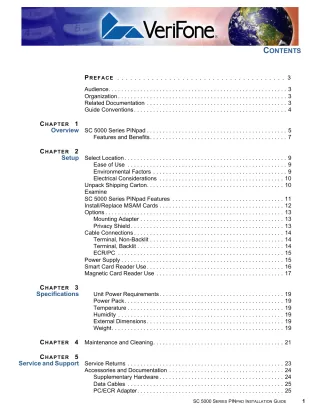
- Preface
- Overview
- Setup
- Specifications
- Maintenance and Cleaning
- Service and Support
- Troubleshooting Guidelines
From the manual · read page by page
Key facts from this manual
Some pages are scans or cannot be read; this says only what the readable text supports. Each line names its page in the PDF.
The VeriFone installation guide (part number 22459, Revision B, 2004) for the SC 5000 Series PINpad, a handheld PIN pad with a smart card reader for VeriFone terminals or other point-of-sale systems. It covers placing the unit, fitting MSAM cards, cabling to a terminal, ECR or PC, choosing the power supply and using the card readers, with specifications, accessory part numbers and troubleshooting.
- Device
- Handheld PIN pad with integrated smart card reader, for VeriFone terminals or third-party point-of-sale systems p. 7
- Encryption
- DES, 3DES, AES and RSA; Master Session or DUKPT key management p. 7
- Keys
- 10-key telco-style keypad, three programmable function keys, three color-coded keys (CANCEL, BACKSPACE, ENTER) p. 13
- Card readers
- Smart card reader for synchronous and asynchronous cards, including 3-volt cards; triple-track, high-coercivity magnetic stripe reader on units that have one p. 7, 9
- Unit power
- 7-20 V DC or 8-20 V DC, 3700 mW; early units need at least 8V DC, later units 7V DC p. 21
- Size and weight
- 158 mm long, 99 mm wide, 52 mm deep; 360 gms (12 oz.) p. 21
- Operating environment
- 0° to 40° C (32° to 104° F); 15% to 95% relative humidity, no condensation p. 21
- Power pack
- CPS11220-3A, 24.0 V DC universal 40W Class 2 switching power supply p. 21
- SAM slots
- Zero, two or four MSAM cardholders, depending on the variant p. 13
- PC/ECR adapter
- 02308-xx, DB-9, with an input port for the power supply p. 27
- Terminal data cables
- 10441-xx to the Omni 395 (DIN); 03197-xx to the Omni 470 (mini-DIN) p. 27
- Backlit power adapter
- 22479-01 connector box for backlit units used without an ECR or PC p. 27
- Mounting and privacy
- 22473-01 mounting adapter; 22237-01 privacy shield p. 26
- Security
- Tamper-detection circuitry and VeriShield file authentication p. 9
What this manual walks you through
- Choosing a location for the PIN pad p. 11, 12
- Unpacking and checking the unit for tampering p. 12
- Installing or replacing MSAM cards p. 14, 15
- Fitting the mounting adapter and privacy shield p. 15
- Cabling a backlit or non-backlit unit to a terminal p. 16
- Connecting the unit to an ECR or PC p. 17
- Deciding whether a power supply is needed p. 17
- Running a smart card transaction p. 18
- Swiping a magnetic stripe card p. 19
- Fixing a blank display, unresponsive keypad or failed transactions p. 29, 30
Good to know
- Variants differ by market: a display backlight, a magnetic stripe reader and MSAM cardholders may or may not be present. p. 7
- The SC4xx/SC5xx power supply (CPS049512-1B) cannot power the unit in all conditions; use the CPS11220-3A. p. 17
- The unit is for indoor use only and is not waterproof or dustproof. p. 11
- The card readers should not be cleaned by the user. p. 23
- The manual states the SC 5000 Series received EMV Level 1 approval for smart card solutions. p. 9
Questions this manual answers
What power supply does the VeriFone SC 5000 use?
The CPS11220-3A, a 24.0 V DC universal 40W switching supply. Not every configuration needs a power supply. p. 17, 21
Can I use my old SC4xx/SC5xx power supply with the SC 5000?
No. The guide says the CPS049512-1B cannot supply enough power in all conditions; use the supply that comes with the SC 5000. p. 17
How do I connect the SC 5000 to a PC or cash register?
Use the PC/ECR adapter 02308-xx with power supply CPS11220-3A and a power cord, with or without a backlight. p. 17
Why does the SC 5000 show DOWNLOAD NEEDED?
No application is loaded; the message appears after the VeriFone copyright screen. p. 18
What encryption does the SC 5000 PIN pad support?
DES, 3DES and AES, plus RSA, with Master Session or DUKPT key management. p. 7
Contents
Chapters and sections
Each line opens the PDF at its page.
The whole text · 4 parts
Read the manual here as text
Its text as extracted from the PDF, unedited, in parts; each page opens the PDF at that page.
The file