Manual · VeriFone
NURIT 8320 User Guide, Quick Service Payment Functionality
Manual154 pagesPDF 1.1 MB
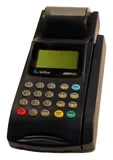
User guide for the NURIT 8320 payment terminal running the POS_STD and POS_PLUS applications, version 4.82.
Covers · 1 model
The models it covers
Summary
What is in it
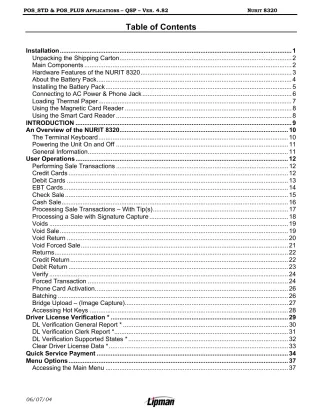
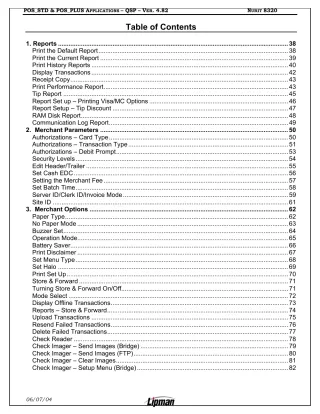
The user guide for the NURIT 8320 payment terminal with the POS_STD and POS_PLUS applications (Quick Service Payment, version 4.82). It covers installation, the battery pack, thermal paper and card readers, then credit, debit, EBT, check and cash sales, tips, voids, returns, batching and driver license verification. Menu chapters explain reports, merchant and host parameters, store and forward, check imaging, system options, downloads and communication, with restaurant tabs, a quick reference and troubleshooting at the end.
Its parts
- Installation
- Introduction
- User Operations
- Quick Service Payment
- Menu Options
- Reports
- Merchant Parameters
- Merchant Options
- Host Parameters
- System Options
- Radio Params
- Download
- Communication
From the manual
Key facts from this manual
Each line names its page in the PDF.
Lipman's User Guide (06/07/04) for the NURIT 8320 payment terminal running the POS_STD and POS_PLUS Quick Service Payment applications, version 4.82. It covers setting up the terminal (battery, power and phone line, paper, card readers), the keyboard, processing sales, voids, returns and batches, the menu settings and basic troubleshooting.
- Device
- EDC transaction terminal with thermal printer, magnetic card reader, smart card reader and keypad p. 12
- Ports
- Line port, telephone port, RS-232 port for peripherals, external PIN pad port, power port p. 12
- Battery pack
- Optional Ni-MH, 7.2 VDC, 1200 mAh; full charge within 3 hours in the terminal, 80% within 1 hour p. 11, 13
- Battery life
- Well over 600 charge cycles; loses about 1% of its charge per day unused p. 13
- Radio
- Contains a radio transceiver module operating under FCC Part 90 p. 9
- Printer paper
- Thermal paper only p. 150
- In the box
- Terminal, AC power cord, paper spindle, battery pack (optional), phone cable, thermal paper roll, documentation, privacy shield p. 11
- Application
- POS_STD and POS_PLUS version 4.82; POS7 versions require Nurit Operating System (NOS) 7.8.4 and above p. 18
- Build tool
- Nurit Control Center version 7.4.11 or higher for building terminal files p. 18
- Battery storage
- Between -20°C and 60°C p. 13
What this manual walks you through
- Choosing a location for the terminal p. 10
- Installing or replacing the battery pack p. 14
- Connecting AC power and the phone line p. 15
- Loading thermal paper p. 16
- Using the magnetic card reader and smart card reader p. 17
- Learning the terminal keys p. 19
- Running a credit card sale p. 21
- Troubleshooting power, phone line, printer, card reader and PIN pad problems p. 150
- Selling and reloading phone cards p. 151
Good to know
- Use the AC charger only indoors; only battery-powered units should be used outdoors. p. 10
- Leave at least 22.1 centimeters (8.7 inches) of clear space around the terminal for ventilation. p. 10
- The terminal is designed for a dedicated phone line, not a splitter or rollover phone system. p. 150
- Do not open the terminal to solve a problem; contact the technical support help desk. p. 150
- Do not dispose of the battery pack in a fire. p. 13
Questions this manual answers
What battery does the Nurit 8320 use?
An optional Ni-MH battery pack of 7.2 VDC and 1200 mAh, which recharges within 3 hours in the terminal. p. 13
My Nurit 8320 shows NO LINE. What should I check?
Check that the RJ-11 phone connector is firmly in the LINE socket and the wall, that the line is dedicated (no splitter or rollover), and the exchange prefix setting. p. 150
The Nurit 8320 seems to have no power. What can I do?
Make sure the AC adapter is fully plugged in and its barrel connector is seated in the PWR jack; a backup battery needs 10 to 12 hours of charging. p. 150
How do I feed paper on the Nurit 8320?
Feed thermal paper from under the roll beneath the black roller; if needed, hold FUNC and tap FEED. p. 16
Which way do I swipe a card on the Nurit 8320?
With the magnetic stripe facing down and to the right. p. 17
The whole text · 16 parts
Read the manual here as text
Its text as extracted from the PDF, unedited, in parts; each page opens the PDF at that page.
- Pages 1 to 101-10
- Pages 11 to 2011-20
- Pages 21 to 3021-30
- Pages 31 to 4031-40
- Pages 41 to 5041-50
- Pages 51 to 6051-60
- Pages 61 to 7061-70
- Pages 71 to 8071-80
- Pages 81 to 9081-90
- Pages 91 to 10091-100
- Pages 101 to 110101-110
- Pages 111 to 120111-120
- Pages 121 to 130121-130
- Pages 131 to 140131-140
- Pages 141 to 150141-150
- Pages 151 to 154151-154
The file