Manual · Unitech
HT660/PA96x/PA982/RH767 Programming Manual
Manual46 pagesPDF 173 KB
Programming manual for Unitech HT660, PA96x (including PA966/967), PA982 and RH767 terminals: scanner, system and Bluetooth DLL calls.
Names · 1 model
The models it names
Filed with · 1 model
Also filed with these models on the old site
Summary
What is in it
Programming manual for developers writing applications for the Unitech HT660, PA96x, PA982 and RH767 Windows CE terminals. It explains how bar code data reaches the application through the decoder chip on COM2, then documents the function calls of USI.DLL (the Unitech Scanner Interface), control commands for the decoder chip, the backward-compatible SCANNER3.DLL and SCANKEY3.DLL, UnitechAPI.dll, SysIOAPI.dll for keypad, scanner, LED and backlight, and the Bluetooth API, with links to sample programs and SDKs.
Its parts
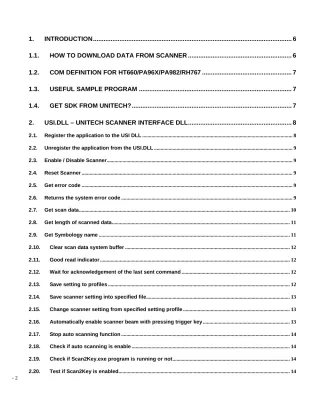
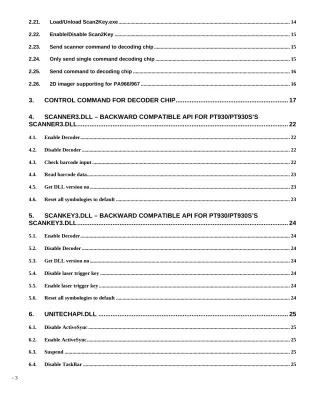
- Introduction
- USI.DLL – Unitech Scanner Interface DLL
- Control Command for Decoder Chip
- SCANNER3.DLL – Backward Compatible API for PT930/PT930S's SCANNER3.DLL
- SCANKEY3.DLL – Backward Compatible API for PT930/PT930S's SCANKEY3.DLL
- UNITECHAPI.DLL
- SYSIOAPI.DLL
- Bluetooth Relative API - BTAPI.DLL
- Useful Function Call – Without Include SYSIOAPI.DLL
- Get Device ID
- Get OEM Info
- Update Notes
From the manual
Key facts from this manual
Each line names its page in the PDF.
Unitech programming manual (version 1.7, dated 2008-01-15) for the HT660, PA96x, PA982 and RH767 WinCE terminals. It documents the scanner libraries USI.DLL, Scanner3.DLL and ScanKey3.DLL, low-level decoder chip commands, the UnitechAPI.DLL and SysIOAPI.DLL system calls, and RFID reader functions. It is written for developers building their own applications.
- What it is
- Programming manual for the HT660/PA96x/PA982/RH767 terminals: bar code subsystem and utility libraries p. 1, 6
- Scan engine
- HT660/PA96x/PA982: advanced decoding chip that controls an SE900 laser engine p. 6
- Scanner port
- Decoder chip on serial port COM2, fixed at 38400,N,8.1 p. 6, 8
- Scanner library
- USI.DLL (Unitech Scanner Interface); Scanner3.DLL and ScanKey3.DLL kept for porting PT930/PT930SA software p. 6
- Scan2Key.exe
- Utility that types scanned bar code data into the keyboard buffer p. 6
- Keypad
- PA966: 22-key or 36-key keypad p. 28
- Card slots
- PA96x/PA982: two PC card slots, one PCMCIA and one CF p. 34
- System libraries
- UnitechAPI.DLL (ActiveSync, task bar, suspend); SysIOAPI.DLL (scanner, LED, backlight, PC card slots) p. 25, 28
- Scan data buffer
- 4K bytes by default p. 8
- Keypad backlight
- PA966: keypad backlight can be switched on and off by API p. 33
- 2D imager
- PA966/967: 2D imager API is in a separate document, 2D_Engine_SDK.pdf p. 16
- Sample programs
- Sample programs for VC, C# and VB.NET; a separate SDK per model p. 7
- Scanner settings
- Scanner port settings are kept in the registry p. 8
What this manual walks you through
- Registering an application with USI.DLL to receive scan data p. 8
- Enabling, disabling and resetting the scanner p. 9
- Sending low-level commands to the decoder chip p. 17
- Porting PT930 software with Scanner3.DLL and ScanKey3.DLL p. 6
- Turning off ActiveSync on the RS232 port to drive serial devices directly p. 25
- Hiding the task bar so operators stay in the application p. 25
- Controlling screen and keypad backlight p. 33
- Enabling and disabling the PCMCIA and CF slots p. 34, 35
- RFID reader data functions and error codes p. 40
Good to know
- Low-level decoder commands are not recommended because of serial timing issues; USI.DLL is the suggested route. p. 17
- No interval within a decoder command may exceed 1 second. p. 17
- With ActiveSync active, the RS232 port cannot be used for other RS232 devices until ActiveSync is disabled. p. 25
- Several Scanner3.DLL and ScanKey3.DLL functions were removed on these terminals. p. 6
- On the PA96x/PA982 the physical slot numbers for CF and PCMCIA are reversed compared with previous products. p. 34
Questions this manual answers
How do I read bar codes from my own program on a Unitech PA966?
Use USI.DLL to control scanner input, or run Scan2Key.exe so scans arrive as keyboard input. p. 6
Which COM port does the PA966 scanner use?
COM2, at fixed settings 38400,N,8.1. p. 6
How do I stop ActiveSync from starting when an RS232 cable is plugged in?
Call RS232EventEnable (VOID), described with RS232Event.DLL; calling it with "REPLLOG.EXE" turns ActiveSync back on. p. 25
Will PT930 scanner software run on these terminals?
Scanner3.DLL and ScanKey3.DLL are provided for porting PT930/PT930SA software, but several of their APIs were removed. p. 6
Where is the 2D imager API for the PA966?
The manual says the 2D API for the PA966/967 is in a separate document, 2D_Engine_SDK.pdf. p. 16
The whole text · 5 parts
Read the manual here as text
Its text as extracted from the PDF, unedited, in parts; each page opens the PDF at that page.
The file