Manual · Unitech
Unitech PA950 Product Reference Guide
Manual204 pagesPDF 931 KB
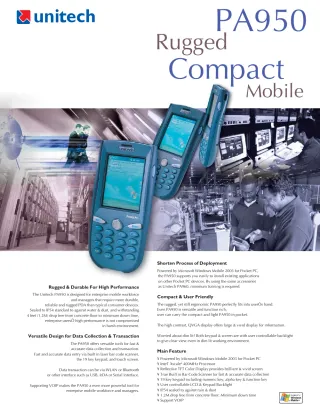
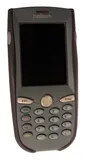
Product reference guide for the Unitech PA950 rugged Windows Mobile 2003 PDA with integrated laser bar code scanner and 19-key keypad.
Covers · 1 model
The models it covers
Summary
What is in it
Unitech's product reference guide for the PA950, a rugged PDA running Microsoft Windows Mobile 2003 for Pocket PCs with an integrated laser bar code scanner. It covers accessories, a tour of the unit, installing and charging the batteries and using the keypad, then the settings, ActiveSync, the bundled Pocket PC applications, Terminal Services, Bluetooth and the scanner. It ends with the technical specification and Unitech contact information.
Its parts
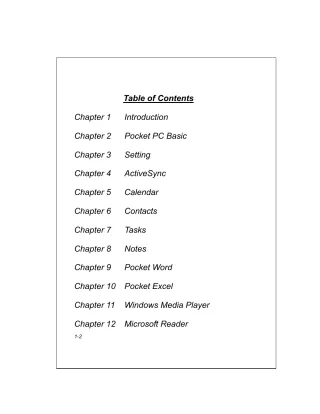
- Introduction
- Pocket PC Basic
- Setting
- ActiveSync
- Calendar
- Contacts
- Tasks
- Notes
- Pocket Word
- Pocket Excel
- Windows Media Player
- Microsoft Reader
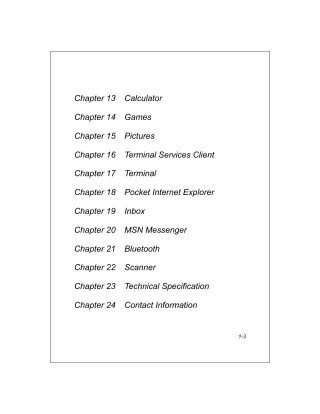
- Calculator
- Games
- Pictures
From the manual
Key facts from this manual
Each line names its page in the PDF.
Unitech's Product Reference Guide (400365 REV A) for the PA950, a rugged Windows Mobile 2003 PDA with an integrated laser bar code scanner and a 19 key keypad. It lists the accessories with part numbers, shows the controls and ports, explains first power-up and charging, and walks through the Pocket PC programs, Bluetooth, the scanner settings and the technical specifications.
- Device
- Rugged PDA on Microsoft Windows Mobile 2003 with an integrated laser bar code scanner and 19 key keypad p. 4
- Processor and memory
- Intel X-Scale 400MHz; 32MB Flash ROM; 64MB SDRAM p. 200
- Display
- 240 x 320, 64K color reflective TFT LCD with backlight and touch screen p. 200
- Scan engine
- Integrated SE900 laser scan engine (optional) p. 200
- Communication
- Serial, USB, IrDA; one SD slot; CF slot with 802.11b pre-loaded p. 201
- Main battery
- Lithium 7.4V 720mAh, part number 1400-201002 p. 5
- Battery life and charging
- 6 to 10 hours depending on application; charges within 2.5 hours by cable or cradle; 10 hours the first time p. 200
- Power adaptor
- AC 110-240V, DC 9V/2A: 1010000550 (US plug), 1010000560 (EU plug), 10100000570 (UK plug) p. 5
- Cradle and chargers
- Cradle 5000-600627; 2 slot battery charger 5100-600635; 4 slot battery charger 5100-600636 p. 5
- Cables
- 1550-600622 RS232+DC; 1550-600623 USB+DC; 1550-600626 USB(A/B); 1550-600682 DB9F to DB9M p. 5
- Stylus
- Part number 1979-600646 p. 5
- Dimensions and weight
- 182mm x 82mm x 29mm (L x H x W); 350 gram with battery pack p. 200, 201
- Temperature
- Operating -5 C to 50 C; storage -20 C to 60 C; 5% to 95% humidity, non-condensing p. 201
- Software
- Unitech PA950 SDK; Microsoft development tool for Pocket PC 2003; point to point VOIP (optional) p. 201
What this manual walks you through
- Finding the controls, ports and switches on the PA950 p. 6, 7, 8
- Installing the main battery pack p. 10
- Powering and charging the terminal by cable or cradle p. 11, 12
- Using the 19 key keypad and its function key shortcuts p. 13, 14
- Using the Pocket PC basics and freeing memory p. 15, 16, 17, 18
- Using Bluetooth to beam information and bond with other devices p. 186
- Testing the scanner and changing bar code symbology settings p. 197
- Routing scanned data to the keypad buffer with Scan2Key p. 198
- Pin assignments of the 16 pole connector and serial port p. 202
Good to know
- Charge the unit for 10 hours before first use to fill the empty backup battery. p. 12
- Do not charge the battery below 0°C (32°F) or above 45°C (115°F); let it warm to room temperature first. p. 12
- Check that the backup battery switch is on before using the PA950 for the first time. p. 9
- For more on scanner settings the guide refers to the PA950 Programming Manual. p. 197
Questions this manual answers
What battery does the Unitech PA950 use?
A lithium 7.4V 720mAh battery, part number 1400-201002. p. 5
How do I charge the PA950?
Plug the USB with DC in cable (P/N 1550-600623) into the Serial/USB port and connect the power adaptor to it, or use the cradle; spare batteries charge in the 2 slot or 4 slot charger. p. 11, 12
What operating system does the PA950 run?
Microsoft Windows Mobile 2003 for Pocket PCs, on an Intel X-Scale 400MHz processor. p. 200
Does the PA950 have wireless LAN?
Its CF slot is listed for 802.11b, pre-loaded; it also communicates by serial, USB and IrDA. p. 201
Where is the scanner setup program on the PA950?
Scanner Setting.exe is in the \Setting directory; it tests scanning and changes symbology and delimiter settings. p. 197
The whole text · 21 parts
Read the manual here as text
Its text as extracted from the PDF, unedited, in parts; each page opens the PDF at that page.
- Pages 1 to 101-10
- Pages 11 to 2011-20
- Pages 21 to 3021-30
- Pages 31 to 4031-40
- Pages 41 to 5041-50
- Pages 51 to 6051-60
- Pages 61 to 7061-70
- Pages 71 to 8071-80
- Pages 81 to 9081-90
- Pages 91 to 10091-100
- Pages 101 to 110101-110
- Pages 111 to 120111-120
- Pages 121 to 130121-130
- Pages 131 to 140131-140
- Pages 141 to 150141-150
- Pages 151 to 160151-160
- Pages 161 to 170161-170
- Pages 171 to 180171-180
- Pages 181 to 190181-190
- Pages 191 to 200191-200
- Pages 201 to 204201-204
The file