Manual · Unitech
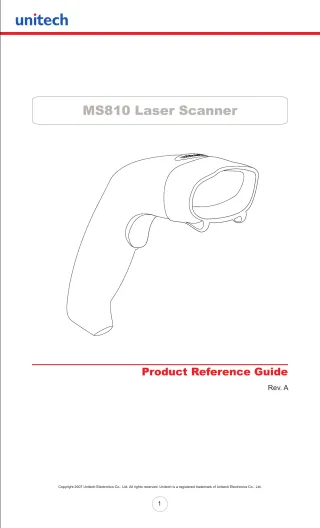
MS810 Laser Scanner Product Reference Guide
Manual41 pagesPDF 1.2 MB
Product reference guide for the Unitech MS810 1D handheld laser bar code scanner: specifications, USB and PS/2 setup and programming codes.
Covers · 1 model
The models it covers
Summary
What is in it
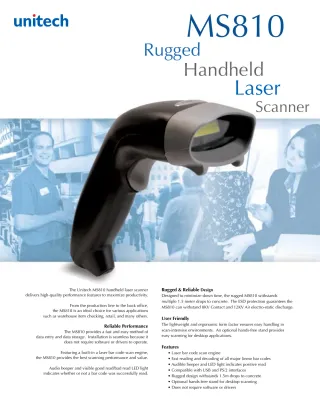
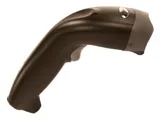
The product reference guide for the Unitech MS810, a handheld 1D laser bar code scanner with USB and PS/2 keyboard interfaces. It tours the scanner, lists the laser scan engine specifications and decode zone, explains USB and PS/2 cable connection, operation and maintenance, and gives the bar code setup menu for interface functions, symbology on/off and setup, editing, macro and special keys and termination strings, followed by factory default settings and troubleshooting.
Its parts
- Preface
- Introduction
- Installation
- Bar Code Setup Menu
- Bar Code Symbologies
- Factory Default Settings
- Troubleshooting
From the manual · read page by page
Key facts from this manual
Each line names its page in the PDF.
Product reference guide (Rev. A) for the Unitech MS810 handheld 1D laser bar code scanner. It gives the specifications and decode zone, explains USB and PS/2 connection and care, and holds the setup bar codes for scan modes, symbologies, data editing and termination strings, plus factory defaults and troubleshooting.
- What it is
- Handheld 1D laser bar code scanner that needs no software or drivers p. 6
- Interface
- USB, PS/2 (K/B) p. 8, 11
- Light source
- 650 nm (+10/-5 nm) Laser Diode, 1mW (peak) p. 8
- Scan performance
- 80 scans/sec; depth of field up to 420 mm at 40 mils; max resolution 0.1mm (4mils) Code 39; scan angle 38º p. 8
- Symbologies
- UPC/EAN/JAN, Code 39, Codabar, ITF 2/5, Code 128, Code 11, Code 93, MSI p. 8
- Power
- 5 VDC ± 0.5V; 60mA operating p. 8
- Size and weight
- 93mm x 61mm x 182mm (L x W x H); 130 g +/- 5 g without cable; rubber and ABS plastic case p. 8
- Temperature
- Operating 0ºC to 50ºC (32ºF to 122ºF); storage -20ºC to 60ºC (-4ºF to 140ºF) p. 8
- Humidity
- Operating 10% to 85%, storage 5% to 95% relative humidity, non-condensing p. 8
- Shock and light
- 1.5m drop onto concrete; up to 36000 Lux p. 8
- Read indicators
- Blue LED and one beep on a good decode; red LED and no beep on a failed read p. 7
- Scan modes
- Single scan, multiscan or pulse, with or without trigger; laser timeout 2, 5 or 7 seconds; trigger mode by default p. 12, 15
- Factory defaults
- PC/AT terminal type, US Keyboard, Enter terminator; Code 32, MSI and EAN-128 disabled p. 37
- Setup storage
- Programmed by bar code menu; settings kept in non-volatile RAM after power off p. 6
What this manual walks you through
- Connecting by USB or PS/2 and resetting the scanner to factory defaults p. 10, 11
- Operating the scanner and cleaning the scan window p. 12
- Holding the scanner at an angle to avoid the specular dead zone p. 9
- Setting output mode, beep tone, reverse image and bar code ID p. 13, 14
- Choosing scan mode, laser timeout, keyboard wedge mode and keyboard country p. 15, 16
- Turning symbologies on or off p. 17, 18, 19, 20
- Setting ID characters, check digits, start and stop characters, UPC/EAN expansion and supplements p. 21, 25, 27, 29, 31
- Editing scanned data with strip, filter, macro and special key setup codes p. 32, 33, 34
- Adding termination characters, preamble and postamble p. 35, 36
- Troubleshooting a scanner that does not read or send data p. 38, 39, 40
Good to know
- Holding the scanner straight over a label at 90˚ creates a dead zone from specular reflection. p. 9
- Do not spray water or cleaning liquids directly onto the scan window. p. 12
- Turn the host computer off before connecting the scanner. p. 12
- The Reset Configuration to Defaults code resets to the defaults of the interface in use, USB or PS/2. p. 10, 11
Questions this manual answers
How do I reset a Unitech MS810 to factory defaults?
Scan the Reset Configuration to Defaults bar code in the guide; it restores the defaults for the USB or PS/2 interface in use. p. 10, 11
Why does the MS810 beep but no data appears on my computer?
The scanner may not be set for the host type, or it may be sending keypad numerics or using the UNIVERSAL keyboard country; reprogram those settings. p. 39
How far can the MS810 read a bar code?
Up to 420 mm for a 40 mil bar code. p. 8
Why are scanned characters wrong on the host?
The scanner's Keyboard Country setting may not match the computer's keyboard, or Caps Lock may be on; match the setting and check the editing options. p. 40
What power does the MS810 need?
5 VDC ± 0.5V, drawing 60mA when operating. p. 8
The whole text · 5 parts
Read the manual here as text
Its text as extracted from the PDF, unedited, in parts; each page opens the PDF at that page.
The file