


Manual · Unitech
Unitech MR650 Product Reference Guide
Manual38 pagesPDF 4.2 MB
Product reference guide for the Unitech MR650 Windows CE time and attendance, access control and security terminal.
Covers · 1 model
The models it covers
Summary
What is in it
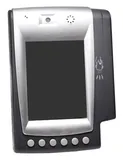
The product reference guide for the Unitech MR650 TAS (Time Management, Access Control and Security) terminal with a color touch screen and Windows CE 5.0. It explains how to install, operate and maintain the terminal: power-up and calibration, the keypad and software keyboard, the proximity, magnetic stripe, barcode and fingerprint readers, the built-in camera, the backup battery and backlight, serial, Ethernet and RF communication with ActiveSync, utilities such as Scan2Key, and the terminal block pin assignment.
Its parts
- Getting Started
- Using the Hardware
- Power System
- Data Communication
- Useful Utilities
- Terminal Block
From the manual · read page by page
Key facts from this manual
Each line names its page in the PDF.
The Product Reference Guide (2007) for the Unitech MR650 TAS terminal, used for time and attendance, access control and security. It explains setup and charging, the keypad, the proximity, magnetic stripe, barcode and fingerprint readers, the camera, power settings, resets, PC connections and the built-in utilities, and it gives the terminal block pin assignment.
- Device
- Time management, access control and security (TAS) terminal running Windows CE 5.0 p. 7
- Display
- 5.6" QVGA LCD color touch screen, 240 x 320 p. 9
- Interfaces
- RS232, built-in RJ45 Ethernet, USB host, optional POE module, CF Type II slot for 802.11 b/g wireless p. 9, 30
- Power
- External 12V DC adapter; rechargeable Lithium-Ion UPS battery (3.8V, 4000 mAh) for 2 hours operation or 3 days data backup p. 9
- CPU and memory
- Intel PXA270 520MHz; 128MB RAM; 64MB FlashROM; SD slot up to 2GB p. 9
- Proximity reader
- EM 125 kHz, HID 125 kHz and Mifare 13.56 MHz p. 20
- Magnetic stripe reader
- Triple track; 19 cm/sec tap speed; 300,000 minimum passes p. 9
- Barcode reader
- Unitech decoder chip; China Postal Code, Codabar, Code 11, Code 32, Code 39, Code 93, Code 128, Delta Code, Interleaved 2 of 5, ISBT 128, Label Code IV, Label Code V, MSI, Standard 2 of 5, Toshiba Code, UPC/EAN p. 9
- Fingerprint reader
- AuthenTec AFS8500 sensor; 4000 templates; 2 second max verification time; 0.1% equal error rate (at medium security) p. 9
- Inputs and relays
- 3 output relays (common, normal close, normal open contacts); 4 digital inputs (photo inputs) p. 9, 38
- Camera and audio
- 1.3 mega pixel CMOS camera; 0.8W audio speaker; microphone input p. 9
- Keypad
- 6 rubber keys: F1~F4, ESC and ENTER; on-screen keyboard for other characters p. 18, 19
- Package contents
- MR650 main body, Quick Start Guide, manual CD, stylus, RS232 cable, AC power adapter p. 10
- Utilities
- Scanner Settings, Scan2Key, Registry Backup/Restore, Audio Demo program, Softkeys p. 33, 34, 35, 36
What this manual walks you through
- Unlocking the back plate and connecting 12V DC power p. 13, 14
- Calibrating the screen and setting the time zone, date and time p. 15, 16, 17
- Using the Windows CE on-screen keyboard p. 19
- Testing the card and barcode readers with Scanner Settings p. 20
- Testing, enrolling and verifying fingerprints p. 22, 23, 24
- Using and testing the camera p. 25, 26
- Adjusting the screen backlight p. 28
- Performing a warm start or cold start p. 29
- Connecting to a PC by RS232, Ethernet or wireless, and using ActiveSync p. 30, 31, 32
- Terminal block pin assignment for power, digital inputs and relays p. 37, 38
Good to know
- Charge the Lithium-Ion battery only between -5°C and 50°C. p. 27
- Data entered may not be stored properly until the backup battery has been adequately recharged. p. 13
- A warm start loses unsaved data; a cold start erases all data in SD RAM and all installed applications in RAM. p. 29
- The optional POE module needs a POE hub at the end user level. p. 30
- The screen contrast is set at the factory and cannot be adjusted. p. 28
Questions this manual answers
How long does the Unitech MR650 battery take to charge?
A full charge typically takes 22 hours, and the MR650 can operate while the backup battery charges. p. 13
How long does the MR650 run without external power?
About 2 hours of operation, depending on configuration and backlight use, and backup data is kept for 3 days. p. 27
Which proximity cards does the MR650 read?
EM 125 kHz, HID 125 kHz and 13.56 MHz Mifare cards. p. 20
How do I send MR650 scans into another program as keystrokes?
Use the Scan2Key utility, which passes data from the scanner, magnetic reader or proximity reader to the keyboard buffer. p. 33
How do I get my MR650 settings back after a cold boot?
Use Registry Backup/Restore (Start, Program, Utilities, RegBackup) to recall the saved settings. p. 34
The whole text · 4 parts
Read the manual here as text
Its text as extracted from the PDF, unedited, in parts; each page opens the PDF at that page.
The file