Manual · UBI
UBI EasyCoder 91 Instruction Book
Manual142 pagesPDF 1.8 MB
Instruction book for the UBI EasyCoder 91 direct thermal and thermal transfer label printers: setup, operation, maintenance and commands.
Covers · 1 model
The models it covers
Summary
What is in it
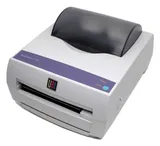
UBI's instruction book for the EasyCoder 91 series of direct thermal and thermal transfer/direct thermal label printers, in Tear-Off and Peel-Off models. It covers technical data, unpacking, mains and computer connection, the optional battery pack and memory cartridge, installing the Windows driver, loading paper and ribbon, label stop sensor adjustment, test mode, cleaning and troubleshooting, media specifications, and a full reference of the printer's ASCII programming commands.
Its parts
- Introduction
- Installation Instructions
- Operation
- Maintenance and Troubleshooting
- Specifications
- Programming
From the manual
Key facts from this manual
Each line names its page in the PDF.
Instruction book for the UBI EasyCoder 91 direct thermal and thermal transfer label printers, in tear-off and peel-off models, for software version 2.23 and Windows driver version 1.71. It covers setup, options, paper and ribbon loading, maintenance, troubleshooting and the printer's programming commands.
- What it is
- Direct thermal or thermal transfer/direct thermal label printer, in tear-off and peel-off models p. 5
- Interfaces
- RS 232C serial (DB9 female) and Centronics parallel (36-pin female) p. 6, 12
- Power supply
- Separate unit: input 100-240 VAC, 50-60 Hz, 2.0 A; output 20 V DC, 2.5 A p. 6
- Resolution
- 8 dots/mm (203.2 dots/inch) p. 6
- Print speed
- Selectable 25, 38 or 50 mm/sec (1, 1.5 or 2 in/sec) p. 6
- Print width
- Max. 104.0 mm (4.09 in); length up to 616 mm, depending on image buffer size p. 6
- Memory
- 256 kbyte EPROM; 128 kbyte RAM, expandable to 256 or 512 kbyte with a Memory/Real Time Clock Cartridge p. 6
- Media
- Roll max. 96.5 mm diameter, core min. 38.1 mm, width 28.6 to 118.1 mm, thickness 0.06 to 0.25 mm p. 6
- Ribbons
- UBI transfer ribbons only (wax, hybrid, resin), 60, 90 or 110 mm wide p. 6
- Optional battery pack
- About 8 hours at a 20% duty cycle; recharge about 13 hours from the printer's transformer p. 9
- Memory backup battery
- 3V CR2032 lithium coin cell on the CPU board, and one in the memory cartridge p. 35, 36
- Cleaning card
- Part number 1-110071-00 p. 33
- Dimensions and weight
- 256 x 212 x 141 mm (L x W x H); 1.55 kg (3.42 lbs) printer only p. 6
- Operating temperature
- +5°C to +40°C (+40°F to +104°F); 10 to 90% RH, non-condensing p. 6
What this manual walks you through
- Connecting the power supply p. 8
- Fitting the optional battery pack p. 9, 10
- Installing a memory cartridge p. 11
- Connecting to a computer and setting up the serial port p. 12, 123
- Reading the indicator lamp and using the Feed key p. 23
- Adjusting the label stop sensor and printing a test label p. 31, 32
- Cleaning the printhead p. 33
- Troubleshooting print and feed problems p. 34
- Replacing the memory backup batteries p. 35, 36
- Printing stored forms with the Keyboard Display Unit p. 139, 140
Good to know
- No printer-to-computer cable is included unless ordered separately. p. 7
- The Windows driver needs the parallel port; the serial port is not suited to it. p. 12
- The parallel port is one-way, so the printer cannot send prompts back over it. p. 12
- Turn the printer off before fitting or removing a memory cartridge; the memory may need formatting first. p. 11
- Never run the printer or its power supply where either can get wet. p. 8
Questions this manual answers
What power supply does the UBI EasyCoder 91 use?
A separate power supply unit taking 100-240 VAC, 50-60 Hz and giving 20 V DC at 2.5 A. p. 6
What does an orange light on the EasyCoder 91 mean?
An error, such as label stop sensor problems, a paper jam or a software error. p. 23
How do I calibrate the label sensor on the EasyCoder 91?
Load full width labels, then hold the Feed key while switching on the power; the printer adjusts the sensor and prints a test label. p. 32
What battery keeps the EasyCoder 91 memory?
A 3V CR2032 lithium coin cell on the CPU board; the manual suggests replacing it at least once a year if valuable data is stored. p. 35
What are the EasyCoder 91 default serial settings?
9600 baud, no parity, 8 data bits, 1 stop bit, with XON/XOFF and DSR/CTS; change them with the Y command. p. 123
Contents
Chapters and sections
Each line opens the PDF at its page.
The whole text · 17 parts
Read the manual here as text
Its text as extracted from the PDF, unedited, in parts; each page opens the PDF at that page.
- INTRODUCTION1-6
- INSTALLATION INSTRUCTIONS, pages 7 to 147-14
- INSTALLATION INSTRUCTIONS, pages 15 to 2215-22
- OPERATION23-32
- MAINTENANCE & TROUBLESHOOTING33-36
- SPECIFICATIONS37-41
- PROGRAMMING, pages 42 to 5142-51
- PROGRAMMING, pages 52 to 6152-61
- PROGRAMMING, pages 62 to 7162-71
- PROGRAMMING, pages 72 to 8172-81
- PROGRAMMING, pages 82 to 9182-91
- PROGRAMMING, pages 92 to 10192-101
- PROGRAMMING, pages 102 to 111102-111
- PROGRAMMING, pages 112 to 121112-121
- PROGRAMMING, pages 122 to 131122-131
- PROGRAMMING, pages 132 to 138132-138
- APPENDICES139-142
The file