Manual · Trimble
GeoExplorer II Operation Manual
Manual368 pagesPDF 2.3 MB
Operation manual for the Trimble GeoExplorer II handheld GPS mapping receiver, from setup and field data collection to configuration.
Covers · 1 model
The models it covers
Summary
What is in it
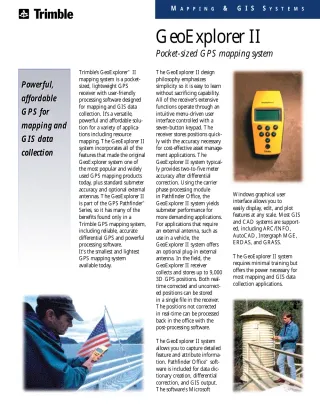
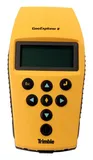
The full operation manual for the Trimble GeoExplorer II mapping system, a handheld six-channel GPS receiver used with the Pathfinder Office software. It explains GPS concepts and accuracy, the system components and options, power and basic operation, planning and setting parameters before fieldwork, recording features and navigating to waypoints, transferring data to the PC, every menu and configuration setting, plus appendices on ASCII messages, datums, NMEA output, real-time differential correction and troubleshooting.
Its parts
- Preface
- GPS and the GeoExplorer II
- System Components
- Basics of Operation
- Before Leaving the Office
- In the Field
- Returning to the Office
- Data Capture
- Position
- GPS Status
- Navigation
- Date & Time
- Configuration
- Data Transfer
From the manual
Key facts from this manual
Each line names its page in the PDF.
The operation manual for the Trimble GeoExplorer II handheld GPS mapping receiver. It covers the system components and options, powering the receiver, memory and firmware, field data collection and navigation, troubleshooting and error codes, and the part numbers for spares.
- Device type
- Six-channel handheld GPS receiver that stores point, line and area features p. 52
- Tracking
- Six channels parallel/sequential, L1 C/A code p. 53
- Accuracy
- 2 to 5 meters CEP code phase differential; submeter with the Phase Processor Software p. 54
- Memory
- 1/4 MB; 192 KB free for files when none are recorded p. 53, 78
- Power
- Four AA batteries, an external rechargeable camcorder battery (about 7 to 9 hours), or a vehicle power adapter p. 53, 61
- External DC input
- 9 to 32 volt, 3 watt DC through the battery eliminator p. 58
- Memory backup battery
- 3V lithium 2/3A in the battery eliminator, life of one year p. 58
- Data cable
- Data download cable P/N 30153, circular plug to DE-9 serial p. 55, 79
- Communications
- Dual EIA-RS-232 serial port (Port A and Port B) p. 53, 55
- Display
- Backlit, four lines, alphanumeric p. 53
- Receiver part numbers
- GeoExplorer II system 28778-00; receiver 17319-42 p. 344
- Power kit parts
- Camcorder battery 17466; battery eliminator 19074-01; vehicle power adaptor 19072; power splitter cable 21756 p. 345
- Battery chargers
- 120V: 13012-10; 230V: 24624 p. 345
- Firmware
- Version 2.11, loaded from a PC over the serial port p. 79
What this manual walks you through
- Replacing the AA batteries and resetting the battery timer p. 62, 63
- Assembling the External Power Kit for camcorder battery or vehicle power p. 64, 65, 66
- Recharging the 12V camcorder battery p. 66
- Wiring of the data download cable p. 55
- How long a file can record in free memory p. 78
- Upgrading the firmware to version 2.11 p. 79
- Fixing problems with power, file transfer and position fixes p. 338, 339, 340
- Reading error codes and resetting the memory p. 341, 342
- Returning parts for service p. 346
Good to know
- The receiver has no internal battery for its memory; if the battery pack is out for more than 15 minutes, memory is erased. p. 341
- The receiver does not operate below -10°C. p. 338
- The casing is splash proof but does not withstand immersion. p. 53
- Do not plug the 120 volt charger into a 240 volt outlet. p. 66
- Resetting the memory deletes data files, waypoints and the almanac; the manual calls it a last resort. p. 342
Questions this manual answers
What does error code 01 mean on a GeoExplorer II?
The battery-backed memory was lost, clearing the almanac and stored data. It happens when the battery pack is out for more than 15 minutes. p. 341
Why won't my GeoExplorer II transfer files to the PC?
The manual says to set the Port A protocol to XMODEM and to set the correct communications port in the Pathfinder Office software. p. 339
What is the part number of the GeoExplorer II data download cable?
The data download cable is P/N 30153. p. 79
What battery goes in the GeoExplorer II battery eliminator?
A replaceable 3V lithium 2/3A battery, which lasts about one year and keeps the memory while power supplies are changed. p. 58
How long does the GeoExplorer II camcorder battery last?
The rechargeable 12V camcorder battery gives 7 to 9 hours of continuous operation and recharges overnight. p. 59
Contents
Chapters and sections
Each line opens the PDF at its page.
The whole text · 37 parts
Read the manual here as text
Its text as extracted from the PDF, unedited, in parts; each page opens the PDF at that page.
- Pages 1 to 101-10
- Pages 11 to 2011-20
- Pages 21 to 3021-30
- Pages 31 to 4031-40
- Pages 41 to 5041-50
- Pages 51 to 6051-60
- Pages 61 to 7061-70
- Pages 71 to 8071-80
- Pages 81 to 9081-90
- Pages 91 to 10091-100
- Pages 101 to 110101-110
- Pages 111 to 120111-120
- Pages 121 to 130121-130
- Pages 131 to 140131-140
- Pages 141 to 150141-150
- Pages 151 to 160151-160
- Pages 161 to 170161-170
- Pages 171 to 180171-180
- Pages 181 to 190181-190
- Pages 191 to 200191-200
- Pages 201 to 210201-210
- Pages 211 to 220211-220
- Pages 221 to 230221-230
- Pages 231 to 240231-240
- Pages 241 to 250241-250
- Pages 251 to 260251-260
- Pages 261 to 270261-270
- Pages 271 to 280271-280
- Pages 281 to 290281-290
- Pages 291 to 300291-300
- Pages 301 to 310301-310
- Pages 311 to 320311-320
- Pages 321 to 330321-330
- Pages 331 to 340331-340
- Pages 341 to 350341-350
- Pages 351 to 360351-360
- Pages 361 to 368361-368
The file