Spec sheet · Symbol
UBC 1000 Universal Battery Charger Four-Station Product Guide
Spec sheet10 pagesPDF 118 KB
Product guide for the Symbol UBC 1000 four-station universal battery charger: setup, charging, conditioning and troubleshooting.
What this file really is
The old site listed this file as a spec sheet for the Symbol UBC-1000. Linked as a spec sheet, but this is the UBC 1000 product guide (setup and use instructions), not a spec sheet.
Filed under · 1 model
Filed under these models in the old catalog
Summary
What is in it
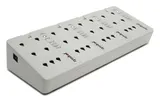
Symbol's product guide for the UBC 1000, a four-station universal battery charger for the NiCd, NiMH and lithium-ion battery packs of Symbol portable products. It covers safety guidelines, the parts of the charger, desktop and wall mounting, connecting the power supply, installing battery adapters, reading the battery status display, charging and conditioning batteries, troubleshooting, and warranty and support contacts.
Its parts
- Introduction
- About This Guide
- Safety Guidelines
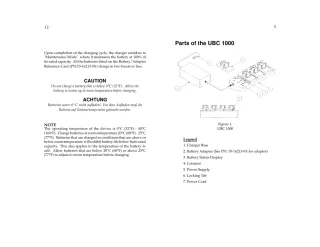
- Parts of the UBC 1000
- Installation
- Battery Status Display
- Charging the Battery
- Conditioning the Battery
- Troubleshooting
- Warranty and Support
From the sheet · read page by page
Key facts from this sheet
Each line names its page in the PDF.
Product guide for the Symbol UBC 1000 Universal Battery Charger, a four-station charger and conditioner for NiCd, NiMH and Lithium-Ion packs of Symbol portable products. It covers desk or wall installation, the power supply, battery adapters, the status lights, charging, conditioning and troubleshooting.
- Device
- Four-station charger and conditioner; each station works independently p. 2, 8
- Battery types
- Nickel-Cadmium (NiCd), Nickel-Metal Hydride (NiMH) and Lithium-Ion (LIon) packs p. 8
- Adapter list
- Battery/Adapter Reference Card, PN 70-16213-0X, lists supported batteries and adapters p. 8
- Charge time
- Listed batteries charge in two hours or less; READY means 95%; 3 hours in the charger for 100% p. 3, 4
- Maintenance mode
- Holds the battery at 100% after charging; batteries may stay in the charger indefinitely p. 3, 4
- Conditioning
- Hold CONDITION for 2 seconds; full discharge and recharge takes 12-13 hours p. 7
- Power
- Nominal 115 or 230 volt circuit, grounded plug p. 2
- Surge protection
- Power supply interrupts current on a surge; no resettable or replaceable fuse p. 5
- Status lights
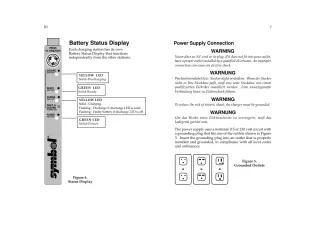
- POWER green, READY green, CHARGE yellow, DISCHRG yellow, FAULT flashing yellow p. 2
- Mounting
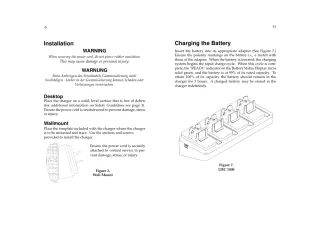
- Desktop or wall mount, with template, anchors and screws included p. 4
- Guide part number
- 70-16212-02, Revision A, August 1997 p. 6
What this sheet walks you through
- Installing the charger on a desk or wall p. 4
- Connecting the power supply to a grounded outlet p. 2, 5
- Installing and removing battery adapters p. 5
- Reading the Battery Status Display p. 2, 9
- Charging a battery p. 4
- Conditioning a battery that has lost run time p. 7
- Troubleshooting stations, power and rejected batteries p. 8
Good to know
- Do not use the conditioning function on Lithium-Ion batteries; it shortens their life. p. 7
- Condition only once every several weeks; daily or weekly use shortens battery life. p. 7
- Do not charge a battery below 0°C (32°F); charge at 20°C (68°F) - 25°C (77°F). p. 3
- New or long-stored packs may show ready too early; reinserting 3-4 times forms them. p. 8
- If the power light stays off after a large surge, an internal fuse may need factory service. p. 5
Questions this sheet answers
What does a flashing yellow light mean on the UBC 1000?
With the discharge light off, the battery is faulty or damaged; with the discharge light solid, the station is discharging. p. 2, 9
How long does the UBC 1000 take to charge a battery?
Listed batteries charge in two hours or less to READY, which is 95%; three hours in the charger gives 100%. p. 3, 4
How do I condition a battery in the UBC 1000?
Insert it and hold the CONDITION button for 2 seconds; the cycle takes 12-13 hours and is not for Lithium-Ion packs. p. 7
Which batteries does the UBC 1000 charge?
NiCd, NiMH and Lithium-Ion packs of Symbol portable products, each in its adapter from the reference card PN 70-16213-0X. p. 8
The whole text · 1 part
Read the sheet here as text
Its text as extracted from the PDF, unedited, in parts; each page opens the PDF at that page.
The file