Manual · Symbol
PPT 2800 Series Product Reference Guide for Pocket PC 2002
Manual278 pagesPDF 3.4 MB
Product reference guide for the Symbol PPT 2800 Series Pocket PC 2002 terminals: batch, Spectrum24 LAN and wireless WAN models.
Covers · 4 models
The models it covers
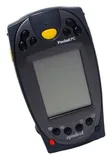 Symbol PPT-2800Portable batch data collection terminal from$1,095.005 in stock Symbol PPT-2842802.11 (2 Mbps) wireless portable data collection terminal from$795.002 in stock
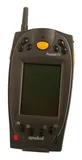 Symbol PPT-2833Cellular portable data collection terminal Call for availability Symbol PPT-2846802.11b wireless portable data collection terminal Call for availability
Summary
What is in it
Symbol's product reference guide for the PPT 2800 Series terminal running Pocket PC 2002, covering the batch PPT 2800, the PPT 283x wireless WAN models and the PPT 284x Spectrum24 LAN models. It explains batteries and charging, operating and resetting the terminal, scanning, ActiveSync, the built-in and companion applications, network and e-mail connections, Spectrum24 setup for the PPT 2842 and PPT 2846, CDPD and GSM setup, the developer kit, terminal configuration, and maintenance.
Its parts
- About This Guide
- Getting Started
- Operating the PPT 2800
- Customizing Your PPT 2800
- Communications
- Applications
- Companion Programs
- Pocket Internet Explorer
- Connections
- Spectrum24 Network Configuration
- Wireless Wide Area Network Configuration
- Software Installation on Development PC
- Configuring the Terminal
- Maintenance and Troubleshooting
From the manual
Key facts from this manual
Some pages are scans or cannot be read; this says only what the readable text supports. Each line names its page in the PDF.
Symbol's product reference guide for the PPT 2800 Series handheld terminals running Pocket PC 2002: the batch PPT 2800, the PPT 283x wireless WAN models (PPT 2833, PPT 2837) and the PPT 284x Spectrum24 LAN models. It covers setup, batteries and accessories, scanning, resetting, radio configuration, software tools, troubleshooting and technical specifications.
- Device
- Pocket PC 2002 handheld terminal series: PPT 2800 batch, PPT 283x wireless WAN radio, PPT 284x Spectrum24 LAN radio p. 12
- Scanner
- Integrated 1D or 2D bar code scanner (2D reads PDF417); decode distance 3” - 10.5” (7.6 cm - 26.7 cm) p. 57, 266
- Battery
- Lithium-ion battery, about 2 1/2 hours to charge; memory backup battery charges from it in about 10 hours p. 24, 25
- Operating temperature
- -20° C to 50° C (-4° F to 122° F); humidity 5% to 90% non-condensing p. 266
- Sealing and drop
- IP54 (windblown rain and dust); 1.2 meters (4 feet) drop to concrete p. 266
- Size and weight
- 1-D: 7”L x 3.625”W x 1”H, 10.3 oz (batch) or 11.8 oz (wireless); 2-D: 7.625”L x 3.625”W, 13.8 oz (batch) or 15.3 oz (wireless) p. 266
- Display
- Monochrome LCD or color TFT LCD p. 21
- Radios
- PPT 2842: Spectrum24 2 MB radio; PPT 2846: Spectrum24 11 MB (802.11b) radio; PPT 2833: CDPD WAN p. 135, 150, 175
- Cradles
- CRD 2700-1000S single-slot charging, CHX 2700-4000C 4-slot charging, CRD 2700-4000E 4-slot Ethernet, VCD X700-R000 vehicle p. 23
- Other accessories
- Synchronization charging cable, MDM 3003 snap-on modem, VCA 3000 auto charging adapter, TRG 3000 trigger handle, MSR 3006 magstripe reader p. 23
- ActiveSync port pins
- COM1: 3 RXD, 5 TXD, 10 RS232_gnd, 11 Power_GND, 12 9 Volts_In p. 268
- COM ports
- COM1 serial/cradle, COM2 raw IrDA, COM3 IRComm, COM4 scanning, COM6 WAN p. 267
- Quick reference guide
- PPT 2800 Quick Reference Guide, p/n 72-54893-xx p. 14
What this manual walks you through
- Installing and charging the battery p. 23, 24, 25, 26
- Charging a spare battery in the cradle p. 27
- Attaching the handstrap and wrist strap p. 30, 31
- Starting the terminal and aligning the screen p. 32, 33
- Scanning 1D and PDF417 bar codes p. 57, 58
- Warm and cold booting the terminal p. 58, 59, 60
- Configuring the Spectrum24 radio on the PPT 2842 and PPT 2846 p. 135, 150
- Setting GPRS network parameters p. 170
- Configuring a CDPD WAN connection on the PPT 2833 p. 175
- Troubleshooting power, screen, communication, scanning and modem problems p. 228, 229, 230, 231
Good to know
- Do not remove the lithium-ion battery in the first ten hours of use, or data may be lost. p. 25
- A cold boot erases records not saved in the Flash File system; try a warm boot first. p. 59
- When the battery is low, the scanner shuts off before the low battery warning appears. p. 230
- Never use a pen, pencil or other sharp object on the touch screen. p. 228
- Receiving beamed data needs free memory of at least twice the size of the data. p. 230
Questions this manual answers
How do I cold boot a Symbol PPT 2800?
Remove the battery cover, hold the Function button and gently press the reset button with the stylus tip, then replace the cover and press Power. p. 60
How do I warm boot a PPT 2800?
Hold down both the up and down scroll buttons and press the App 4 button; stored records are kept. p. 58, 59
How long does the PPT 2800 battery take to charge?
About 2 1/2 hours, in the CRD 2700 cradle or with the Synchronization Cable. p. 25, 26
What is the difference between the PPT 2842 and PPT 2846?
Both connect to a Spectrum24 wireless LAN; the PPT 2842 has a 2 MB radio and the PPT 2846 an 11 MB radio. p. 135, 150
Why does my PPT 2800 turn itself off?
It turns off after a period of inactivity, settable from one to five minutes on the Power screen. p. 229
Contents
Chapters and sections
Each line opens the PDF at its page.
- About This Guide12
- Chapter 1 Getting Started18
- Chapter 2 Operating the PPT 280036
- Introduction38
- Using the Power Button38
- Controlling the Contrast/Backlight38
- Using the Stylus38
- Today Screen39
- Selecting Programs41
- Using the Navigation Bar and Command Bar43
- Using Pop-up Menus43
- Notifications44
- Entering Information45
- Using My Text55
- Finding Information56
- Scanning57
- Resetting Your PPT 2800 Terminal58
- Chapter 3 Customizing Your PPT 280062
96 more lines, from page 67 on
- Assigning Applications to Application Buttons67
- Chapter 4 Communications72
- Chapter 5 Applications80
- Chapter 6 Companion Programs100
- Chapter 7 Pocket Internet Explorer114
- Chapter 8 Connections122
- Chapter 9 Spectrum24 Network Configuration132
- Chapter 10 Wireless Wide Area Network Configuration168
- Chapter 11 Software Installation on Development PC200
- Chapter 12 Configuring the Terminal204
- Chapter 13 Maintenance and Troubleshooting226
- Appendix A Block Recognizer Characters232
- Appendix B Demo Program234
- Appendix C GSM Demo Program254
- Appendix D Technical Specifications266
- Index270
The whole text · 34 parts
Read the manual here as text
Its text as extracted from the PDF, unedited, in parts; each page opens the PDF at that page.
- Pages 1 to 31-3
- Contents4-11
- About This Guide12-17
- Chapter 1 Getting Started, pages 18 to 2618-26
- Chapter 1 Getting Started, pages 27 to 3527-35
- Chapter 2 Operating the PPT 2800, pages 36 to 4436-44
- Chapter 2 Operating the PPT 2800, pages 45 to 5345-53
- Chapter 2 Operating the PPT 2800, pages 54 to 6154-61
- Chapter 3 Customizing Your PPT 280062-71
- Chapter 4 Communications72-79
- Chapter 5 Applications, pages 80 to 8980-89
- Chapter 5 Applications, pages 90 to 9990-99
- Chapter 6 Companion Programs100-113
- Chapter 7 Pocket Internet Explorer114-121
- Chapter 8 Connections122-131
- Chapter 9 Spectrum24 Network Configuration, pages 132 to 140132-140
- Chapter 9 Spectrum24 Network Configuration, pages 141 to 149141-149
- Chapter 9 Spectrum24 Network Configuration, pages 150 to 158150-158
- Chapter 9 Spectrum24 Network Configuration, pages 159 to 167159-167
- Chapter 10 Wireless Wide Area Network Configuration, pages 168 to 175168-175
- Chapter 10 Wireless Wide Area Network Configuration, pages 176 to 183176-183
- Chapter 10 Wireless Wide Area Network Configuration, pages 184 to 191184-191
- Chapter 10 Wireless Wide Area Network Configuration, pages 192 to 199192-199
- Chapter 11 Software Installation on Development PC200-203
- Chapter 12 Configuring the Terminal, pages 204 to 211204-211
- Chapter 12 Configuring the Terminal, pages 212 to 219212-219
- Chapter 12 Configuring the Terminal, pages 220 to 225220-225
- Chapter 13 Maintenance and Troubleshooting226-231
- Pages 232 to 239232-239
- Pages 240 to 247240-247
- Pages 248 to 253248-253
- Appendix C GSM Demo Program254-265
- Appendix D Technical Specifications266-269
- Index270-278
The file