Manual · Symbol
CRD 6100 Quick Reference
Manual20 pagesPDF 661 KB
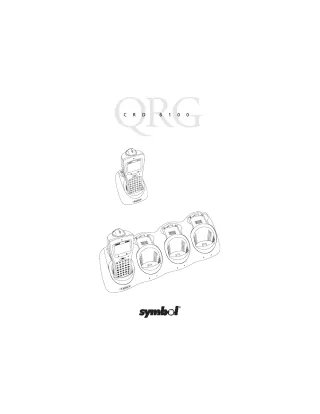
Quick reference for the Symbol CRD 6100-1030 single-slot and CRD 6100-4030 four-slot cradles for the PDT 6100 terminal.
What this file really is
The old site listed this file as “Quick Reference” for the Symbol CRD6100-1030, CRD6100-4030 and PDT-6142. Filed as a PDT-6142 user manual, but it is the quick reference for the CRD 6100 cradles that hold the PDT 6100 terminal.
Names · 2 models
The models it names
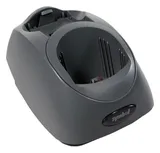 Symbol CRD6100-1030Desktop cradle from$195.00198 in stock
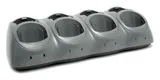 Symbol CRD6100-4030Desktop cradle from$395.0015 in stock
Filed with · 1 model
Also filed with these models on the old site
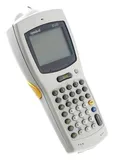
Summary
What is in it
A quick reference guide for installing and using the Symbol CRD 6100-1030 single-slot and CRD 6100-4030 four-slot cradles, which charge PDT 6100 terminals and spare batteries and connect them to a host computer by RS-232. It shows the parts of each cradle, connecting the cables and the optional internal modem, inserting and removing the terminal, charging the terminal battery and spare packs, chaining four-slot cradles, sending data to a host or printer, troubleshooting and regulatory information.
Its parts
- Introduction
- Equipment Required for Setup
- Parts of the Cradle
- Connecting the Cables
- Connecting the Internal Modem
- Inserting the Terminal in the Cradle
- Removing the PDT 6100 from the Cradle
- Charging the Battery
- Recharging a Spare Battery Pack
- Connecting to Other Cradles
- Sending Data to a Host Computer or Printer
- Troubleshooting
- Regulatory Information
From the manual · read page by page
Key facts from this manual
Each line names its page in the PDF.
A Symbol quick reference guide for the CRD 6100-1030 single-slot cradle and the CRD 6100-4030 four-slot cradle, which charge and communicate with the PDT 6100 series terminal. It covers setup, cabling, the optional internal modem, battery charging, linking cradles, troubleshooting and regulatory notices. The guide names the PDT 6100 family, not the PDT 6142 model by number.
- Device
- Charging and communication cradle for the PDT 6100: single-slot (CRD 6100-1030) or four-slot (CRD 6100-4030) p. 3
- Host interface
- RS-232 through a DB-25 port; null modem cable DB-25 male to DB-25 female or DB-25 male to DB-9 female p. 3
- Power supply
- AC power supply p/n 50-14000086 (single-slot) or p/n 50-14001-004 (four-slot), plus a line cord p. 3
- Terminal battery
- 1500 mAh NiMH; charges in the cradle in up to 2.5 hours p. 9
- Spare battery slot
- Each cradle has spare battery charging slot(s); a spare recharges in 2.5 hours p. 10
- Charging temperature
- 0°C to 40°C (32°F to 104°F) p. 9
- Terminal connector
- RJ41 connector in the slot mates with the terminal's serial port p. 8
- Internal modem
- Optional on some cradles, up to 14,400 bps, RJ-11 phone port; the four-slot cradle has none p. 7
- Inter-cradle cable
- RS232 inter-cradle cable p/n 50413 links up to 16 four-slot cradles p. 11
- Longer inter-cradle cable
- p/n 5134900-00 p. 11
- Charging LED
- Flashes yellow when seated, solid yellow while charging, solid green when charged p. 9
- Communications LED
- Flashes green while data is being sent p. 11
- Document number
- 70-37395-02, Revision A, March 2000 p. 20
What this manual walks you through
- Checking the parts, cables and power supply before setup p. 3
- Identifying the slots, connectors and LEDs on the cradle p. 4, 5
- Connecting the serial cable and power supply p. 6, 7
- Connecting the optional internal modem to a phone line p. 7, 8
- Seating and removing the terminal p. 8
- Charging the terminal battery p. 9
- Recharging a spare battery pack p. 9, 10
- Linking four-slot cradles in series p. 11
- Sending data to a host computer or printer p. 11
- Troubleshooting power, charging and communication problems p. 12, 13
Good to know
- Each cradle needs its own power supply; the guide calls any other hookup unsafe. p. 11
- Single-slot cradles cannot be linked together. p. 11
- Wrong modem firmware settings (country, dialing, redial timing) can make modem use illegal and unreliable. p. 8
- Charge the terminal battery fully before first use. p. 9
- The modem option cannot be used on public coin phone service. p. 15
Questions this manual answers
How long does the CRD 6100 take to charge a PDT 6100 battery?
Up to 2.5 hours for a fully discharged 1500 mAh NiMH battery; a spare in the spare slot also takes 2.5 hours. p. 9
What power supply does the CRD 6100-4030 four-slot cradle use?
AC power supply p/n 50-14001-004; the single-slot cradle uses p/n 50-14000086. p. 3
How many CRD 6100 cradles can be daisy-chained?
Up to 16 four-slot cradles, using inter-cradle cable p/n 50413; single-slot cradles cannot be linked. p. 11
Does the CRD 6100-4030 have a modem?
No. Some cradles have an optional internal modem of up to 14,400 bps, but the four-slot cradle does not. p. 7
What cable connects a CRD 6100 cradle to a PC?
An RS-232 null modem cable, DB-25 male to DB-25 female or DB-25 male to DB-9 female. p. 3
Contents
Chapters and sections
Each line opens the PDF at its page.
- Introduction3
- Equipment Required for Setup3
- Parts of the Cradle4
- Parts of the Cradle5
- Connecting the Cables6
- Connecting the Internal Modem7
- Inserting the Terminal in the Cradle8
- Removing the PDT 6100 from the Cradle8
- Charging the Battery9
- Recharging a Spare Battery Pack9
- Connecting to Other Cradles11
- Sending Data to a Host Computer or Printer11
- Troubleshooting12
- Regulatory Information14
The whole text · 2 parts
Read the manual here as text
Its text as extracted from the PDF, unedited, in parts; each page opens the PDF at that page.
The file