


Spec sheet · Symbol
Symbol MK-1100 and MK-1150 Spec Sheet
Spec sheet2 pagesPDF 168 KB
Both pages are below, each with its text.
Names · 1 model
The models it names
Filed with · 1 model
Also filed with these models on the old site
From the sheet · read page by page
Key facts from this sheet
Each line names its page in the PDF.
Symbol Technologies spec sheet from 2005 for the MK 1100 Micro Kiosk, a web-enabled self-service kiosk for price checks, digital signage and bar code scanning in stores. It lists the display, scanner, network, software, accessory and mounting details. It covers the MK 1100 only.
- What it is
- Web-enabled self-service kiosk for digital signage, price verification and bar code scanning p. 1
- Display
- 5.7 in. (14.5 cm) diagonal, 320 x 240 pixels (1/4 VGA); resistive touch screen optional p. 2
- Network
- Wireless 11 Mbps (802.11b) or wired 10Base-T Ethernet on an RJ-45 connector p. 2
- Power
- 12-24 VDC/20 Watts; supports Power-over-Ethernet (Symbol Bias-T) p. 2
- Scanner
- 650 nm laser diode; 1D omnidirectional scanning, 2D smart raster p. 2
- Bar codes read
- UPC/EAN, Code 39, Interleaved 2 of 5, Code 128, Codabar, MSI Plessey; 2D: PDF417 and MicroPDF p. 2
- CPU and software
- Intel XScale (200 MHz); Windows CE .NET 4.1; Internet Explorer CE version 5.5 p. 2
- Memory
- 32 MB DRAM p. 2
- Ports and slots
- RS-232 on an RJ-45 connector; Ethernet on RJ-45; one Type II/III PC Card p. 2
- Buttons
- Four programmable function buttons p. 1
- Size and weight
- 10.9 in. H x 8.9 in. W x 3.6 in. D (27.7 x 22.6 x 9.1 cm); 3.1 lbs /1.4 kg typical p. 2
- Mounting and options
- Wall-mount and pole-mount brackets; VESA 100 mm mounting; 3-track magnetic stripe reader; advertising/placard mounting kit p. 2
- Developer tools
- MK 1100 SDK with C APIs and ActiveX objects, supporting a serial printer and MSR; Kiosk Software Suite with source code p. 2
What this sheet walks you through
Questions this sheet answers
What operating system does the Symbol MK 1100 run?
Windows CE .NET 4.1, with Internet Explorer CE version 5.5 as the browser. p. 2
Can the MK 1100 kiosk be powered over Ethernet?
Yes. It supports Power-over-Ethernet (Symbol Bias-T); it also takes 12-24 VDC. p. 2
What bar codes does the MK 1100 read?
Standard retail 1D codes including UPC/EAN, Code 39, Interleaved 2 of 5 and Code 128, plus PDF417 and MicroPDF. p. 2
Does the MK 1100 have a touch screen?
A resistive touch screen is optional; the kiosk has four programmable buttons. p. 2
How is the MK 1100 mounted?
With a wall-mount or pole-mount bracket, or any third-party mount that follows the VESA 100 mm standard. p. 2
The file
Size and text
Every page · 2
Read it here
Each page as it is printed, and its words beside it, so a phone can search and copy them.
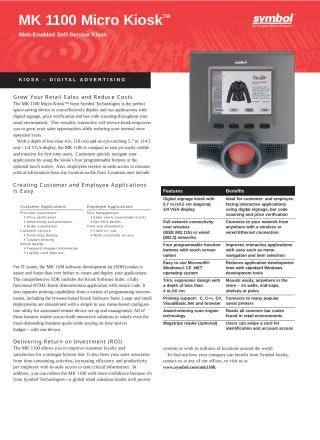
Page1of 2
Open in the PDF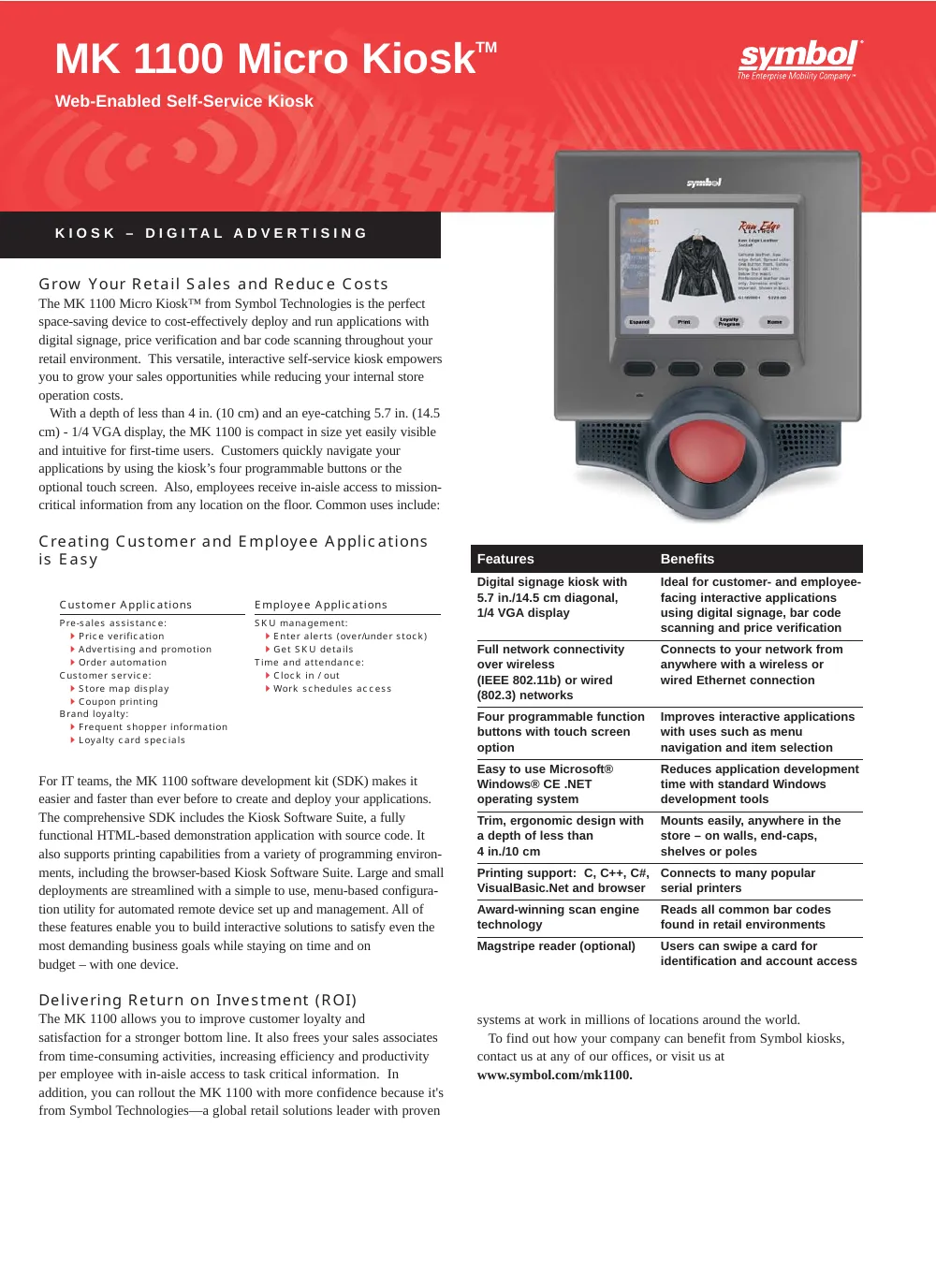
The text of page 1, from the PDF itself
MK 1100 Micro Kiosk Web-Enabled Self-Service Kiosk
K I O S K – D I G I TA L A D V E R T I S I N G
Grow Your Retail Sales and Reduce Costs The MK 1100 Micro Kiosk™ from Symbol Technologies is the perfect space-saving device to cost-effectively deploy and run applications with digital signage, price verification and bar code scanning throughout your retail environment. This versatile, interactive self-service kiosk empowers you to grow your sales opportunities while reducing your internal store operation costs. With a depth of less than 4 in. (10 cm) and an eye-catching 5.7 in. (14.5 cm) - 1/4 VGA display, the MK 1100 is compact in size yet easily visible and intuitive for first-time users. Customers quickly navigate your applications by using the kiosk’s four programmable buttons or the optional touch screen. Also, employees receive in-aisle access to missioncritical information from any location on the floor. Common uses include:
Creating Customer and Employee Applications is Easy Customer Applications
Employee Applications
Pre-sales assistance: verification and promotion automation Customer service: map display printing Brand loyalty: shopper information card specials
SKU management: alerts (over/under stock) SKU details Time and attendance: in / out schedules access
For IT teams, the MK 1100 software development kit (SDK) makes it easier and faster than ever before to create and deploy your applications. The comprehensive SDK includes the Kiosk Software Suite, a fully functional HTML-based demonstration application with source code. It also supports printing capabilities from a variety of programming environments, including the browser-based Kiosk Software Suite. Large and small deployments are streamlined with a simple to use, menu-based configuration utility for automated remote device set up and management. All of these features enable you to build interactive solutions to satisfy even the most demanding business goals while staying on time and on budget – with one device.
Features
Benefits
Digital signage kiosk with 5.7 in./14.5 cm diagonal, 1/4 VGA display
Ideal for customer- and employeefacing interactive applications using digital signage, bar code scanning and price verification
Full network connectivity over wireless (IEEE 802.11b) or wired (802.3) networks
Connects to your network from anywhere with a wireless or wired Ethernet connection
Four programmable function buttons with touch screen option
Improves interactive applications with uses such as menu navigation and item selection
Easy to use Microsoft® Windows® CE .NET operating system
Reduces application development time with standard Windows development tools
Trim, ergonomic design with a depth of less than 4 in./10 cm
Mounts easily, anywhere in the store – on walls, end-caps, shelves or poles
Printing support: C, C++, C#, Connects to many popular VisualBasic.Net and browser serial printers Award-winning scan engine technology
Reads all common bar codes found in retail environments
Magstripe reader (optional)
Users can swipe a card for identification and account access
Delivering Return on Investment (ROI) The MK 1100 allows you to improve customer loyalty and satisfaction for a stronger bottom line. It also frees your sales associates from time-consuming activities, increasing efficiency and productivity per employee with in-aisle access to task critical information. In addition, you can rollout the MK 1100 with more confidence because it's from Symbol Technologies - a global retail solutions leader with proven
systems at work in millions of locations around the world. To find out how your company can benefit from Symbol kiosks, contact us at any of our offices, or visit us at www.symbol.com/mk1100.
Page2of 2
Open in the PDF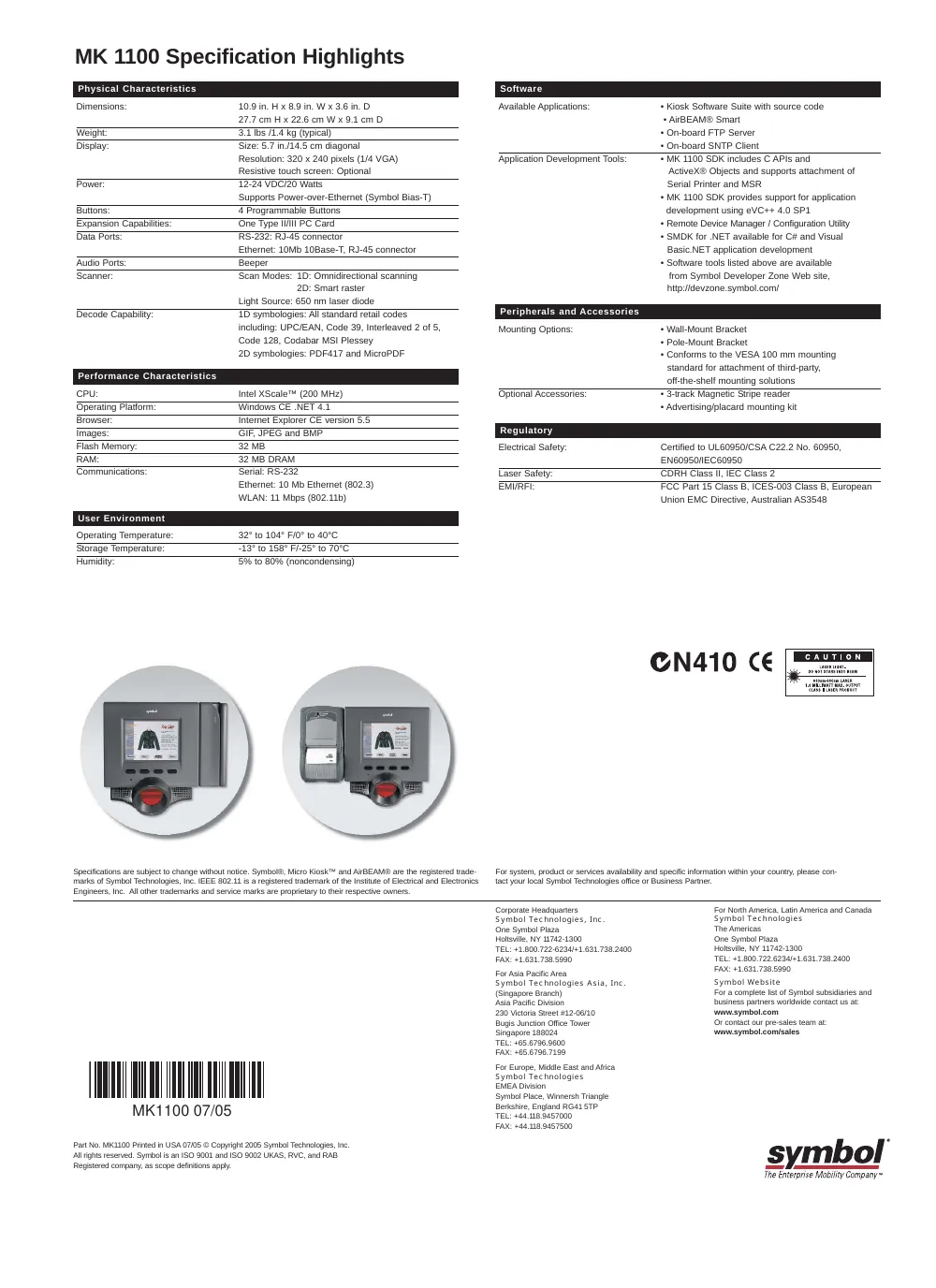
The text of page 2, from the PDF itself
MK 1100 Specification Highlights Physical Characteristics Dimensions: Weight: Display:
Power: Buttons: Expansion Capabilities: Data Ports: Audio Ports: Scanner:
- Decode Capability
- Software 10.9 in. H x 8.9 in. W x 3.6 in. D 27.7 cm H x 22.6 cm W x 9.1 cm D 3.1 lbs /1.4 kg (typical) Size: 5.7 in./14.5 cm diagonal Resolution: 320 x 240 pixels (1/4 VGA) Resistive touch screen: Optional 12-24 VDC/20 Watts Supports Power-over-Ethernet (Symbol Bias-T) 4 Programmable Buttons One Type II/III PC Card RS-232: RJ-45 connector Ethernet: 10Mb 10Base-T, RJ-45 connector Beeper Scan Modes: 1D: Omnidirectional scanning 2D: Smart raster Light Source: 650 nm laser diode 1D symbologies: All standard retail codes including: UPC/EAN, Code 39, Interleaved 2 of 5, Code 128, Codabar MSI Plessey 2D symbologies: PDF417 and MicroPDF
- Available Applications
- Intel XScale™ (200 MHz) Windows CE .NET 4.1 Internet Explorer CE version 5.5 GIF, JPEG and BMP 32 MB 32 MB DRAM Serial: RS-232 Ethernet: 10 Mb Ethernet (802.3) WLAN: 11 Mbps (802.11b)
Optional Accessories:
Application Development Tools:
Peripherals and Accessories Mounting Options:
Performance Characteristics CPU: Operating Platform: Browser: Images: Flash Memory: RAM: Communications:
- Kiosk Software Suite with source code
- AirBEAM® Smart
- On-board FTP Server
- On-board SNTP Client
- MK 1100 SDK includes C APIs and ActiveX® Objects and supports attachment of Serial Printer and MSR
- MK 1100 SDK provides support for application development using eVC++ 4.0 SP1
- Remote Device Manager / Configuration Utility
- SMDK for .NET available for C# and Visual Basic.NET application development
- Software tools listed above are available from Symbol Developer Zone Web site, http://devzone.symbol.com/
- Wall-Mount Bracket
- Pole-Mount Bracket
- Conforms to the VESA 100 mm mounting standard for attachment of third-party, off-the-shelf mounting solutions
- 3-track Magnetic Stripe reader
- Advertising/placard mounting kit
Regulatory Electrical Safety: Laser Safety: EMI/RFI:
Certified to UL60950/CSA C22.2 No. 60950, EN60950/IEC60950 CDRH Class II, IEC Class 2 FCC Part 15 Class B, ICES-003 Class B, European Union EMC Directive, Australian AS3548
User Environment Operating Temperature: Storage Temperature: Humidity:
32° to 104° F/0° to 40°C -13° to 158° F/-25° to 70°C 5% to 80% (noncondensing)
Specifications are subject to change without notice. Symbol®, Micro Kiosk™ and AirBEAM® are the registered trademarks of Symbol Technologies, Inc. IEEE 802.11 is a registered trademark of the Institute of Electrical and Electronics Engineers, Inc. All other trademarks and service marks are proprietary to their respective owners.
For system, product or services availability and specific information within your country, please contact your local Symbol Technologies office or Business Partner.
Corporate Headquarters Symbol Technologies, Inc. One Symbol Plaza Holtsville, NY 11742-1300 TEL: +1.800.722-6234/+1.631.738.2400 FAX: +1.631.738.5990 For Asia Pacific Area Symbol Technologies Asia, Inc. (Singapore Branch) Asia Pacific Division 230 Victoria Street #12-06/10 Bugis Junction Office Tower Singapore 188024 TEL: +65.6796.9600 FAX: +65.6796.7199
MK1100 07/05 Part No. MK1100 Printed in USA 07/05 © Copyright 2005 Symbol Technologies, Inc. All rights reserved. Symbol is an ISO 9001 and ISO 9002 UKAS, RVC, and RAB Registered company, as scope definitions apply.
For Europe, Middle East and Africa Symbol Technologies EMEA Division Symbol Place, Winnersh Triangle Berkshire, England RG41 5TP TEL: +44.118.9457000 FAX: +44.118.9457500
For North America, Latin America and Canada Symbol Technologies The Americas One Symbol Plaza Holtsville, NY 11742-1300 TEL: +1.800.722.6234/+1.631.738.2400 FAX: +1.631.738.5990 Symbol Website For a complete list of Symbol subsidiaries and business partners worldwide contact us at: www.symbol.com Or contact our pre-sales team at: www.symbol.com/sales