Manual · Symbol
microFlash 8i Printer User's Guide
Manual24 pagesPDF 952 KB
User's guide for the O'Neil microFlash 8i portable printer: ribbon, battery, paper loading, buttons, power options and cables.
Covers · 1 model
The models it covers
Summary
What is in it
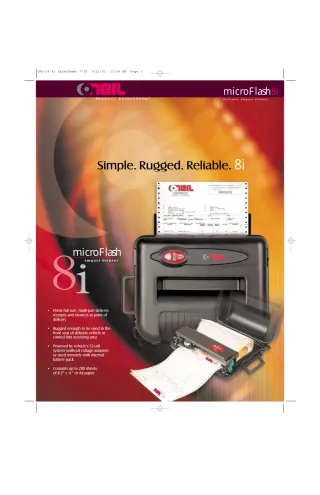
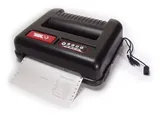
O'Neil's short user's guide for the microFlash 8i portable printer. It shows the open and closed printer, then explains installing a radio card, installing and removing the ribbon, installing and charging the battery, loading fan-fold paper and paper capacity, tearing paper, printing a self-test and setting top of form, the control panel buttons, LEDs and beeps, power options, attaching the RJ11 data cable, where to get configuration programs, and supplies.
Its parts
- microFlash 8i Printer
- Installing a Radio Card
- Using the Ribbon
- Installing and/or Replacing Batteries
- Charging the Battery
- Loading Paper
- Paper Quantity Guidelines
- Tearing the Paper
- Printing a Self-Test
- Setting Top of Form (TOF)
- Using Buttons and Indicators
- Using Power Options
- Attaching Cables
- Configuring the Printer
- Supplies
From the manual · read page by page
Key facts from this manual
Some pages are scans or cannot be read; this says only what the readable text supports. Each line names its page in the PDF.
User's guide from O'Neil Product Development, dated January 2005, for the microFlash 8i printer, a battery-powered ribbon printer with tractor paper feed. It shows how to fit the ribbon, battery, radio card and paper, set top of form, read the lights and beep codes, and connect power and data cables.
- What it is
- Battery-powered ribbon printer with a tractor feed for folded paper p. 6, 8, 11
- Power options
- AC/DC power supply, cigarette adapter for vehicles, or NiMH batteries p. 17
- Battery charging
- From the AC power adapter or the cigarette lighter adapter, in approximately 4 to 5 hours p. 9
- Cables
- Red-tagged: AC adapter; white-tagged: cigarette lighter adapter; RJ11: data; blue-tagged: external cradle in a truck or bag p. 17
- Data interface
- RJ11 (telephone style) connector to a notebook, computer or handheld through an optional data cable or handheld cradle; IrDA window on the control panel p. 14, 18
- Radio option
- Radio card fits face up in a PCMCIA slot under the access cover p. 5
- Controls
- Button 1, Button 2, Power LED and Charge LED on the control panel p. 14
- Paper
- Folded paper with clawed crimps only, loaded under the paper lip and fed through tractor pins; left tractor feed adjustable p. 10, 11
- Firmware and setup
- Windows configuration programs from www.oneilprinters.com configure the printer and upgrade firmware; commands in the MF8i Printer Commands document p. 18
- Document number
- Part Number 110076-003, January 2005 p. 24
What this manual walks you through
- Installing a radio card p. 5
- Installing and removing the ribbon p. 6, 7
- Installing, replacing and charging the battery p. 8, 9
- Loading paper p. 10, 11
- Tearing the paper and printing a self-test p. 12
- Setting top of form (TOF) p. 13
- Reading the LEDs, button functions and beep codes p. 14, 15, 16
- Choosing a power source and attaching cables p. 17, 18
- Configuring the printer and upgrading firmware p. 18
Good to know
- Do not use paper with glued edges or carbon between the sheets. p. 10
- The printer ships without a ribbon installed. p. 6
- Pressing Button 1 during a form feed or during printing cancels the action. p. 16
- The guide says to use only supplies certified by the original equipment manufacturer. p. 20
Questions this manual answers
How do I print a self-test on the microFlash 8i?
Turn the printer off by pressing buttons 1 and 2 together, then press and hold button 1 and release it once printing begins. p. 12
How long does the microFlash 8i battery take to charge?
Approximately 4 to 5 hours, from the AC power adapter or the cigarette lighter adapter. p. 9
What do 8 beeps mean on the microFlash 8i?
A CRC firmware error; the guide says to redownload the firmware. p. 16
What does a fast flashing green Power LED mean?
Paper out or a head jam; install paper and check for a paper jam. p. 15
How do I set top of form on the microFlash 8i?
Turn the printer on with button 1, feed the paper with button 1 until its end is at the edge of the case, turn it off with buttons 1 and 2, then turn it on again. p. 13
The whole text · 3 parts
Read the manual here as text
Its text as extracted from the PDF, unedited, in parts; each page opens the PDF at that page.
The file