Manual · Symbol
MC3000 User Guide
Manual146 pagesPDF 6.2 MB
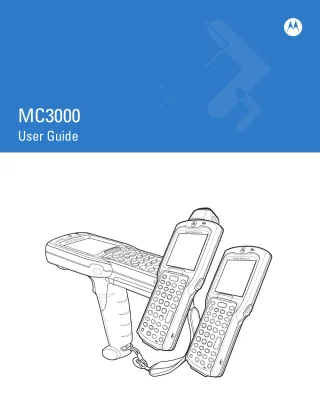
User guide for the Symbol MC3000 series mobile computers (MC3000R, MC3090G, MC3090S, MC3090R) and their accessories.
Names · 2 models
The models it names
 Symbol MC3000Portable data collection terminal from$845.005 in stock Symbol MC3090Wireless portable data collection terminal from$995.006 in stock
Filed with · 1 model
Also filed with these models on the old site
Summary
What is in it
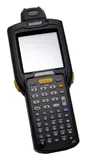
The user guide for the MC3000 series mobile computers and their accessories, covering the MC3000R, MC3090G, MC3090S and MC3090R configurations running Windows CE 5.0. It walks through getting started (battery install and charging, startup, turning off the radios), operating the device (keypads, data capture, imaging, reset, wireless LAN connection), using Bluetooth, cradles, chargers and cables, maintenance and troubleshooting, and the technical specifications.
Its parts
- About This Guide
- Getting Started
- Operating the MC3000
- Using Bluetooth
- Accessories
- Maintenance and Troubleshooting
From the manual
Key facts from this manual
Each line names its page in the PDF.
The MC3000 User Guide for the MC3000 family of rugged handheld mobile computers, covering the MC3000R, MC3000S, MC3090G, MC3090S and MC3090R configurations. It explains unpacking, battery charging, resetting, scanning, Bluetooth, the cradles, cables and chargers, care and troubleshooting, and lists the technical specifications.
- Device
- Rugged handheld mobile computer in three versions: 1D/2D imager (MC3000S or MC3090S), laser with rotating scan turret (MC3000R or MC3090R), and gun (MC3090G) p. 21
- Processor and memory
- Intel XScale PXA270 312 MHz with 32 MB RAM/64 MB Flash, or 520 MHz with 64 MB or 128 MB RAM/64 MB Flash p. 120
- Operating system
- Microsoft Windows CE .NET 5.0, Core or Professional p. 14, 120
- Display
- Transflective color TFT-LCD, 65K colors, 324 x 324, or monochrome FSTN, 16 shades, 320 x 320; glass analog resistive touch p. 120
- Main battery
- Standard: lithium-polymer 2600 mAh minimum (3.7V), full in under four hours; Extended Life: lithium-ion 4400 mAh minimum (3.7V), full in under six hours p. 25, 120
- Interfaces
- RS232 (115.2 kbps max) and USB p. 120
- Radios
- MC3090G, MC3090S, MC3090R: WLAN 802.11a/b/g (Symbol Spectrum 24) and Bluetooth; MC3000R: none p. 14, 120
- Data capture
- MC3000R and MC3090R: 1D laser in rotating turret; MC3090G: 1D laser or 2D imager; MC3090S: 2D imager or DPM imager p. 14
- Keypads
- 28, 38 or 48 key; MC3090S and MC3090R also 20 key mechanical p. 14, 120
- Cradles and chargers
- Single Slot Serial/USB Cradle (charges main and spare battery), Four Slot Charge Only Cradle, Four Slot Ethernet Cradle, Four Slot Spare Battery Charger, UBC Adapter (15 VDC, min 1.5 A supply) p. 20, 104
- Cables and power
- Serial (RS232) Charge cable (9-pin D female), USB Client Charge cable (standard-A); both need a Symbol approved 5.4 VDC, minimum 3 A supply p. 102
- Size and weight
- MC3000S 188.7 x 80.8 x 44.6 mm, 14.6 oz (extended battery); MC3000R 211.6 x 80.8 x 39.9 mm, 12.9 oz (standard battery); MC3090G 193 x 80.8 x 166 mm, 18.6 oz (extended battery); WLAN adds about 0.5 oz p. 120
- Environment
- Operating: color -10 to +50 C, monochrome -20 to +50 C; storage -30 to 70 C; IP54 category 2; multiple 4-foot (1.2 m) drops; 500 one half meter tumbles p. 119
- Backup battery
- Ni-MH, rechargeable, 20mAh (3.6V), 3 cells; keeps memory at least 30 minutes with the main battery out; about 15 hours to charge fully p. 25, 120
What this manual walks you through
- Charging the battery in a cradle or with a charge cable p. 26
- Reading the amber charge LED p. 26
- Attaching and removing the communication/charge cable p. 103
- Charging spare batteries in the UBC Adapter p. 104
- Warm booting and cold booting the mobile computer p. 62
- Checking the OEM and Fusion software versions p. 15
- Cleaning and caring for the mobile computer p. 111
- Troubleshooting power, charging, sound, memory and scanning problems p. 112, 113, 114
- Troubleshooting the cradles and spare battery chargers p. 114, 115, 116, 117
- Troubleshooting the cables p. 118
Good to know
- Do not remove the main battery in the first 15 hours of use, or data may be lost before the backup battery is charged. p. 26
- Batteries charge only between 32 and 104 F (0 to 40 C) ambient. p. 26
- A cold boot erases stored data and added applications; try a warm boot first. p. 62
- Use only a Symbol approved power supply rated 5.4 VDC and at least 3 A with the cables. p. 102
- The Extended Life Battery needs a different Strap/Door Assembly. p. 25
Questions this manual answers
How long does an MC3000 battery take to charge?
The Standard Battery fully charges in less than four hours and the Extended Life Battery in less than six hours. p. 25
How do I warm boot an MC3000?
On 28, 38 and 48-key units, press and hold 7, 9 and Power together; on 20-key units, hold 7 and 9 and press MENU and Fn. p. 62
What does a fast blinking amber charge LED mean on the MC3000?
An error in charging; check how the mobile computer is placed in the cradle. p. 26
What power supply do the MC3000 charge cables need?
A Symbol approved supply rated 5.4 VDC and at least 3 A. p. 102
Which MC3000 models have wireless LAN?
The MC3090G, MC3090S and MC3090R have 802.11a/b/g WLAN and Bluetooth; the MC3000R has no radios. p. 14
Contents
Chapters and sections
Each line opens the PDF at its page.
- Patents4
- Revision History5
- About This Guide13
- Getting Started19
- Introduction19
- Unpacking the Mobile Computer19
- Accessories20
- Parts21
- Mobile Computer Startup23
- Battery Charging25
- Spare Battery Charging27
- Stylus27
- Starting the Mobile Computer27
- Waking the Mobile Computer29
- Main Battery Removal29
- Strap/Door Assembly Removal and Replacement (MC3000S/R)30
- Strap/Door Assembly Removal and Replacement (MC3090G)31
- Turning Off the Radios32
- Operating the MC300035
The whole text · 20 parts
Read the manual here as text
Its text as extracted from the PDF, unedited, in parts; each page opens the PDF at that page.
- Pages 1 to 31-3
- Pages 4 to 64-6
- Table of Contents7-12
- About This Guide13-18
- Getting Started, pages 19 to 2619-26
- Getting Started, pages 27 to 3427-34
- Operating the MC3000, pages 35 to 4235-42
- Operating the MC3000, pages 43 to 5043-50
- Operating the MC3000, pages 51 to 5851-58
- Operating the MC3000, pages 59 to 6659-66
- Using Bluetooth, pages 67 to 7667-76
- Using Bluetooth, pages 77 to 8677-86
- Using Bluetooth, pages 87 to 9487-94
- Accessories, pages 95 to 10295-102
- Accessories, pages 103 to 110103-110
- Maintenance and Troubleshooting111-118
- Technical Specifications119-122
- Keypad Functions/Special Characters123-126
- Regulatory, pages 127 to 136127-136
- Regulatory, pages 137 to 146137-146
The file