Manual · Symbol
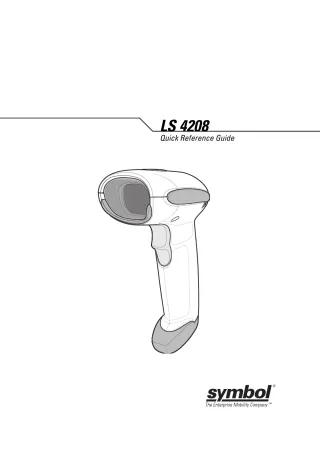
LS 4208 Quick Reference Guide
Manual16 pagesPDF 626 KB
Quick reference guide for the Symbol LS 4208 hand-held laser barcode scanner: parts, beeps, LEDs, troubleshooting and host setup codes.
Covers · 1 model
The models it covers
Summary
What is in it
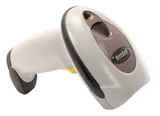
The quick reference guide for the Symbol LS 4208, a lightweight hand-held laser scanner that can also work hands-free in a stand. It shows the parts, how to insert and remove the interface cable, aiming and scanning, what each beeper sequence and LED color means, and a troubleshooting table. Programming barcodes set defaults, scanning modes and the host type (keyboard wedge, RS-232, USB, IBM 46XX, wand and scanner emulation). It ends with warranty and service information.
Its parts
- Introduction
- Parts
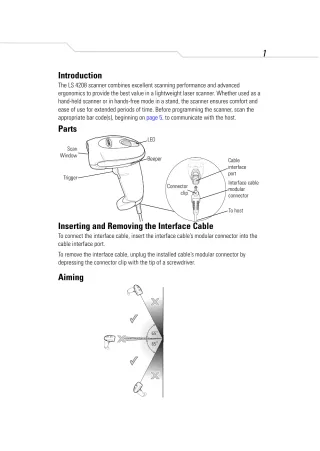
- Inserting and Removing the Interface Cable
- Aiming
- Scanning
- Beeper Definitions
- LED Definitions
- Troubleshooting
- Programming Bar Codes
- Warranty
- Service
From the manual · read page by page
Key facts from this manual
Each line names its page in the PDF.
The Symbol quick reference guide for the LS 4208 handheld laser scanner. It covers the parts, connecting the interface cable, beeper and LED meanings and troubleshooting. It also gives the most used programming bar codes for host type, keyboard country, scanning mode and defaults.
- Device
- Lightweight laser scanner, used hand-held or hands-free in a stand p. 3
- Power supply
- Symbol-approved p/n 50-14000-008, 50-14000-009 or 50-14000-010, 5 VDC, minimum 650mA p. 12
- Host types
- Keyboard wedge, RS-232, USB, IBM 46XX, wand emulation, scanner emulation and Synapse p. 8
- RS-232 hosts
- Standard, ICL, Nixdorf mode A and B, Fujitsu, OPOS/JPOS p. 9, 10
- USB
- Detected automatically, defaults to HID keyboard; IBM hand-held USB selectable p. 8, 10
- IBM 46XX ports
- Port 5B or Port 9B p. 10
- Synapse cable
- Part number STIxx-xxxx, detected automatically p. 8
- Scan modes
- Single line only, multi-line smart raster, or multi-line always raster (default) p. 7
- Keyboard countries
- North American (default), French, French Canadian, German, Spanish, Italian, Swedish, UK English, Japanese, Portuguese-Brazilian p. 8, 9
- LED
- Two-color: green = bar code decoded, red = transmission error or scanner malfunction p. 5
- Full manual
- LS 4208 Product Reference Guide, p/n 72E-69413-xx p. 7
- Guide number
- 72-69411-01 Revision B, May 2005 p. 16
What this manual walks you through
- Connecting and removing the interface cable p. 3
- Reading the beeper sequences p. 4, 5
- Reading the LED p. 5
- Troubleshooting scanning and host problems p. 6
- Restoring the default settings p. 7
- Choosing a scanning mode p. 7
- Selecting the host type and keyboard country p. 8, 9, 10
- Setting up a wand host and Code 39 conversion p. 11
- Adding a carriage return/line feed to transmitted data p. 11
Good to know
- Use only a Symbol-approved power supply; another supply voids approvals and may be dangerous. p. 12
- On USB, a power-up beep that repeats is normal, usually when the host PC cold boots. p. 5
- On USB, 4 short high beeps mean the scanner has not finished initializing; wait several seconds and scan again. p. 5
- For a keyboard wedge, the CAPS LOCK key must be off. p. 6
- Avoid staring directly into the beam of a Class 2 laser scanner. p. 13
Questions this manual answers
What power supply does the LS 4208 use?
A Symbol-approved supply, p/n 50-14000-008, 50-14000-009 or 50-14000-010, with 5 VDC output and at least 650mA. p. 12
How do I reset the LS 4208 to its default settings?
Scan the SET DEFAULTS bar code; it sets all parameters to their default values. p. 7
What do 4 long low beeps mean on the LS 4208?
A transmission error in a scanned symbol; the data is ignored, which happens when the unit is not properly configured. p. 4
Why does my LS 4208 decode a bar code but send nothing to the host?
It is not programmed for the correct host type; scan the matching host type bar code. p. 6
How do I remove the LS 4208 interface cable?
Press the connector clip with the tip of a screwdriver and unplug the modular connector. p. 3
Contents
Chapters and sections
Each line opens the PDF at its page.
The whole text · 2 parts
Read the manual here as text
Its text as extracted from the PDF, unedited, in parts; each page opens the PDF at that page.
The file