Manual · Symbol
Spectrum24 Wireless LAN Adapter LA-4121 PC Card and LA-4123 PCI Adapter Users Guide
Manual124 pagesPDF 1.1 MB
Users guide for the Symbol Spectrum24 LA-4121 PC Card and LA-4123 PCI 802.11b wireless LAN adapters: installation, drivers and Mobile Companion.
Names · 2 models
The models it names
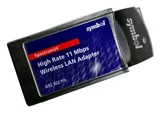 Symbol LA-4121802.11b PCMCIA (PC Card) wireless adapter from$195.00389 in stock
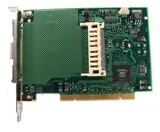 Symbol LA-4123PCI wireless LAN adapter Call for availability
Filed with · 1 model
Also filed with these models on the old site
Summary
What is in it
Users guide for the Symbol Spectrum24 LA-4121 PC Card and LA-4123 PCI adapter, 802.11b wireless LAN adapters. It explains operating modes, 11 Mbps operation, power management and the PC Card LEDs, then covers hardware installation and installing and configuring the driver in Windows 98SE, ME, 2000, XP and CE. Appendices cover the Mobile Companion utility and its property pages, adapter specifications, troubleshooting and customer support contacts.
Its parts
- Introduction
- About the Spectrum24 Wireless LAN Adapter
- Hardware Installation
- Installing and Configuring the Driver in Windows 98SE
- Installing and Configuring the Driver in Windows ME
- Installing and Configuring the Driver in Windows 2000
- Installing and Configuring the Driver in Windows XP
- Installing and Configuring the Driver in Windows CE
From the manual
Key facts from this manual
Some pages are scans or cannot be read; this says only what the readable text supports. Each line names its page in the PDF.
The Symbol users guide (72E-51753-01, Revision B, April 2003) for the Spectrum24 wireless LAN adapters: the LA-4121 PC Card and the LA-4123 PCI adapter. It covers installing the hardware, loading the driver under Windows 98SE, ME, 2000, XP and CE, setting up the Mobile Companion utility, specifications and troubleshooting. The LA-4137 is not named in the guide.
- What it is
- Spectrum24 direct-sequence wireless LAN adapter, 2.4 to 2.5 GHz, IEEE 802.11b; PC Card (LA-4121) or PCI card (LA-4123) p. 9
- Data rate
- 11 Mbps maximum, dropping to 5.5, 2 or 1 Mbps on a weak link p. 13
- Card slot
- LA-4121 needs a Type II PC Card slot; LA-4123 needs a PCI slot p. 17, 19
- Operating systems
- Windows 98SE, ME, 2000, XP and CE (PPC 2002); the LA-4123 does not support Windows CE p. 11, 19
- Security
- WEP, Kerberos, EAP-TLS and KeyGuard p. 11
- Power input
- 5V for both the LA-4121 and LA-4123 p. 85
- Range
- Over 100 ft in the open at 11 Mbps; 30 to 50 ft in a typical office or retail space p. 85
- Frequency
- Country dependent, typically 2412 MHz to 2462 MHz p. 85
- PC Card size
- 3.3 x 2.1 x 0.2 in. (85 x 54 x 5 mm) without antenna; 1.6 oz (45.36 g) with antenna p. 83
- PCI card size
- 6.8 x 5 in., 4.3 oz. (122 g) p. 84
- Operating temperature
- -4 to 158 F (-20 to 70 C); storage -22 to 176 F (-30 to 80 C) p. 83
- Power modes
- LA-4121: Continuously Aware (CAM) and Power Save Polling (PSP); LA-4123: CAM only p. 14
- Antenna
- LA-4123 takes an external desktop dual-dipole antenna p. 22
- Software
- NDIS driver with the Symbol Mobile Companion utility, on the Spectrum24 High Rate 11 Mbps Wireless LAN Software CDROM p. 57
What this manual walks you through
- Choosing Infrastructure or Ad Hoc (peer-to-peer) mode p. 12
- Setting the power-save (PSP) performance index p. 14
- Reading the PC Card status LED p. 15
- Installing the LA-4121 PC Card p. 17, 18
- Fitting the LA-4123 in a PCI slot and loading its driver p. 19, 20, 21
- Installing the Windows CE driver on a Pocket PC 2002 device through ActiveSync p. 52, 53
- Finding networks and building profiles with Mobile Companion p. 58
- Troubleshooting under Windows 98SE, 2000 and CE p. 87, 88, 89
Good to know
- Install the driver first; insert the PC Card only when the driver setup asks for it. p. 17
- The manual states FCC and Industry Canada exposure rules call for 20 cm or more between the antenna and the user's body. p. 18
- Symbol does not recommend CAM power mode for battery powered devices. p. 14
- Windows 98 needs Internet Explorer 5.5 or higher with Service Pack 1 for Mobile Companion. p. 57
- Power off the computer before fitting the PCI adapter. p. 20
Questions this manual answers
Does the Symbol LA-4123 PCI card work with Windows CE?
No. The guide says the LA-4123 PCI adapter does not support Windows CE; only the LA-4121 PC Card has a CE driver. p. 19
What does the LED on the LA-4121 PC Card mean?
Off means the radio is disabled, a slow flash means it is associated with an access point, and a rapid flash shows data traffic. p. 15
How fast is the Spectrum24 LA-4121?
Up to 11 Mbps; it falls back to 5.5, 2 or 1 Mbps when the link is poor and climbs back as the signal improves. p. 13
Why won't my Spectrum24 card connect to the access point?
Check that the adapter ESSID matches the access point and that the security settings on both match. p. 87
What range does the LA-4121 have?
Over 100 ft in an open area at 11 Mbps, and about 30 to 50 ft in a typical office or retail space. p. 85
Contents
Chapters and sections
Each line opens the PDF at its page.
- Spectrum24 Wireless LAN Adapter LA-4121 PC Card and LA-4123 PCI Adapter1
- Chapter 1 Introduction9
- Chapter 2 About the Spectrum24 Wireless LAN Adapter11
- Chapter 3 Hardware Installation17
- Chapter 4 Installing and Configuring the Driver in Windows 98SE23
- Chapter 5 Installing and Configuring the Driver in Windows ME29
- Chapter 6 Installing and Configuring the Driver in Windows 200035
- Chapter 7 Installing and Configuring the Driver in Windows XP41
- Chapter 8 Installing and Configuring the Driver in Windows CE51
- Appendix A Using the Mobile Companion Utility57
- Appendix B WLAN Adapter Specifications83
The whole text · 18 parts
Read the manual here as text
Its text as extracted from the PDF, unedited, in parts; each page opens the PDF at that page.
- Spectrum24 Wireless LAN Adapter LA-4121 PC Card and LA-4123 PCI Adapter1-4
- Table of Contents5-8
- Pages 9 to 169-16
- Chapter 3 Hardware Installation17-22
- Chapter 4 Installing and Configuring the Driver in Windows 98SE23-28
- Chapter 5 Installing and Configuring the Driver in Windows ME29-34
- Chapter 6 Installing and Configuring the Driver in Windows 200035-40
- Chapter 7 Installing and Configuring the Driver in Windows XP41-50
- Chapter 8 Installing and Configuring the Driver in Windows CE51-56
- Appendix A Using the Mobile Companion Utility, pages 57 to 6557-65
- Appendix A Using the Mobile Companion Utility, pages 66 to 7466-74
- Appendix A Using the Mobile Companion Utility, pages 75 to 8275-82
- Appendix B WLAN Adapter Specifications83-86
- Appendix C Troubleshooting87-90
- Pages 91 to 10091-100
- Pages 101 to 110101-110
- Pages 111 to 120111-120
- Index121-124
The file