Manual · Symbol
iPOS TX Quick Reference
Manual12 pagesPDF 264 KB
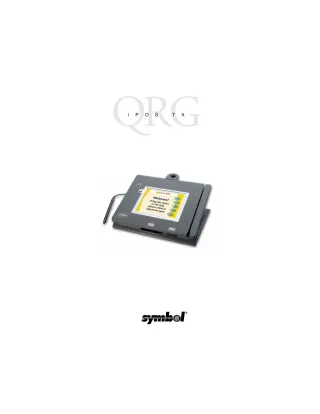
Quick reference guide for the Symbol iPOS TX payment terminal with signature capture: features, parts and the screen guard.
Covers · 1 model
The models it covers
Summary
What is in it
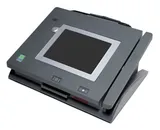
Symbol's quick reference guide for the iPOS TX point-of-sale payment terminal, which handles credit, debit, EBT and smart card transactions with electronic signature capture. It lists the terminal's features, shows its parts and ports, explains how to install and replace the screen guard, and gives regulatory information, the warranty terms and Symbol support contacts. It points to the iPOS TX Product Reference Guide for full details.
Its parts
- Introduction
- Parts
- Installing the Screen Guard
- Regulatory Information
From the manual · read page by page
Key facts from this manual
Some pages are scans or cannot be read; this says only what the readable text supports. Each line names its page in the PDF.
The Symbol iPOS TX Quick Reference (72-61855-01, Revision A, March 2003) for the iPOS TX payment terminal. It lists the terminal's features and parts and explains how to install and replace the screen guard. It also gives the regulatory statements and where to get service.
- What it is
- Point-of-sale payment terminal for credit, debit, EBT and smart card transactions p. 3
- Host interfaces
- RS-232, RS-485 and USB to the POS host p. 3
- Connectors
- USB port and 15-pin RS-232/RS-485 port p. 4
- Card readers
- Built-in 3-track magnetic stripe reader and integrated smart card reader p. 3
- Operating system
- Microsoft Windows CE p. 3
- Display
- Backlit color display p. 3
- Signature and PIN
- Electronic signature capture; virtual PIN pad for debit transactions p. 3
- Infrared
- IrDA infrared port p. 3
- Software
- posClient transaction application; optional iPOS TX software development suite p. 3
- Parts shown
- Touchpad, stylus, smart card reader, infrared port, magnetic stripe reader p. 4
- Full manual
- iPOS TX Product Reference Guide, p/n 72-61856-xx p. 3
- This guide
- 72-61855-01, Revision A, March 2003 p. 12
What this manual walks you through
- Identifying the terminal's parts p. 4
- Installing the screen guard p. 5
- Replacing a scratched or spilled-on screen guard p. 6
- Getting help through facility support and the Symbol Support Center p. 12
Good to know
- Disconnect power before cleaning, and do not spray liquid directly onto the terminal. p. 5
- If liquid is spilled on the terminal, wipe it all up before replacing the screen guard. p. 6
- The unit must be configured for the facility's network and applications before use. p. 12
- The manual states the unit meets FCC Part 15 Class A limits; in a residential area it is likely to cause harmful interference. p. 10
Questions this manual answers
What payment types does the iPOS TX handle?
It integrates credit, debit, EBT and smart card payments, with a virtual PIN pad for debit transactions. p. 3
How does the iPOS TX connect to a POS host?
Through RS-232, RS-485 or USB. p. 3
What operating system does the iPOS TX run?
Microsoft Windows CE. p. 3
How do I remove the iPOS TX screen guard?
Lift its round tab with a small flat blade screwdriver and gently pull it off from left to right, then fit the new guard as for a first install. p. 6
Where can I find full details on the iPOS TX?
The quick reference points to the iPOS TX Product Reference Guide, p/n 72-61856-xx. p. 3
Contents
Chapters and sections
Each line opens the PDF at its page.
The whole text · 3 parts
Read the manual here as text
Its text as extracted from the PDF, unedited, in parts; each page opens the PDF at that page.
The file