Manual · Symbol
CRD8800-4000S Quick Reference
Manual16 pagesPDF 551 KB
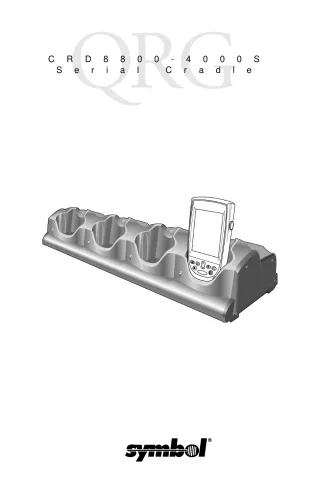
Quick reference for the Symbol CRD8800-4000S four-slot serial cradle for PPT 8800 terminals: power, serial connection and charging.
Covers · 1 model
The models it covers
Summary
What is in it
A quick reference guide for setting up and using the Symbol CRD8800-4000S Four-Slot Serial Cradle with PPT 8800 terminals running Windows Embedded CE .NET or Windows Mobile 2003 for Pocket PCs. It lists the required power supply and cables, shows the parts and rear ports, and covers power and serial host connections, charging terminal batteries, daisy-chaining cradles, the communication LED, troubleshooting (including ActiveSync problems) and regulatory information.
Its parts
- Introduction
- Requirements
- Parts
- Power Connection
- Serial Device or Host Computer Connection
- Terminal Battery Charging
- Inter-Connecting Cradles
- Communication LED Indicator
- Troubleshooting
- Regulatory Information
From the manual · read page by page
Key facts from this manual
Some pages are scans or cannot be read; this says only what the readable text supports. Each line names its page in the PDF.
The quick reference guide for the Symbol CRD8800-4000S four-slot serial cradle, used with PPT 8800 terminals running Windows Embedded CE .NET or Windows Mobile 2003 for Pocket PCs. It shows the parts and ports, power and serial connection, battery charging and how to link extra cradles. It also explains the communication LED and gives a troubleshooting table.
- Device
- Four-slot serial cradle for PPT 8800 terminals p. 3
- Functions
- Powers the terminal, gives serial communication for up to four terminals to a host or other device, and charges up to four batteries at once p. 3
- Ports
- DC power, serial and expansion ports on the rear p. 5
- Power supply
- p/n 50-14000-109, output 8 VDC, minimum 5 A, plus an AC cord for the country p. 4, 13
- Serial cable
- Serial device cable p/n 170047-000 p. 4
- Inter-cradle cable
- RJ-45/10 to RJ-45/10, p/n 70349-001, one for each added cradle p. 8
- Expansion
- Up to three more CRD8800-4000S cradles can be daisy-chained p. 8
- Charge time
- With the terminal off: standard battery about 2 1/2 hours, optional larger capacity battery about five hours p. 8
- Software
- Microsoft ActiveSync and eConnect p. 4
- LED states
- Solid red: present, not communicating; flashing green: communicating; flashing red: error; solid green: communication complete p. 10
What this manual walks you through
- Connecting power to the cradle p. 4, 6
- Connecting the cradle to a serial device or host computer p. 7
- Charging terminal batteries p. 8
- Inter-connecting several cradles p. 8, 9
- Reading the communication LED p. 10
- Troubleshooting charging and communication p. 11
- Fixing failed ActiveSync attempts p. 12
Good to know
- The cradle needs a dedicated serial port on the host and cannot share one with an internal modem or other device. p. 7
- Each cradle must have its own power supply. p. 9
- Inter-connecting works only with the CRD8800-4000S, not with the CRD8800-1000S or CRD8800B-1000S single-slot cradles. p. 9
- Turn the terminal off while charging for the quickest charge; charging while on can take much longer. p. 8
Questions this manual answers
What power supply does the Symbol CRD8800-4000S cradle use?
Power supply 50-14000-109, rated 8 VDC output and at least 5 A. p. 13
What does a flashing red LED on the CRD8800 cradle mean?
An error: communication did not start. p. 10
How many CRD8800-4000S cradles can be linked together?
Up to three more cradles can be daisy-chained, each with its own inter-cradle cable 70349-001 and its own power supply. p. 8, 9
How long does a PPT 8800 battery take to charge in the cradle?
With the terminal off, the standard battery usually charges in 2 1/2 hours and the larger optional battery in about five hours. p. 8
ActiveSync fails when the terminal is in the CRD8800 cradle
If the terminal was pulled while the LED blinked green, or the previous session had not closed, wait one minute and reinsert it. p. 12
Contents
Chapters and sections
Each line opens the PDF at its page.
The whole text · 2 parts
Read the manual here as text
Its text as extracted from the PDF, unedited, in parts; each page opens the PDF at that page.
The file