Manual · Symbol
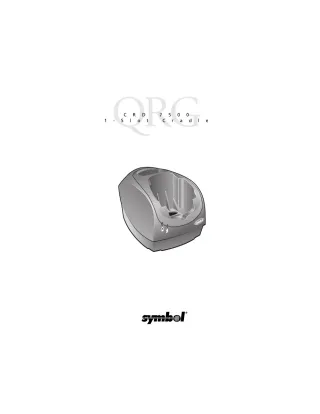
CRD 7500 1-Slot Cradle Quick Reference
Manual16 pagesPDF 194 KB
Quick reference for the Symbol CRD 7500 single-slot cradle for PDT 7500 terminals: setup, battery charging, RS-232 data and LEDs.
Covers · 1 model
The models it covers
Summary
What is in it
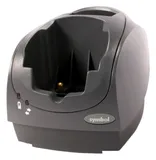
The quick reference guide for the Symbol CRD 7500 single-slot cradle, used with PDT 7500 Series terminals for battery charging and host communication. It lists the box contents and needed power parts, shows the parts of the cradle, and explains connecting power, inserting the terminal, charging the terminal's battery and a spare battery pack, and connecting an RS-232 cable to a host, printer or modem. LED indications, troubleshooting, warranty, ergonomic and regulatory information follow.
Its parts
- Introduction
- Set Up
- Parts of the Cradle
- Connecting Power
- Inserting the Terminal in the Cradle
- Battery Pack Charging
- Data Communications
- LED Indications
- Troubleshooting
- Ergonomic Recommendations
- Regulatory Information
From the manual · read page by page
Key facts from this manual
Each line names its page in the PDF.
A quick reference guide (72-39761-01, Revision A, December 1999) for the Symbol CRD 7500 single-slot cradle, used with PDT 7500 Series terminals for battery charging and host communication. It covers setup and power, charging the terminal and a spare Li-Ion pack, RS-232 connections, LED meanings and troubleshooting.
- What it is
- Single-slot cradle for PDT 7500 Series terminals, for battery charging and host communication p. 3
- Slots
- Terminal slot plus a spare battery charging slot p. 4
- Host port
- RS-232 port on the right end, for a host computer, SMG, printer or modem p. 7
- Power supply
- p/n 50-14001-005 or 50-14000-076, with AC line cord p/n 23844-00-00 p. 3
- DC cable
- p/n 50-16002-014, only with the 50-14001-005 power supply p. 3
- Terminal charging
- Li-Ion pack charged in the terminal, about 2.5 hours from fully discharged p. 6
- Spare charging
- About 5 hours for a completely discharged spare battery p. 7
- Charging temperature
- 5°C to 46°C p. 6
- Serial cables
- Null-modem cable in most cases; modems and some serial printers (DCE) need DB9 or DB25, with DB25 cable p/n 25-19297-01 p. 8
- Indicators
- Communication (COM) LED and spare battery charge LED p. 4
- Document
- 72-39761-01, Revision A, December 1999 p. 16
What this manual walks you through
- Unpacking the cradle and checking the parts p. 3
- Connecting power p. 5
- Inserting and removing the terminal p. 5, 6
- Charging the terminal's battery pack p. 6
- Charging a spare battery pack p. 6, 7
- Connecting the RS-232 cable to a host, SMG, printer or modem p. 7, 8
- Sending data from the terminal p. 8
- Reading the LED indications p. 8, 9
- Troubleshooting power, charging and data problems p. 9, 10
Good to know
- Do not charge the battery pack outside 5°C to 46°C. p. 6
- Removing the terminal while the COM LED blinks yellow breaks host communication and may lose data. p. 8
- A null modem cable is required for communication with DTE devices. p. 10
- The terminal will not charge disposable alkaline batteries. p. 6
- Insert the terminal gently; do not force it into the slot. p. 5
Questions this manual answers
What power supply does the Symbol CRD 7500 cradle need?
Power supply p/n 50-14001-005 or 50-14000-076 with AC line cord p/n 23844-00-00. The 50-14001-005 also needs DC cable p/n 50-16002-014. p. 3
How long does the CRD 7500 take to charge a PDT 7500 battery?
About 2.5 hours in the terminal and about 5 hours in the spare battery slot, from fully discharged. p. 6, 7
What does a blinking yellow charge LED mean on the CRD 7500?
On the terminal it means a faulty battery pack. In the spare slot, reinsert the battery several times; if it keeps blinking, the pack is faulty. p. 6, 7
What cable connects the CRD 7500 to a host computer?
An RS-232 serial cable, a null-modem cable in most cases. Modems and some DCE serial printers need a DB9 or DB25 connection; for DB25 use cable p/n 25-19297-01. p. 7, 8
Why does the CRD 7500 COM LED not light when plugged in?
The cradle is not getting power. Make sure the power cable is secure and the outlet supplies power. p. 9
Contents
Chapters and sections
Each line opens the PDF at its page.
The whole text · 2 parts
Read the manual here as text
Its text as extracted from the PDF, unedited, in parts; each page opens the PDF at that page.
The file