Manual · Symbol
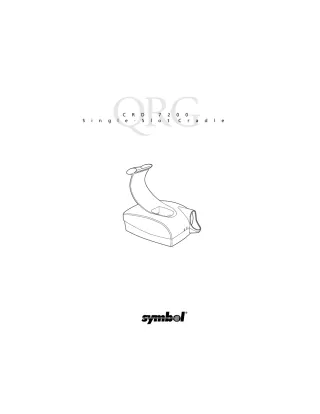
CRD 7200 Single-Slot Cradle Quick Reference
Manual12 pagesPDF 376 KB
Quick reference for the Symbol CRD 7200 single-slot cradle for the PDT 7200 terminal: power, RS-232 setup, charging and LEDs.
Covers · 1 model
The models it covers
Summary
What is in it
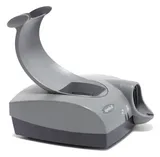
A short quick reference guide for the Symbol CRD 7200 single-slot cradle, which charges the PDT 7200 terminal's battery, charges a spare battery in a second slot, and lets the terminal communicate with a host computer, printer or modem over RS-232. It lists the required accessories and covers connecting power and the RS-232 cable, inserting the terminal, charging the terminal and spare battery packs, host communications, the LED indications, troubleshooting, regulatory information, warranty and service contacts.
Its parts
- Introduction
- About this Guide
- Required Accessories
- Setup
- LED Indications
- Troubleshooting
- Regulatory Information
From the manual · read page by page
Key facts from this manual
Some pages are scans or cannot be read; this says only what the readable text supports. Each line names its page in the PDF.
A Symbol quick reference guide for the CRD 7200 single-slot cradle, which charges the PDT 7200 terminal and a spare battery and links the terminal to a host computer, printer or modem. It covers power and cable setup, charging, host communications, LED meanings and troubleshooting.
- Device
- Single-slot cradle for the PDT 7200: charges the terminal, links it to a host or printer, and charges a spare battery p. 3
- Host port
- RS-232 port on the back; a null-modem cable in most cases p. 4
- Cables
- DB25 connection: p/n 2519297-01; DB9 connection: p/n 25-19299-01 p. 4
- Power supply
- Symbol-approved 50-14001-004, rated 12.0 Vdc, minimum 9.0 A p. 9
- Battery charged
- PDT 7200 Li-Ion battery pack, terminal on or off p. 5
- Charge time
- 2 hours for a fully discharged battery pack p. 5
- Charging temperature
- 5 to 45 C p. 5
- Required accessories
- AC power supply, AC line cord, communication cable, DC power cable p. 3
- Indicators
- COM LED, Terminal Charge LED and Spare Battery Charge LED p. 7
- Power-up sign
- COM LED lights yellow for 3 seconds, then blinks seven times p. 4
- Guide part number
- 72-43288-01, Revision B, June 2002 p. 12
What this manual walks you through
- Connecting power to the cradle p. 4
- Connecting the RS-232 cable to a host computer, printer or modem p. 4
- Seating the terminal in the cradle p. 5
- Charging the terminal battery and a spare battery pack p. 5, 6
- Communicating with a host p. 6
- Reading the LEDs and troubleshooting p. 7, 8
Good to know
- Removing the terminal while the COM LED blinks disrupts communication with the host. p. 6
- The terminal will not charge disposable alkaline batteries. p. 6
- A pack left fully discharged for about a week must be re-initialized by placing it in the terminal in the cradle. p. 5
- Use only the Symbol-approved power supply 50-14001-004. p. 9
Questions this manual answers
What power supply does the CRD 7200 cradle use?
The Symbol-approved 50-14001-004 supply, rated 12.0 Vdc output. p. 9
How long does the CRD 7200 take to charge a PDT 7200 battery?
About 2 hours for a fully discharged battery pack. p. 5
Which cable connects the CRD 7200 to a modem or serial printer?
For a DB25 connection, cable p/n 2519297-01; for DB9, p/n 25-19299-01. Most other cases need a null-modem cable. p. 4
Contents
Chapters and sections
Each line opens the PDF at its page.
The whole text · 3 parts
Read the manual here as text
Its text as extracted from the PDF, unedited, in parts; each page opens the PDF at that page.
The file