Manual · Symbol
CRD3100-1000 / CRD3100-4000 Quick Reference
Manual66 pagesPDF 1.9 MB
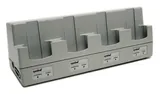
Quick reference for the Symbol CRD3100-1000 single-slot and CRD3100-4000 four-slot cradles for Series 3100 terminals.
Covers · 1 model
The models it covers
Summary
What is in it
Symbol's multilingual quick reference (English, French, German, Italian and Spanish) for the CRD3100-1000 single-slot and CRD3100-4000 four-slot cradle base modules used with Series 3100 terminals. It explains connecting power, inserting the terminal, RS-232 data cables to a host, printer or modem, the optional internal modem, battery recharging, linking four-slot cradles, sending data, what the indicator lights mean and troubleshooting.
Its parts
- Introduction
- Connecting Power
- Inserting Terminal in Cradle
- Connecting Cable for Data Communications
- Internal Modem Connections
- Recharging the Terminal's Battery
- Connecting to Other Cradles
- Sending Data
- Troubleshooting
From the manual
Key facts from this manual
Each line names its page in the PDF.
Symbol quick reference guide (Revision B, March 2002) for the CRD3100-1000 single-slot and CRD3100-4000 four-slot cradle base modules used with Series 3100 terminals. It shows how to power the cradle, connect it to a host, printer, modem or other cradles, charge the terminal's NiCad battery, read the indicator lights and fix common problems. The same guide follows in four other languages.
- Device
- CRD3100-4000: four-slot cradle base module for Symbol Series 3100 terminals (CRD3100-1000 is the single-slot version) p. 3
- Power supply
- CRD3100-4000: p/n 60153-00-00 (domestic), 60174-00-00 (international); each cradle needs its own power supply p. 3, 8
- Host connection
- RS-232 serial port on the left end next to the power connector; null-modem cable p/n 59846-01-00 (DB25) or 59846-03-00 (DB9) p. 6
- Chaining cradles
- Up to 16 four-slot cradles in series with RS-232 inter-cradle cable p/n 60427-00-00, or longer cable p/n 51349-00-00 p. 8
- Charging
- Recharges the terminal's NiCad battery in up to 90 minutes from fully discharged; terminal may be on or off p. 8
- Internal modem
- Optional in some cradles: up to 14,400 bps (with v.32 bis data compression), RJ-11 telephone port; Symbol Modem Type IM8 p. 7, 63
- Wall mounting
- Wall-mount bracket kit p/n 62806-00-00: one kit for the CRD3100-1000, two kits for the CRD3100-4000 p. 3
- Indicators
- Green CHARGING light and red COMM light for each slot p. 11
- CRD3100-1000 power
- CRD3100-1000: power supply p/n 59915-00-00 (domestic), 60507-00-00 (international) p. 3
- Document number
- 70-11313-03 Revision B, March 2002 p. 66
What this manual walks you through
- Connecting power to the cradle p. 3, 4
- Inserting and removing the terminal p. 5
- Connecting a host computer, printer or modem by RS-232 cable p. 6
- Connecting the optional internal modem to a phone line p. 7, 63
- Recharging the terminal's battery p. 8
- Connecting four-slot cradles together p. 8, 9
- Sending data from the terminal p. 10
- Reading the CHARGING and COMM lights p. 11
- Troubleshooting power, charging and data transfer problems p. 12, 13
Good to know
- Removing the terminal while the red COMM light blinks disrupts communication with the host. p. 5
- Do not charge below 0° C (32° F); wait half an hour for the battery to warm up. p. 8
- Single-slot cradles cannot be interconnected, and each cradle must have its own power supply. p. 8
- A null-modem cable is needed in most cases; modems and some DCE-type serial printers do not need one. p. 6
- Wrong modem firmware settings can lead to illegal use of the modem and unreliable operation. p. 7
Questions this manual answers
What power supply does the CRD3100-4000 use?
Power supply p/n 60153-00-00 for domestic use or 60174-00-00 for international use. p. 3
How many CRD3100-4000 cradles can be daisy-chained?
Up to 16 four-slot cradles, joined with RS-232 inter-cradle cable p/n 60427-00-00 (or p/n 51349-00-00 where a longer cable is needed). p. 8
Which cable connects the CRD3100 cradle to a PC?
An RS-232 null-modem cable in most cases: p/n 59846-01-00 for a DB25 connection or p/n 59846-03-00 for DB9. p. 6
Contents
Chapters and sections
Each line opens the PDF at its page.
- Introduction3
- Connecting Power3
- Inserting Terminal in Cradle5
- Connecting Cable for Data Communications6
- Internal Modem Connections7
- Recharging the Terminal's Battery8
- Connecting to Other Cradles8
- Sending Data10
- Troubleshooting12
- Introduction15
- Connexion de l’alimentation15
- Insertion du terminal dans le puits16
- Connexion du câble de communication18
- Connexions du modem interne19
- Recharge de la batterie du terminal20
- Connexion à d’autres puits de chargement20
- Transmission des données22
- Dépannage24
- Einführung27
- Stromanschluß27
- Einsetzen des Terminals in den Cradle28
- Anschließen eines Kabels für Datenübertragungen30
- Interne Modemverbindungen31
- Wiederaufladen des Terminalakkus32
- Anschließen anderer Cradles33
- Daten übertragen35
- Fehlersuche37
- Introduzione39
- Alimentazione39
- Inserimento del terminale nel cradle40
- Collegamento del cavo per la comunicazione di dati42
- Collegamenti del modem interno43
- Ricarica della batteria nel terminale44
20 more lines, from page 44 on
- Collegamento ad altri cradle44
- Invio di dati46
- Risoluzione dei problemi48
- Introducción51
- Conexión de la fuente de alimentación51
- Colocación del terminal en el soporte52
- Conexión del cable para las comunicaciones de datos54
- Conexiones del módem interno55
- Recarga de la batería del terminal56
- Conexión de otros soportes56
- Envío de datos58
- Solución de problemas60
The whole text · 7 parts
Read the manual here as text
Its text as extracted from the PDF, unedited, in parts; each page opens the PDF at that page.
The file