Manual · Symbol
CRD 1700-1000S Cradle Quick Reference
Manual70 pagesPDF 2.8 MB
Quick reference guide for the Symbol CRD 1700-1000S cradle: setup, HotSync synchronization and battery charging for the SPT 1700 terminal.
Covers · 1 model
The models it covers

Summary
What is in it
A multilingual quick reference guide for the Symbol CRD 1700-1000S cradle, the desktop cradle for the SPT 1700 terminal. It explains connecting the power supply and the serial cable, performing the first and later HotSync operations with the SPT Desktop software, and charging the terminal's lithium-ion battery and a spare battery, with notes on the charge LEDs. The same guide repeats in French and other languages.
From the manual
Key facts from this manual
Some pages are scans or cannot be read; this says only what the readable text supports. Each line names its page in the PDF.
Symbol quick reference guide (2000) for the CRD 1700-1000S Cradle, the serial cradle for the SPT 1700 terminal. It covers connecting the cradle to power and to a computer, running a first and a routine HotSync operation with the SPT Desktop software, and charging the terminal battery and a spare battery.
- What it is
- Communications cradle that synchronizes an SPT 1700 terminal with SPT Desktop software by HotSync p. 3
- Host connection
- Cable to a dedicated serial port on the computer; cannot share a port with an internal modem p. 4
- Power
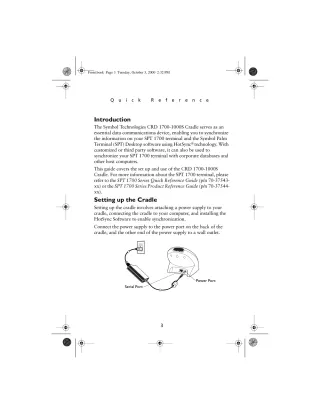
- Power supply plugs into the power port on the back of the cradle and a wall outlet p. 3
- Battery charging
- Charges the SPT 1700 lithium-ion battery in the terminal in about two hours p. 8
- Spare battery slot
- Slot in the back of the cradle charges a spare battery in about two hours p. 8, 9
- Charge LEDs
- Terminal Charge and Spare Battery Charge LEDs: red while charging, green when full p. 8, 9
- HotSync button
- On the front of the cradle; starts the HotSync process p. 7
- Related guides
- SPT 1700 Series Quick Reference Guide p/n 70-37543xx; Product Reference Guide p/n 70-37544xx p. 3
- Document number
- 70-37840-02 Revision B, September 2000 p. 70
What this manual walks you through
- Connecting the cradle to power and to a computer serial port p. 3, 4
- Performing the first HotSync operation and naming the terminal p. 4, 5, 6, 7
- Running a routine local HotSync operation p. 7
- Charging the terminal battery in the cradle p. 8
Good to know
- The cradle needs its own serial port; it cannot share one with an internal modem or other device. p. 4
- The first HotSync operation must use a local, direct connection rather than a modem. p. 5
- Each SPT 1700 terminal should have a unique user name; never sync two terminals to the same name. p. 7
- With a low terminal battery, the Terminal Charge LED may flicker or turn yellow during a HotSync, then return to red. p. 8
Questions this manual answers
What terminal does the Symbol CRD1700-1000S cradle fit?
The SPT 1700 terminal. The cradle synchronizes it with the SPT Desktop software by HotSync and charges its battery. p. 3
How long does the CRD 1700 cradle take to charge a battery?
About two hours, for the battery in the terminal and for a spare battery in the back slot. p. 8, 9
What do the CRD 1700-1000S charge LED colors mean?
Red means charging and green means fully charged. With a low battery the Terminal Charge LED may flicker or turn yellow during a HotSync. p. 8
How does the CRD 1700-1000S connect to a PC?
By its cable to a serial communications port on the computer, which must be dedicated to the cradle. p. 4
The whole text · 7 parts
Read the manual here as text
Its text as extracted from the PDF, unedited, in parts; each page opens the PDF at that page.
The file