Manual · Symbol
CRD 1100 Quick Reference
Manual16 pagesPDF 290 KB
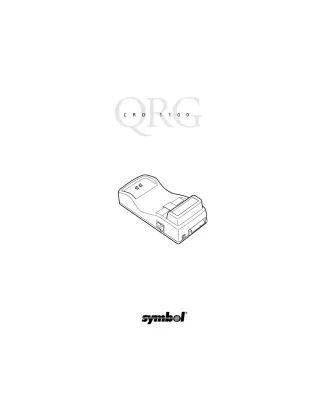
Quick reference guide for the Symbol CRD 1100 cradle for the PDT 1100 terminal: power, infrared host link over RS-232C, and NiMH charging.
Covers · 1 model
The models it covers
Summary
What is in it
The quick reference guide for the Symbol CRD 1100, an optional cradle for the PDT 1100 terminal that comes in a communication and charging model and a communication-only model. It names the parts and LEDs, explains powering the cradle, setting the transmission speed with the DIP switch, connecting to the host computer and transferring data, charging the NiMH battery pack in the terminal or in the battery slot, maintenance cycling to reduce memory effect, LED indications, troubleshooting, warranty and regulatory information.
Its parts
- Introduction
- About This Guide
- Parts of the CRD 1100
- Functions
- Powering the CRD 1100
- Communicating with the Host Computer
- Installing and Charging the NiMH Battery Pack
- Warranty
- Regulatory Information
From the manual · read page by page
Key facts from this manual
Each line names its page in the PDF.
A quick reference guide (70-35862-02, Revision B, August 2002) for the Symbol CRD 1100 cradle for the PDT 1100 terminal, covering both the charging model and the communication-only model. It explains powering the cradle, setting its speed and linking it to a host computer, charging and cycling NiMH battery packs, and basic troubleshooting.
- What it is
- Optional cradle for the PDT 1100 terminal; one model communicates and charges NiMH batteries, the other only communicates p. 3
- Links
- Infrared beam to the terminal, RS-232C cable to the host computer p. 3
- Host port
- RS-232C interface port taking the 25-pin plug of the interface cable p. 7
- Power supply
- AC input 100-240VAC, DC output 12V 1.5A (p/n 50-14000-103), with a DC interconnect cable p. 5
- Speeds
- 9,600 (factory setting), 19,200, 38,400, 57,600 or 115,200 bps, set by a DIP switch on the bottom p. 6, 7
- Host software
- Ir Transfer Utility on the host computer, provided separately p. 3
- Indicators
- POWER and DATA LEDs (green), CHG1 and CHG2 charge LEDs p. 4, 5
- Charging
- Charging model: NiMH pack in the PDT 1100 (CHG1) or alone in the battery pack slot (CHG2), about 10 hours p. 5, 9
- Maintenance cycling
- Charging model: fully discharges the pack in the slot (3 hours or less), then recharges it p. 9
- Battery life
- Replace the NiMH pack after about 200 charge cycles p. 8
- Related guides
- PDT 1100 Product Reference Guide (p/n 70-35864-xx); CRG 1100 Quick Reference Guide (p/n 70-35863-xx) p. 8, 10
- Document
- 70-35862-02, Revision B, August 2002 p. 16
What this manual walks you through
- Powering the cradle p. 5, 6
- Setting the transmission speed with the DIP switch p. 6, 7
- Cabling the cradle to the host computer p. 7
- Uploading and downloading data between the PDT 1100 and the host p. 8
- Charging the battery while it is in the PDT 1100 p. 9
- Battery pack maintenance cycling p. 9
- Charging a battery pack without the discharge step p. 11
- Reading the charge LED patterns p. 10, 11, 12
- Troubleshooting communication, power and charging problems p. 12
Good to know
- The non-charging CRD 1100 has no charging terminals and no battery pack slot. p. 5
- Fully discharging the pack more than once a month is not recommended; it wears the battery faster. p. 9
- Removing the pack before charging completes leaves it undercharged and may shorten its service life. p. 10
- The DIP switch must be set only to one of the five listed speed settings. p. 6
- The manual states the cradle is a Class A digital device under FCC Part 15 and may interfere in a residential area. p. 15
Questions this manual answers
What power supply does the Symbol CRD 1100 cradle use?
A 100-240VAC input, 12V 1.5A output power supply, p/n 50-14000-103, connected with a DC interconnect cable. p. 5
How long does a PDT 1100 battery take to charge in the CRD 1100?
On the charging model, about 10 hours. The CHG1 LED then flashes at 2-second intervals. p. 9
What baud rates does the CRD 1100 cradle support?
9,600 bps (the factory setting), 19,200, 38,400, 57,600 and 115,200 bps, chosen with the DIP switch under the cradle. p. 7
How does the CRD 1100 connect to a PC?
Through an RS-232C interface cable with a 25-pin plug at the cradle, with Ir Transfer Utility software running on the host. p. 3, 7
Why is my PDT 1100 not communicating with the CRD 1100 cradle?
The guide lists two causes: the terminal is not seated properly, or the power is off. p. 12
Contents
Chapters and sections
Each line opens the PDF at its page.
- Introduction3
- About This Guide3
- Parts of the CRD 11004
- Functions5
- Powering the CRD 11005
- Communicating with the Host Computer6
- Installing and Charging the NiMH Battery Pack8
- Charging the NiMH Battery Pack Using the CRD 11008
- Recharging While in the PDT 11009
- Battery Pack Maintenance Cycling9
- LED Indication for Recharging While in the PDT 110010
- Charging Using the NiMH Battery Pack Alone10
- LED Indication for Using the Charge Slot11
- Charging Without Using Discharge Mode11
- LED Indication for Charging Without Using Discharge Mode12
- Troubleshooting12
- Warranty14
- Regulatory Information15
The whole text · 2 parts
Read the manual here as text
Its text as extracted from the PDF, unedited, in parts; each page opens the PDF at that page.
The file