Manual · Symbol
3366 Cradle Quick Reference
Manual16 pagesPDF 275 KB
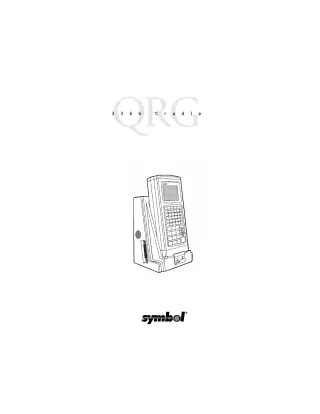
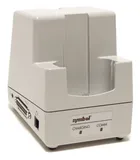
Quick reference guide for the Symbol 3366 cradle, which charges and communicates for Series 3300 terminals over RS-232.
Names · 1 model
The models it names
Filed with · 1 model
Also filed with these models on the old site
Summary
What is in it
A short quick reference guide for the Symbol 3366 cradle, which charges Series 3300 terminals and links them over RS-232 to a computer, printer or modem. It covers table and wall mounting, connecting power and the serial data cable, inserting the terminal, connecting cradles in series, sending data, recharging the terminal's NiCd battery, the indicator lights, troubleshooting, warranty, ergonomic recommendations and regulatory information.
Its parts
- Introduction
- About This Guide
- Table Mounting
- Wall Mounting
- Connecting Power
- Connecting Cable for Data Communications (to a host computer, printer or modem)
- Inserting Terminal in Cradle
- Connecting to Other Cradles
- Sending Data
- Recharging the Terminal's Battery
- Indicator Lights
- Troubleshooting
- Ergonomic Recommendations
- Regulatory Information
From the manual · read page by page
Key facts from this manual
Some pages are scans or cannot be read; this says only what the readable text supports. Each line names its page in the PDF.
A Symbol quick reference guide for the 3366 Cradle, which charges and communicates with Series 3300 terminals. It covers table and wall mounting, power and serial cable connection, chaining cradles, sending data, battery charging, the indicator lights and troubleshooting. The cover page is a scan read by OCR; the rest has a real text layer. The guide does not name the CRD3100.
- Device
- Communication and charging cradle for Series 3300 terminals p. 3
- Host interface
- RS-232 to a computer, printer or modem; port on the left end below the power connector p. 3, 5
- Power supply
- p/n 60153-00-00 (domestic) or 60174-00-00 (international), round plug on the side of the cradle p. 4
- Inter-cradle cable
- RS-232 cable p/n 60427-00-00; up to 25 cradles in series p. 7
- Battery charging
- Recharges the terminal's NiCd battery automatically, terminal on or off; up to 14 hours from fully discharged p. 8
- Alkaline batteries
- Not charged; the terminal has a safety mechanism that prevents it p. 8
- Cable type
- Null-modem cable in most cases; modems and some DCE-type serial printers do not need one p. 5
- Indicators
- Green CHARGING light and red COMM light p. 6, 7
- Mounting
- Tabletop with four optional suction cup feet, or wall mount with two screws p. 3, 4
- Guide part number
- 72-40937-01, Revision A, January 2000 p. 16
What this manual walks you through
- Mounting the cradle on a table p. 3
- Mounting the cradle on a wall p. 4
- Connecting the power supply p. 4
- Connecting a serial cable to a host computer, printer or modem p. 5
- Inserting and removing the terminal p. 6
- Connecting several cradles together p. 7
- Sending data from the terminal p. 7
- Recharging the terminal battery p. 8
- Reading the indicator lights p. 8
- Troubleshooting power, charging and data problems p. 9
Good to know
- Do not remove the terminal while the red COMM light is blinking; data may be incomplete and must be resent. p. 6, 9
- Each chained cradle must have its own power supply. p. 7
- Do not charge when the battery is below 0° C (32° F); wait 2 hours for it to warm up. p. 8
- The charging section gives up to 14 hours for a fully discharged battery, while the troubleshooting table says about 8 hours for a completely dead one. p. 8, 9
Questions this manual answers
What power supply does the Symbol 3366 cradle use?
Power supply p/n 60153-00-00 for domestic use or 60174-00-00 for international use. p. 4
How many 3366 cradles can be linked together?
Up to 25, connected in series with the RS-232 inter-cradle cable p/n 60427-00-00, each with its own power supply. p. 7
Do I need a null-modem cable for the 3366 cradle?
In most cases yes; modems and some DCE-type serial printers do not need one. p. 5
How long does the 3366 take to charge a terminal battery?
Up to 14 hours for a fully discharged NiCd battery, according to the charging section. p. 8
Which terminals fit the 3366 cradle?
Series 3300 terminals. p. 3
Contents
Chapters and sections
Each line opens the PDF at its page.
- Introduction3
- About This Guide3
- Table Mounting3
- Wall Mounting4
- Connecting Power4
- Connecting Cable for Data Communicatons (to a host computer, printer or modem)5
- Inserting Terminal in Cradle6
- Connecting to Other Cradles7
- Sending Data7
- Recharging the Terminal's Battery8
- Indicator Lights8
- Troubleshooting9
- Ergonomic Recommendations12
- Regulatory Information12
The whole text · 2 parts
Read the manual here as text
Its text as extracted from the PDF, unedited, in parts; each page opens the PDF at that page.
The file