Manual · Simplex
TA520/530 Data Collection Terminal Technical Reference Manual
Manual55 pagesPDF 4.1 MB
Technical reference manual for the Time America TA520/530 data collection terminals, built by VeriFone as the ZON 530/531/540/541.
Covers · 1 model
The models it covers
Summary
What is in it
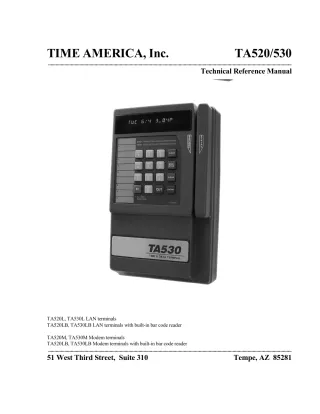
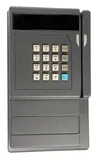
The technical reference manual for the Time America TA520 (plastic case) and TA530 (metal case) time and data collection terminals. Its FCC notice names the VeriFone ZON models behind them, with the ZON 531 listed as the TA520MB. It covers the display, keypad, magnetic card and bar code readers, serial, modem and RS485 LAN connections, TCP/IP setup, printers and other options, wall mounting, keypad use, configuration and supervisor modes, clock functions and wiring diagrams.
Its parts
- Overview
- Installation
- Basic Operations
- Modes of Operation
From the manual
Key facts from this manual
Some pages are scans or cannot be read; this says only what the readable text supports. Each line names its page in the PDF.
Technical reference manual (revision 4.7, June 2002) from Time America for the TA520 plastic and TA530 metal data collection terminals, in LAN, modem and built-in bar code reader versions. Its FCC page lists the ZON 531 as the TA520MB. It covers the hardware, installation, connecting to a PC by serial cable, modem, RS485 LAN or TCP/IP, basic operation and the operating modes, with specifications at the end.
- Device
- Data collection terminal for time and attendance, order entry, inventory and access control; TA520 plastic case, TA530 metal case p. 10
- FCC model names
- ZON 530 (TA520M), ZON 530M (TA530M), ZON 531 (TA520MB), ZON 531M (TA530MB), ZON 540 (TA520L), ZON 541 (TA520LB) p. 8
- Modem
- M and MB models: internal auto-answer Bell 212A 1200 baud modem on RJ11 jacks p. 12, 54
- Card readers
- ABA track 2 magnetic stripe on all; MB and LB models add a slot bar code reader for 3 of 9 p. 11
- Display
- 16-character vacuum fluorescent alphanumeric display p. 54
- Keypad
- 16-button silicon-rubber, color coded: 0-9, A-Z, IN, OUT, CLEAR, BACKSPACE, ALPHA, ENTER p. 54
- Ports
- 8-pin DIN RS232 serial port; 6-pin DIN accessory port; two RJ11 telephone jacks p. 12
- RS485 LAN
- L and LB models: RS485 LAN on a two-wire cable, up to 19200 baud, terminals up to 5000 feet from the host p. 10, 13
- Processor and memory
- Z-80 microprocessor; 32K EPROM, 32K RAM p. 54
- Power
- Power pack for 120 volts AC, 60Hz; 10W p. 13, 55
- Memory backup
- Built-in lithium battery keeps RAM data up to 7 months; an operational battery backup is optional p. 13, 54
- Environment
- Operating 0-40 C; storage -18 to 70 C; humidity 5% to 90%, non condensing p. 55
- Package
- Terminal, power supply, mounting kit; by type, 6 foot RJ11 cable, 8 Pin DIN to DB9 serial cable, 50 foot DB9 extension, RS485 converter p. 15
- Options
- Operational battery backup, cigarette lighter adapter, bar code wand, slot reader, signal control relay, signal enhancer, Etherlink Converter p. 13, 14, 21
What this manual walks you through
- Swiping a magnetic stripe or bar code card through the reader p. 11
- Choosing a location and mounting height for the terminal p. 15, 16
- Connecting the power pack, battery backup or cigarette lighter adapter p. 17
- Connecting the terminal to a PC by RS-232 serial cable p. 18
- Connecting a modem terminal to a phone line p. 19
- Wiring an RS485 LAN of several terminals p. 20
- Connecting to a TCP/IP network and setting the Etherlink Converter's IP address p. 21
Good to know
- The standard built-in battery backup keeps memory only; it does not run the terminal. p. 13
- Transaction printing uses the serial port, so it works only when that port is not used for communications. p. 14
- The signal control relay and signal enhancer need the Bell and Access Control EPROM option. p. 14
- The polling PC cannot use its modem for the Internet while talking to a modem terminal. p. 19
- Turn the battery backup's switch off when it is disconnected from AC power, to keep the battery from discharging. p. 17
Questions this manual answers
What is the ZON 531?
The FCC list names the ZON 531 as the TA520MB: a TA520 terminal in the hardened plastic case with an internal modem and a slot bar code reader. p. 8, 10, 11
What modem does the TA520MB have?
The M and MB models have an internal Bell 212A, 1200 baud modem connected through RJ11 jacks. p. 12
How do I connect the TA520 to a PC?
Plug the 8 pin DIN end of the supplied cable into the terminal and the DB9 end into the PC's serial port. p. 18
What power does the TA520 terminal need?
Its power pack plugs into a 120 volt, 60 cycle AC outlet; consumption is 10W. p. 13, 55
Does the terminal keep its data during a power failure?
Yes, a built-in battery keeps the data in RAM for up to 7 months, but the terminal does not operate on it. p. 13
Contents
Chapters and sections
Each line opens the PDF at its page.
- Overview7
- Installation15
- Selecting a Location15
- Package Content15
- Installing the Terminal16
- Connecting the Terminal Power Pack17
- Connecting the Battery Backup or Cigarette Lighter Adapter (optional)17
- Connecting the Terminal to the PC18
- Connecting the P250, P600 or 80 Column Printer (optional)22
- Connecting the Bar Code Wand and Slot Reader (optional)24
- Connecting the Signal Enhancer (optional)25
- Connecting the Signal Control Relay (optional)26
- Mounting the TA520 Plastic Terminal27
- Mounting the TA530 Metal Terminal28
- Basic Operations30
- Modes of Operation38
The whole text · 6 parts
Read the manual here as text
Its text as extracted from the PDF, unedited, in parts; each page opens the PDF at that page.
The file