Manual · RIM
RIM 850 Wireless Handheld Installation and User's Guide
Manual176 pagesPDF 1.7 MB
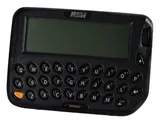
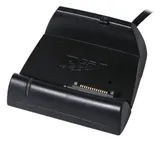
Installation and user's guide for the RIM 850 Wireless Handheld (BlackBerry 850) and its charging cradle, version 2.0.
Names · 1 model
The models it names
Filed with · 1 model
Also filed with these models on the old site
Summary
What is in it
Research In Motion's installation and user's guide for the RIM 850 Wireless Handheld, version 2.0. It covers safety, the handheld's components and keys, the battery and charging cradle, registering with the network, the Desktop Software for backup and PIM synchronization, composing, reading and managing email messages, the Address Book, Tasks, Calendar, MemoPad and Calculator, handheld options, frequently asked questions, specifications and the limited warranty.
Its parts
- Important Safety Information
- Welcome to your wireless solution
- Get to know your handheld
- Start sending email
- Using the Desktop Software
- Composing and sending messages
- Receiving and reading messages
- Managing messages
- Using the Address Book
- Managing Tasks and Appointments
- Using the MemoPad and Calculator
- Customizing your handheld's options
- Frequently asked questions
- Specifications
- Limited Warranty
From the manual
Key facts from this manual
Each line names its page in the PDF.
This is the Installation and User's Guide, version 2.0, for the RIM 850 Wireless Handheld and its charging cradle. It explains installing and recharging the battery, the handheld's messaging and organizer functions, connecting to a PC with the Desktop Software, and common problems. It ends with full specifications for the handheld, the cradle and the AC adapter.
- Device
- Pocket organizer with an integrated wireless modem for email, plus address book, calendar, tasks and MemoPad p. 13
- Network
- 800 MHz DataTAC networks; MDC4800 v3.2/3.3 and RD-LAP v3.2/3.3 air protocols p. 156
- Radio frequencies
- Transmit 806 to 825 MHz; receive 851 to 870 MHz p. 157
- Memory
- R850-2: 2 MB flash, 304 kB RAM; R850-4: 4 MB flash, 512 kB RAM p. 155
- Display
- Backlit graphic LCD, 132 x 65 pixels, 8 lines of about 25 characters p. 155
- Keyboard
- 31-key QWERTY-style keyboard and a trackwheel that clicks to select p. 155
- Battery
- One AA alkaline cell or NiMH rechargeable, plus an internal rechargeable lithium ion cell p. 20, 156
- Recommended NiMH cell
- Sanyo NiMH model HR-3U (supplied); Energizer NH15 NiMH as an alternative p. 22
- Serial port
- RS-232 compatible, up to 115 200 baud, mates with the charging cradle p. 21, 156
- Size and weight
- 3.5”X2.5”X0.89” (LXWXH); 4.1oz (115g) without the AA battery p. 155
- Operating temperature
- -10°C to +60°C (storage -40°C to +70°C) p. 156
- Cradle AC adapter
- Input 110V, 60 Hz; output 12V DC, 500 mA; plug 4.2 mm OD, 1.7 mm ID, center positive p. 157
- Cradle cable
- 78.7” (2 m) 3-wire RS-232 serial cable p. 157
- PC requirements
- Intel-compatible 486 or higher with a free serial port, Windows 95/98/2000 with 8 Mb of RAM p. 15
What this manual walks you through
- Installing the AA or NiMH battery p. 22, 23
- Recharging the NiMH battery in the charging cradle p. 24, 25
- Turning on the handheld and choosing functions from the Home screen p. 25
- Storing the handheld for a short or long time p. 147
- Reading the cradle's green LED and fixing charging problems p. 148, 149
- Fixing a faint screen and using the backlight p. 150
- Finding out why messages are not sent or not announced p. 151
- Resetting a handheld that locks up p. 153, 154
- Upgrading to version 2.0 after backing up the handheld p. 15
Good to know
- With a single-use alkaline cell, unplug the AC adapter so the cradle does not try to charge it. p. 21
- Do not take the handheld out of the cradle while the green LED is flashing. p. 25
- NiCd or other non-NiMH cells are not recommended with the charging cradle. p. 145
- The cradle charges only between 0°C and +45°C. p. 149
- For storage of up to 6 months, remove the battery; stored data is kept but the date and time will be wrong. p. 147
Questions this manual answers
What battery does the RIM 850 BlackBerry take?
One AA alkaline cell or a NiMH rechargeable AA; the guide names the Sanyo NiMH HR-3U, with the Energizer NH15 as an alternative. p. 20, 22
How long does the RIM 850 charging cradle take to charge the battery?
About 8 hours for a completely drained battery. p. 149
How do I reset a RIM 850 that has locked up?
Press the reset button through the hole on the back below the label with a paper clip, or press ALT + SHIFT + BACKSPACE together. Stored messages are kept. p. 154
Contents
Chapters and sections
Each line opens the PDF at its page.
- RIM 850 Wireless HandheldTM1
- FCC compliance statement (USA)3
- Industry Canada Certification4
- IMPORTANT SAFETY INFORMATION9
- Welcome to your wireless solution13
- Get to know your handheld19
- Start sending email47
- Using the Desktop Software55
- Composing and sending messages61
- Receiving and reading messages77
- Managing messages85
- Using the Address Book101
- Managing Tasks and Appointments109
- Using the MemoPad and Calculator127
- Customizing your handheld’s options133
- Frequently asked questions145
- Specifications155
- Research In Motion Limited Software License Agreement159
- Limited Warranty163
- Index167
The whole text · 18 parts
Read the manual here as text
Its text as extracted from the PDF, unedited, in parts; each page opens the PDF at that page.
- Pages 1 to 101-10
- Pages 11 to 2011-20
- Pages 21 to 3021-30
- Pages 31 to 4031-40
- Pages 41 to 5041-50
- Pages 51 to 6051-60
- Pages 61 to 7061-70
- Pages 71 to 8071-80
- Pages 81 to 9081-90
- Pages 91 to 10091-100
- Pages 101 to 110101-110
- Pages 111 to 120111-120
- Pages 121 to 130121-130
- Pages 131 to 140131-140
- Pages 141 to 150141-150
- Pages 151 to 160151-160
- Pages 161 to 170161-170
- Pages 171 to 176171-176
The file