


Spec sheet · RFIDeas
RFIDeas PcProx Wedge Reader Spec Sheet
Spec sheet2 pagesPDF 49 KB
Both pages are below, each with its text.
Covers · 1 model
The models it covers
From the sheet · read page by page
Key facts from this sheet
Each line names its page in the PDF.
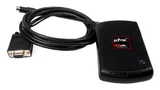
A two-page RF IDeas spec sheet (2000) for the pcProx proximity reader for keyboard wedge interfaces. It explains how the reader passes a proximity card's ID to a PC through a hardware or software keyboard wedge, and lists read range, power, dimensions and the four part numbers.
- Device
- Proximity card reader that attaches to keyboard wedge devices, replacing mag-stripe readers and bar code scanners p. 1
- Part numbers
- bse-pcprxhdw (HID Decoded RS232), bse-pcprxhuw (HID Un-decoded), bse-pcprxmdw (Motorola Decoded RS232), bse-pcprxmuw (Motorola Un-decoded) p. 2
- Interface
- RS232 DB9 connector, to a PC COM port or the DB9 serial port of a hardware wedge p. 2
- Power
- RS232 model: 5.0 V from a PS2 keyboard pass-through connector; Undecoded model: power through the DB9 connector p. 2
- Read range
- 1"-3" (2.5-7.6 cm) typical maximum, depending on card type and environment p. 2
- Dimensions
- 2.5" x 4.2" x 0.875" (6.35 x 10.6 x 2.2 cm) p. 2
- Cards
- Motorola proximity cards and tokens; the sheet also marks it ASP, ASP+ and Indala compatible p. 1
- Card formats
- Up to 64 bits, parity included p. 2
- Indicator
- Tri-state LED: red, flashing green when a card is presented p. 2
- Self-test
- Checks the setup configuration at power-up p. 2
- Compatible wedges
- Hardware: American Microsystems M5100, Symbol OmniLink; software: WinWedge from TAL Tech p. 1, 2
What this sheet walks you through
- Connecting the reader through a hardware keyboard wedge p. 2
- Connecting the reader to the RS232 port with a software wedge p. 2
Good to know
- The wedge is sold separately. p. 2
- Read range depends on the card type and environmental conditions. p. 2
- No software and no serial port are needed only when a hardware wedge is used. p. 1
- The sheet states FCC certification for the United States. p. 2
Questions this sheet answers
What is the read range of the pcProx wedge reader?
Typically up to 1 to 3 inches (2.5 to 7.6 cm), depending on the card type and the environment. p. 2
How is the pcProx keyboard wedge reader powered?
The RS232 model takes 5.0 V from a PS2 keyboard pass-through connector; the undecoded model is powered through its DB9 connector. p. 2
Which part number is the Motorola decoded RS232 pcProx?
bse-pcprxmdw. The HID decoded RS232 version is bse-pcprxhdw. p. 2
Does the pcProx reader need software on the PC?
Not with a hardware wedge, where the card ID appears as typed. With a software wedge such as WinWedge, the reader attaches to the RS232 port. p. 1, 2
What happens when a card is read through a hardware wedge?
The card's ID is sent to the current application as if it had been keyed, so no software changes are needed. p. 2
The file
Size and text
Every page · 2
Read it here
Each page as it is printed, and its words beside it, so a phone can search and copy them.
Page1of 2
Open in the PDF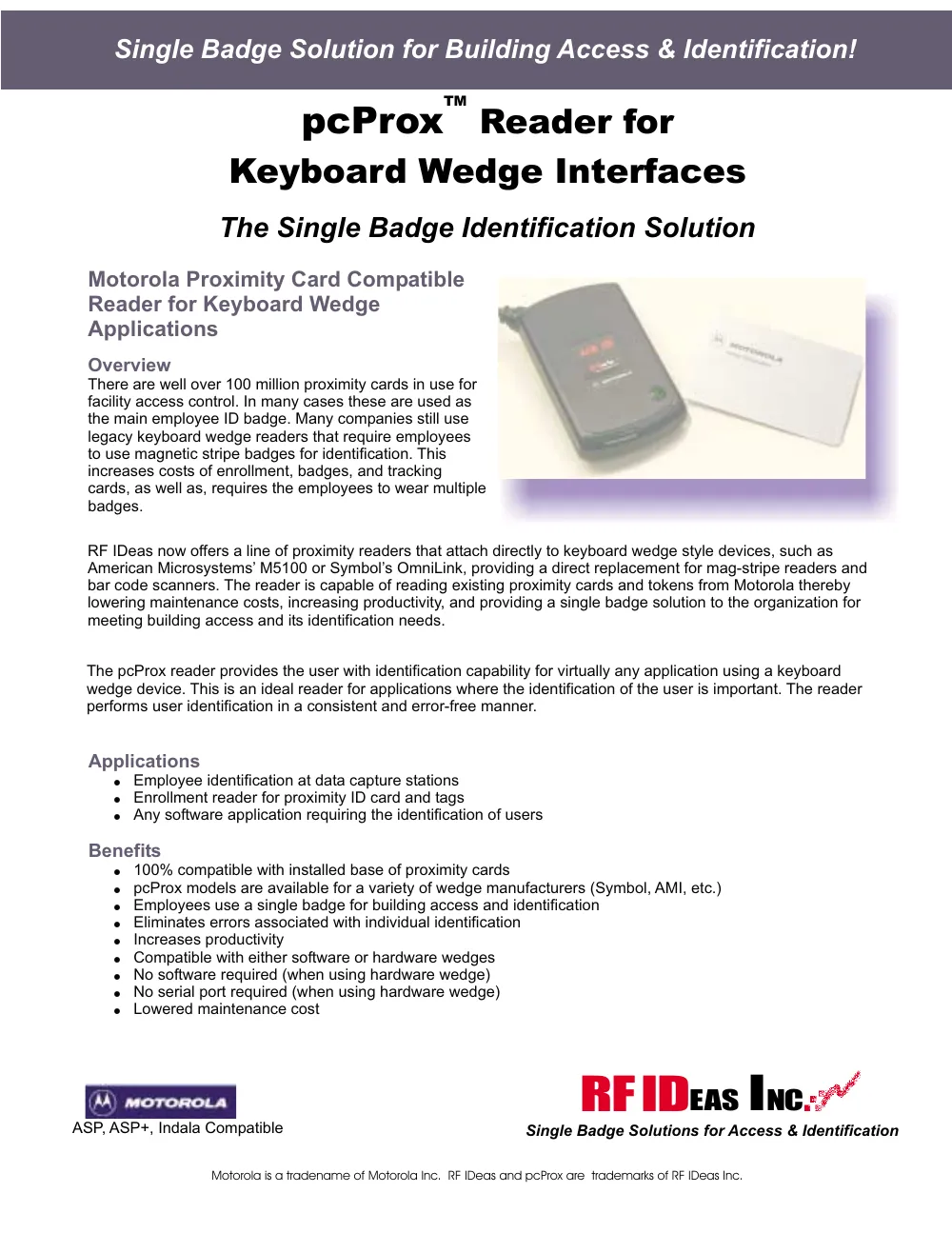
The text of page 1, from the PDF itself
Single Badge Solution for Building Access & Identification! TM
pcProx Reader for Keyboard Wedge Interfaces The Single Badge Identification Solution Motorola Proximity Card Compatible Reader for Keyboard Wedge Applications Overview
There are well over 100 million proximity cards in use for facility access control. In many cases these are used as the main employee ID badge. Many companies still use legacy keyboard wedge readers that require employees to use magnetic stripe badges for identification. This increases costs of enrollment, badges, and tracking cards, as well as, requires the employees to wear multiple badges. RF IDeas now offers a line of proximity readers that attach directly to keyboard wedge style devices, such as American Microsystems’ M5100 or Symbol’s OmniLink, providing a direct replacement for mag-stripe readers and bar code scanners. The reader is capable of reading existing proximity cards and tokens from Motorola thereby lowering maintenance costs, increasing productivity, and providing a single badge solution to the organization for meeting building access and its identification needs. The pcProx reader provides the user with identification capability for virtually any application using a keyboard wedge device. This is an ideal reader for applications where the identification of the user is important. The reader performs user identification in a consistent and error-free manner.
Applications
! Employee identification at data capture stations ! Enrollment reader for proximity ID card and tags ! Any software application requiring the identification of users
Benefits ! ! ! ! ! ! ! ! !
100% compatible with installed base of proximity cards pcProx models are available for a variety of wedge manufacturers (Symbol, AMI, etc.) Employees use a single badge for building access and identification Eliminates errors associated with individual identification Increases productivity Compatible with either software or hardware wedges No software required (when using hardware wedge) No serial port required (when using hardware wedge) Lowered maintenance cost
RF IDEAS INC ASP, ASP+, Indala Compatible
Single Badge Solutions for Access & Identification
Motorola is a tradename of Motorola Inc. RF IDeas and pcProx are trademarks of RF IDeas Inc.
Page2of 2
Open in the PDF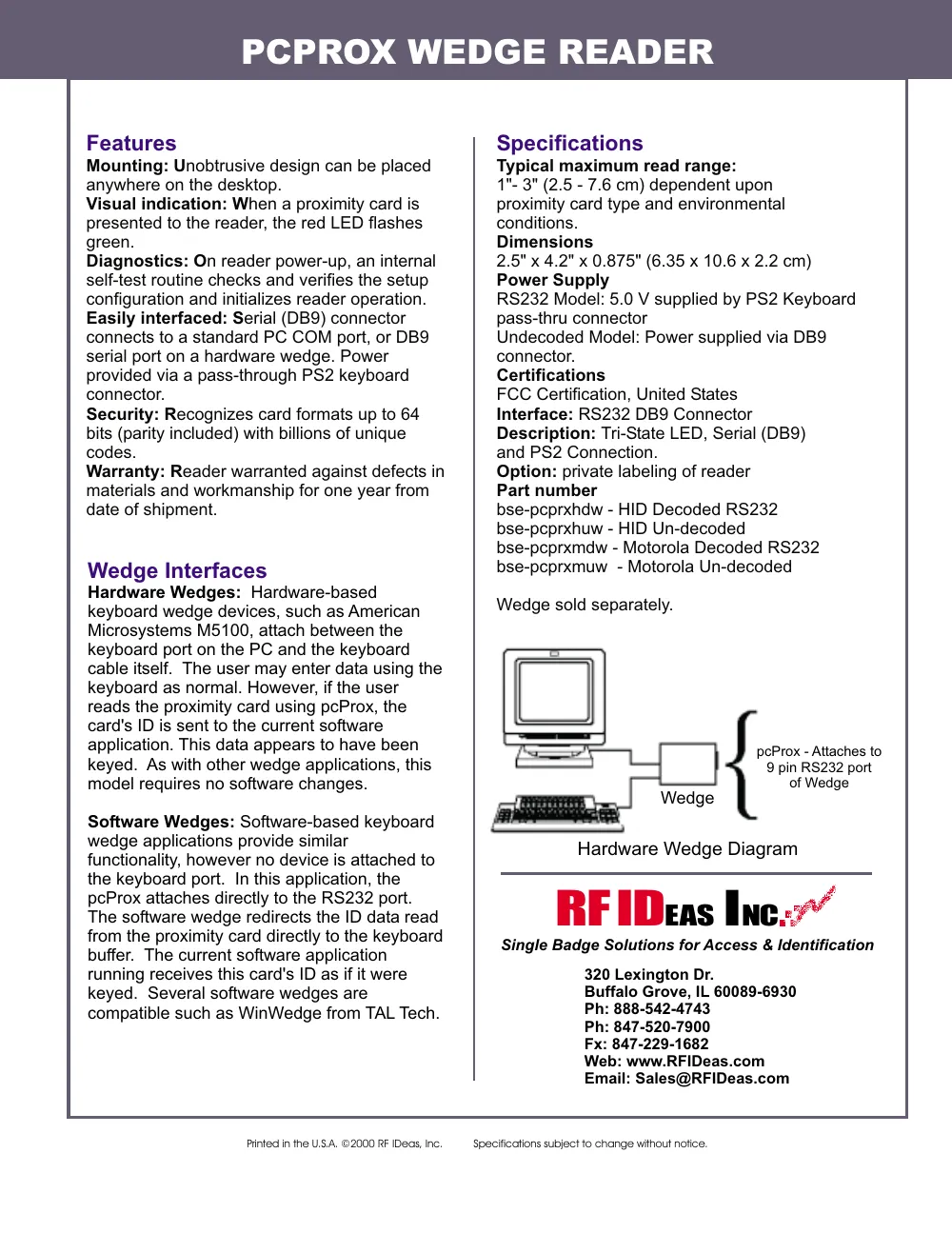
The text of page 2, from the PDF itself
PCPROX WEDGE READER Features
Mounting: Unobtrusive design can be placed anywhere on the desktop. Visual indication: When a proximity card is presented to the reader, the red LED flashes green. Diagnostics: On reader power-up, an internal self-test routine checks and verifies the setup configuration and initializes reader operation. Easily interfaced: Serial (DB9) connector connects to a standard PC COM port, or DB9 serial port on a hardware wedge. Power provided via a pass-through PS2 keyboard connector. Security: Recognizes card formats up to 64 bits (parity included) with billions of unique codes. Warranty: Reader warranted against defects in materials and workmanship for one year from date of shipment.
Wedge Interfaces
Hardware Wedges: Hardware-based keyboard wedge devices, such as American Microsystems M5100, attach between the keyboard port on the PC and the keyboard cable itself. The user may enter data using the keyboard as normal. However, if the user reads the proximity card using pcProx, the card's ID is sent to the current software application. This data appears to have been keyed. As with other wedge applications, this model requires no software changes. Software Wedges: Software-based keyboard wedge applications provide similar functionality, however no device is attached to the keyboard port. In this application, the pcProx attaches directly to the RS232 port. The software wedge redirects the ID data read from the proximity card directly to the keyboard buffer. The current software application running receives this card's ID as if it were keyed. Several software wedges are compatible such as WinWedge from TAL Tech.
Printed in the U.S.A. ©2000 RF IDeas, Inc.
Specifications
Typical maximum read range: 1"- 3" (2.5 - 7.6 cm) dependent upon proximity card type and environmental conditions. Dimensions 2.5" x 4.2" x 0.875" (6.35 x 10.6 x 2.2 cm) Power Supply RS232 Model: 5.0 V supplied by PS2 Keyboard pass-thru connector Undecoded Model: Power supplied via DB9 connector. Certifications FCC Certification, United States Interface: RS232 DB9 Connector Description: Tri-State LED, Serial (DB9) and PS2 Connection. Option: private labeling of reader Part number bse-pcprxhdw - HID Decoded RS232 bse-pcprxhuw - HID Un-decoded bse-pcprxmdw - Motorola Decoded RS232 bse-pcprxmuw - Motorola Un-decoded Wedge sold separately.
Wedge
pcProx - Attaches to 9 pin RS232 port of Wedge
Hardware Wedge Diagram
RF IDEAS INC Single Badge Solutions for Access & Identification 320 Lexington Dr. Buffalo Grove, IL 60089-6930 Ph: 888-542-4743 Ph: 847-520-7900 Fx: 847-229-1682 Web: www.RFIDeas.com Email: Sales@RFIDeas.com
Specifications subject to change without notice.