


Spec sheet · Renaissance Learning
Renaissance Learning AccelScan OMR-1100 Spec Sheet
Spec sheet1 pagePDF 34 KB
The page is below, with its text.
Covers · 1 model
The models it covers
From the sheet · read page by page
Key facts from this sheet
Each line names its page in the PDF.
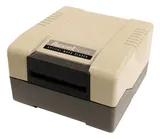
A one-page product sheet from Lincolnshire Scanning Systems for the OMR-1100 Optical Mark Reader, a desktop reader that scans marked forms and sends the data to a computer over a serial port. The sheet itself does not use the AccelScan or Renaissance Learning names. It describes the Infra Red and Visible Red versions, what comes in the box, and the specifications.
- Device
- Desktop optical mark reader that reads one side of a scannable form and sends the data to a computer p. 1
- Interface
- RS-232C asynchronous serial (PC serial), 300 through 38400 baud, full duplex p. 1
- Speed
- Up to 2000 eleven inch cards per hour; scans at 18" (45.7cm) per second p. 1
- Versions
- Infra Red: #2 pencil, key punched slots, pre-printed marks. Visible Red: also blue or black ballpoint and felt tip pen p. 1
- Form size
- 3-1/4" x 5" to 3-1/4" x 14"; or part of an 8 1/2" x 11" sheet with a perforation at 3 1/4" p. 1
- Power
- 114-125VAC, 60 Hz; 220 VAC, 50 Hz available; external power supply p. 1
- In the box
- External power supply, serial data cable (Macintosh or PC), operator guide, test cards, setup, demo and diagnostic software p. 1
- Data output
- ASCII character, binary, download mask p. 1
- Read head
- Graded index fiber, single sided, self adjusting threshold for each channel p. 1
- Paper weight
- 18 to 100lb (.004" to .010" thick) p. 1
- Feed method
- Manual, feed through or reciprocating p. 1
- Size and weight
- 5.74" wide x 4.5" high x 9.5" deep (14.6 x 11.4 x 24.1 cm); 9 lb (4.10kg) p. 1
- Operating conditions
- 41 to 113 degrees F (5 to 45 degrees C), 30% to 80% humidity, non-condensing p. 1
- Microprocessor
- 68HC11 p. 1
Good to know
- The Infra Red version limits the marking instruments but allows more background print colors. p. 1
- The Visible Red version takes more kinds of pens but limits background printing to a warm red color. p. 1
- Processing speed depends on the operator and on the speed of the computer. p. 1
Questions this sheet answers
How does the OMR-1100 connect to a computer?
Through a standard RS-232C serial port, at 300 to 38400 baud; a Macintosh or PC serial cable is supplied. p. 1
Can the OMR-1100 read forms filled in with a pen?
Only the Visible Red version reads blue or black ballpoint and felt tip pen; the Infra Red version reads #2 pencil, punched and pre-printed marks. p. 1
What size forms does the OMR-1100 take?
Forms 3-1/4" wide and 5" to 14" long, which may be the perforated part of a larger 8 1/2" x 11" sheet. p. 1
How many forms per hour can the OMR-1100 read?
Up to 2,000 forms per hour. p. 1
The file
Size and text
Every page · 1
Read it here
Each page as it is printed, and its words beside it, so a phone can search and copy them.
Page1of 1
Open in the PDF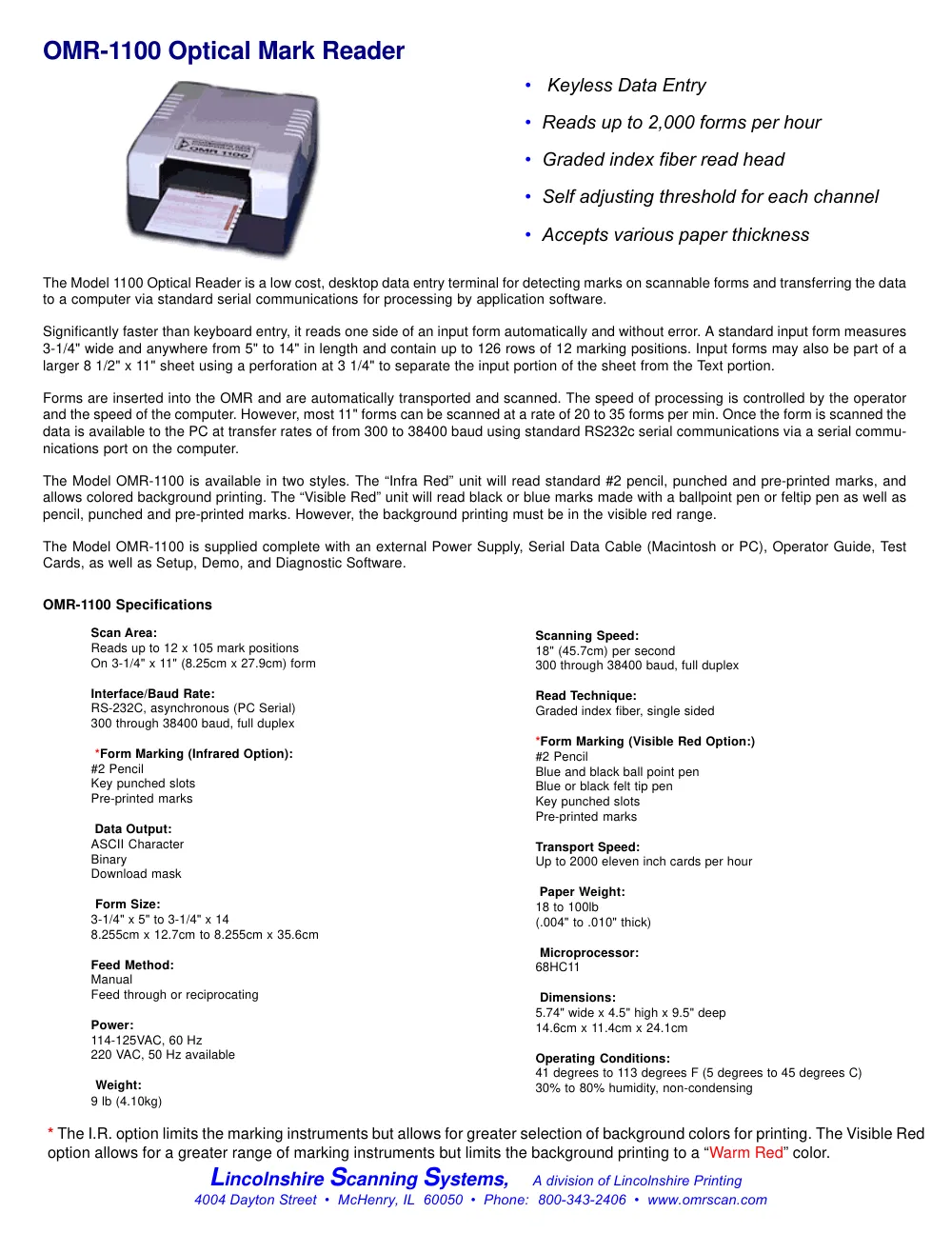
The text of page 1, from the PDF itself
OMR-1100 Optical Mark Reader
- Keyless Data Entry
- Reads up to 2,000 forms per hour
- Graded index fiber read head
- Self adjusting threshold for each channel
- Accepts various paper thickness The Model 1100 Optical Reader is a low cost, desktop data entry terminal for detecting marks on scannable forms and transferring the data to a computer via standard serial communications for processing by application software. Significantly faster than keyboard entry, it reads one side of an input form automatically and without error. A standard input form measures 3-1/4" wide and anywhere from 5" to 14" in length and contain up to 126 rows of 12 marking positions. Input forms may also be part of a larger 8 1/2" x 11" sheet using a perforation at 3 1/4" to separate the input portion of the sheet from the Text portion. Forms are inserted into the OMR and are automatically transported and scanned. The speed of processing is controlled by the operator and the speed of the computer. However, most 11" forms can be scanned at a rate of 20 to 35 forms per min. Once the form is scanned the data is available to the PC at transfer rates of from 300 to 38400 baud using standard RS232c serial communications via a serial communications port on the computer. The Model OMR-1100 is available in two styles. The “Infra Red” unit will read standard #2 pencil, punched and pre-printed marks, and allows colored background printing. The “Visible Red” unit will read black or blue marks made with a ballpoint pen or feltip pen as well as pencil, punched and pre-printed marks. However, the background printing must be in the visible red range. The Model OMR-1100 is supplied complete with an external Power Supply, Serial Data Cable (Macintosh or PC), Operator Guide, Test Cards, as well as Setup, Demo, and Diagnostic Software. OMR-1100 Specifications Scan Area: Reads up to 12 x 105 mark positions On 3-1/4" x 11" (8.25cm x 27.9cm) form
Scanning Speed: 18" (45.7cm) per second 300 through 38400 baud, full duplex
Interface/Baud Rate: RS-232C, asynchronous (PC Serial) 300 through 38400 baud, full duplex
Read Technique: Graded index fiber, single sided
*Form Marking (Infrared Option): #2 Pencil Key punched slots Pre-printed marks
*Form Marking (Visible Red Option:) #2 Pencil Blue and black ball point pen Blue or black felt tip pen Key punched slots Pre-printed marks
Data Output: ASCII Character Binary Download mask
Transport Speed: Up to 2000 eleven inch cards per hour Paper Weight: 18 to 100lb (.004" to .010" thick)
Form Size: 3-1/4" x 5" to 3-1/4" x 14 8.255cm x 12.7cm to 8.255cm x 35.6cm
Microprocessor: 68HC11
Feed Method: Manual Feed through or reciprocating
Dimensions: 5.74" wide x 4.5" high x 9.5" deep 14.6cm x 11.4cm x 24.1cm
Power: 114-125VAC, 60 Hz 220 VAC, 50 Hz available
Operating Conditions: 41 degrees to 113 degrees F (5 degrees to 45 degrees C) 30% to 80% humidity, non-condensing
Weight: 9 lb (4.10kg)
- The I.R. option limits the marking instruments but allows for greater selection of background colors for printing. The Visible Red option allows for a greater range of marking instruments but limits the background printing to a “Warm Red” color.
LSS
incolnshire canning ystems, A division of Lincolnshire Printing 4004 Dayton Street • McHenry, IL 60050 • Phone: 800-343-2406 • www.omrscan.com