Manual · RDM
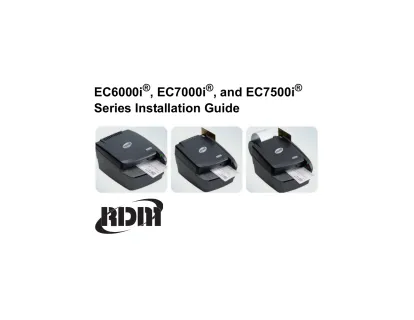
EC6000i, EC7000i, and EC7500i Series Installation Guide
Manual32 pagesPDF 1.3 MB
Installation guide for the RDM EC6000i, EC7000i and EC7500i Series check scanners: setup, operation, care and specifications.
What this file really is
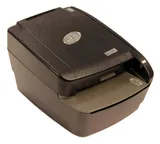
The old site listed this file as a manual for the RDM EC7000i Series and UNISYS UEC7011. The file is named for the Unisys UEC7011, but the document is RDM's installation guide for the EC6000i, EC7000i and EC7500i Series scanners and does not mention Unisys or the UEC7011.
Names · 1 model
The models it names
Filed with · 1 model
Also filed with these models on the old site
Summary
What is in it
RDM installation guide for the EC6000i, EC7000i and EC7500i Series check scanners, MICR and imaging units for check electronification, check cashing and walk-in bill payment. It covers compliance statements, location and unpacking, the unit's features and connection ports, inserting the optional franking printer cartridge, telephone, power and driver setup, operating the scanner and its status signals, cleaning, troubleshooting, specifications and warranty.
Its parts
- Compliance Statements
- Introduction
- Requirements
- Setting Up the EC6000i, EC7000i, or EC7500i
- Operating the Scanner
- Maintaining the EC6000i, EC7000i, or EC7500i
- Troubleshooting
- Specifications
- Warranty Information
From the manual · read page by page
Key facts from this manual
Each line names its page in the PDF.
RDM installation guide (part number 302665, revision C, 2011) for the EC6000i, EC7000i and EC7500i Series check scanners. It covers setup, connection ports, the optional modem, franking cartridge and printer paper, feeding checks, status lights and beeps, cleaning, troubleshooting and specifications. It does not name the UEC7011.
- What it is
- Check scanner with MICR reading and imaging, for check electronification, check cashing and walk-in bill payment p. 8
- Connectors
- EC6000i and EC7000i: power Mini-DIN 3-pin; USB-A (1.1); AUX Mini-DIN 8-pin; COM Mini-DIN 9-pin; TEL RJ11 for the optional modem p. 27
- Power supply
- Input 100 to 240 V AC, 50 to 60Hz; output 24V, DC 1.0A; RDM P/N # 302843 (models GFP241DA-2410M-2 or 3A-242DN24-020) p. 28
- Weight
- EC7000i: 3.4 lbs. / 1.5 Kg; EC6000i: 3.1 lbs. / 1.4 Kg p. 27
- Size
- Without MSR 8.6 x 6.1 x 4.4 in. (21.9 x 15.4 x 11.3 cm); with MSR 5.3 in. (13.5 cm) high; with printer 11.8 in. (30.1 cm) long and 5.3 in. high p. 27
- Environment
- Indoor use only; operating 32 to 104 degrees F (0 to 40 degrees C), 10 to 85% relative humidity, non-condensing p. 9, 28
- Documents
- Nominal 2.16 in. x 4.4 in. (5.5 cm x 11.2 cm); maximum 4 in. x 9 in. (10.16 cm x 22.86 cm); 8 lb to 100 lb stock, 16 lb to 32 lb preferred p. 28
- Character sets
- E13B and CMC7 MICR; alphanumeric OCR A and B recognition optional p. 28
- Modem
- EC6000i and EC7000i: optional modem supporting V.34bis down to Bell 212A and 103; V.42 LAPM and MNP 2-4 error correction; V.42bis and MNP 5 compression p. 13, 29
- Card reader
- Optional magnetic stripe reader (MSR): 3 track, bi-directional p. 29
- Consumables
- Thermal printer roll 2.25 in. x 50 ft (58 mm x 15 m), P/N 302562; Franking Acknowledgement Printer Cartridge, P/N 6000-6050 p. 29
- EC7500i connectors
- EC7500i: power Mini-DIN 3-pin; USB-B (2.0) p. 27
- In the box
- Scanner, power adapter and USB cable; telephone line with the modem (EC6000i or EC7000i only); franking cartridge if ordered p. 10
What this manual walks you through
- Choosing a location and unpacking the scanner p. 10
- Identifying the color-coded connection ports p. 13
- Inserting the franking acknowledgement printer cartridge p. 14, 15
- Connecting the modem to a telephone line p. 16
- Connecting the power cord p. 17
- Loading the thermal printer paper roll p. 18
- Feeding checks and swiping magnetic stripe cards p. 19
- Reading the status LED and beep signals p. 20, 21
- Cleaning the cabinet, interior and image sensors p. 22, 23
- Troubleshooting the modem, peripherals, check feeder and card reader p. 24, 25, 26
Good to know
- The scanners are for indoor use only; keep them dry and away from high humidity. p. 9
- The modem works only on an outside analog line, not a PBX digital line. p. 16
- Cutting power while a transaction is processing may lose data stored in the unit. p. 17
- The franking ink cartridge is not refillable. p. 15
- Use only an RDM-supplied power adaptor. p. 28
Questions this manual answers
What do three short beeps mean on an RDM EC7000i?
With the LED flashing red, three short beeps mean the scanner could not read the check's MICR line. p. 21
What power supply does the RDM EC7000i use?
An RDM power adaptor with 24V, DC 1.0A output, RDM P/N # 302843. p. 28
How do I insert a check into the RDM EC7000i?
Insert it flush to the right side, information side up, with the MICR line to the inside right, when the LED is green. p. 19
What paper roll does the RDM EC scanner printer take?
Thermal paper, 2.25 in. x 50 ft (58 mm x 15 m), reorder P/N 302562. p. 29
Does the RDM EC7000i have a modem?
The EC6000i and EC7000i can have an optional modem on the TEL port; some scanners have no TEL port. p. 13
The whole text · 4 parts
Read the manual here as text
Its text as extracted from the PDF, unedited, in parts; each page opens the PDF at that page.
The file