Manual · Psion
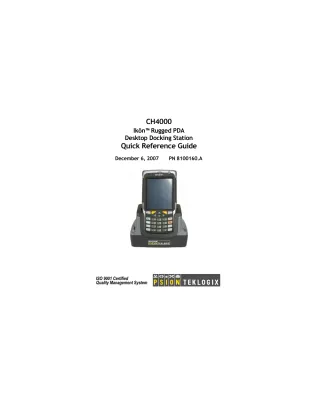
CH4000 Ikôn Rugged PDA Desktop Docking Station Quick Reference Guide
Manual20 pagesPDF 374 KB
Quick reference guide for the Psion Teklogix CH4000 desktop docking station for the Ikôn rugged PDA: charging, USB and troubleshooting.
Covers · 2 models
The models it covers
Summary
What is in it
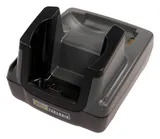
A short quick reference guide for the Psion Teklogix CH4000 desktop docking station for the Ikôn rugged PDA. It covers safety notes and operating conditions, what the dock does (fast charging the Ikôn's internal battery and a spare battery pack, and USB connectivity), the USB door control and spare battery LED, charging both batteries, using the USB dock, cleaning, troubleshooting LED and power problems, and support contacts.
Its parts
- Important
- CH4000 Introduction
- Desktop Docking Station Operation
- Cleaning The CH4000
- Troubleshooting
- Support Services & Worldwide Offices
From the manual · read page by page
Key facts from this manual
Each line names its page in the PDF.
Quick reference guide for the Psion Teklogix CH4000 desktop docking station for the Ikon rugged PDA. It explains how to charge the Ikon battery and a spare battery, switch the rear USB port between Type A and Type B, clean the dock, and troubleshoot power and charge LED problems.
- Device
- Desktop docking station for the Ikon rugged PDA: fast charges the internal battery and a spare battery, with Type A and Type B USB p. 10
- Charge time
- 2.5 to 3.0 hours for the Ikon 5000 mAh battery, in the Ikon or in the spare slot p. 12
- Power supply
- Psion Teklogix P/N 9010962 p. 8
- USB
- Rear host or device USB, Type A or Type B chosen by a sliding door; low- and full-speed USB 1.1 p. 13
- Charging temperature
- Charges only when the battery is between 0°C and 40°C (32°F to 104°F) p. 10
- Operating conditions
- 0°C to 40°C (32°F to 104°F), 5 to 95% humidity non-condensing; storage -30°C to +60°C p. 8
- Spare battery LED
- Flashing green while charging, solid green from 95% capacity p. 12
- Batteries
- Psion Teklogix Smart Batteries p. 10
- Controls
- One control: the rear USB door; one front LED for spare battery charge status p. 11
What this manual walks you through
- Charging the Ikon battery in the dock p. 12
- Charging a spare battery in the rear slot p. 12
- Switching the USB port between Type A and Type B p. 13
- Cleaning the CH4000 p. 14
- Troubleshooting a dock that does not power on and charge LED faults p. 14, 15, 16
Good to know
- The dock cannot be used with PDAs other than the Ikon, even where the battery connector is the same. p. 8
- Do not expose the dock to rain or snow, though it accepts a wet Ikon without harm. p. 8
- Do not immerse the dock; avoid abrasive cleaners, solvents and strong chemicals on the plastic case. p. 14
- A battery or charger that is not Psion Teklogix approved, or a faulty safety mechanism, makes the charge LED flash green rapidly. p. 15
Questions this manual answers
How long does the CH4000 take to charge an Ikon battery?
Normally 2.5 to 3.0 hours for the Ikon 5000 mAh battery. p. 12
What power supply does the Ikon CH4000 dock need?
Psion Teklogix power supply P/N 9010962. p. 8
Ikon charge LED fast flashing green in the CH4000
Remove the Ikon, disconnect the adaptor DC cable, wait at least 20 seconds and plug it in again; if the fault remains, the Ikon needs service. p. 15
CH4000 spare battery LED fast flashes green
Try a battery known to work in another charger; if the LED still fast flashes, the charger is defective and needs service. p. 15
Does the CH4000 dock work with other PDAs?
No. It cannot be used with non-Ikon PDAs, even where they share the battery connector. p. 8
Contents
Chapters and sections
Each line opens the PDF at its page.
The whole text · 4 parts
Read the manual here as text
Its text as extracted from the PDF, unedited, in parts; each page opens the PDF at that page.
The file