Manual · PSC
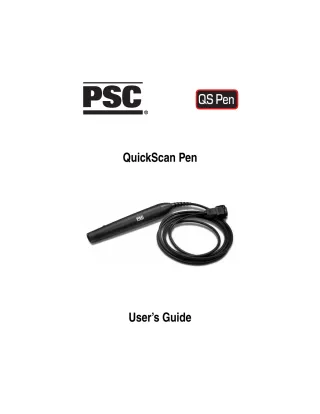
QuickScan Pen User's Guide
Manual12 pagesPDF 7.1 MB
User's guide for the PSC QuickScan Pen laser scanner: how to scan, depth of field, cleaning, storage, laser cautions and warranty.
Covers · 1 model
The models it covers
Summary
What is in it
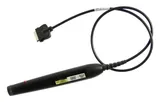
The PSC user's guide for the QuickScan Pen, a pen-style optical laser scanner that sends bar code signals to a host terminal. It explains scanning technique (angle, distance, depth of field and focal point), care and cleaning of the window and housing, storage, labeling, laser safety cautions and radio frequency interference compliance, followed by the PSC standard warranty with its exclusions and limitations.
Its parts
- Using the QuickScan Pen
- Standard Warranty
From the manual · read page by page
Key facts from this manual
Some pages are scans or cannot be read; this says only what the readable text supports. Each line names its page in the PDF.
This is the PSC user's guide for the QuickScan Pen laser scanner. It explains how to hold and aim the scanner for a good read, how to clean the window and housing, storage, and the laser cautions.
- Device
- Laser bar code scanner with a moving laser spot that sweeps the symbol about 40 times a second p. 5
- Laser
- Visible Laser Diode (VLD), 650-670 nanometers p. 8
- Depth of field
- About 3 to 11 inches from the tip for a regular UPC bar code; focal point about 4 ½ inches p. 6
- Scanning angle
- Hold at 15° to 30° to the bar code, never perpendicular p. 5
- Window
- Anti-reflective glass p. 7
- Cleaning
- Windex glass cleaner with lint-free wipes or a soft cotton lint-free cloth p. 7
What this manual walks you through
- Holding and aiming the scanner for a good read p. 5, 6
- Finding the best reading distance p. 6
- Cleaning the scan window p. 7
- Cleaning the housing p. 7
- Storing the scanner p. 7
- Laser cautions p. 8
Good to know
- Never look directly into the front of the scanner while the beam is on. p. 6
- If the scan pattern is a single dot when scanning starts, stop using the scanner. p. 8
- Other cleaners may damage the window or housing; do not remove the rubber bezel or window when cleaning. p. 7
- Never spray cleaner directly on the housing or let liquid into the button. p. 7
- Bar codes may be hard to read closer than 3 inches. p. 6
Questions this manual answers
How far from the bar code should I hold the QuickScan Pen?
Start four to six inches away; for a regular UPC code it reads from about 3 to 11 inches, best at about 4 ½ inches. p. 6
Why won't my QuickScan Pen read a bar code held straight on?
Specular reflection can blind it; hold it at 15° to 30° to the bar code, not perpendicular. p. 5
How do I clean the QuickScan Pen window?
Spray a little Windex on a lint-free wipe, wipe the window with the wet part, then dry it with the dry part. p. 7
What does it mean if the QuickScan Pen shows only a dot?
The guide says to stop using it and return the unit to the manufacturer. p. 8
Contents
Chapters and sections
Each line opens the PDF at its page.
The whole text · 3 parts
Read the manual here as text
Its text as extracted from the PDF, unedited, in parts; each page opens the PDF at that page.
The file