Manual · PSC
Falcon 4400 Series with Windows CE Quick Reference Guide
Manual64 pagesPDF 2.8 MB
Quick reference guide for the PSC Falcon 4400 Series Windows CE mobile computers (Falcon 4410 and 4420): power, setup, scanning and resets.
Names · 2 models
The models it names
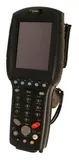 Datalogic 4410802.11b/g wireless portable data collection terminal from$1,195.001 in stock PSC 4420802.11b wireless portable data collection terminal Call for availability
Filed with · 1 model
Also filed with these models on the old site
Summary
What is in it
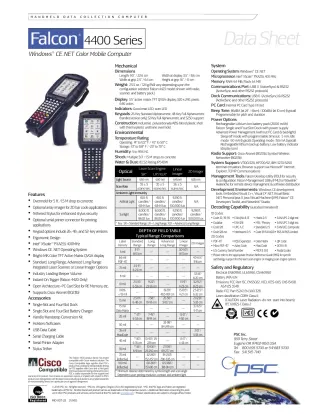
PSC's quick reference guide for the Falcon 4400 Series mobile computers with Windows CE, shown as the Falcon 4410 (26-key) and Falcon 4420 (48-key and 52-key). It describes the keys and parts, the battery pack and charging, touchscreen calibration, radio card, USB, serial and network setup, entering data with the stylus and keypads, laser, 2D imager and OCR scanning, image capture, flash memory, warm and cold resets, troubleshooting, and safety and laser information.
Its parts
- Falcon 4400 Series with Windows CE
- Appendix A: PSC Falcon Windows CE Series End User License Agreement
- Appendix B: Microsoft Windows CE End User License Agreement
- Appendix C: PSC Falcon Windows CE Product Series Warranty
- Appendix D: Safety Information
- Appendix E: Laser Safety
From the manual
Key facts from this manual
Some pages are scans or cannot be read; this says only what the readable text supports. Each line names its page in the PDF.
Quick reference guide for the PSC Falcon 4400 Series mobile computers with Windows CE, covering the Falcon 4410 (26-key) and Falcon 4420 (48-key and 52-key) models. It explains the battery pack and how to install and charge it, how to scan bar codes with the laser or 2D imager, and how to troubleshoot common problems.
- Device
- Windows CE mobile computer (PDT) with Intel XScale processor, WiFi, color display, and laser (1D) or imaging (1D and 2D) scanning p. 5
- Keypads
- 4410: 26 keys; 4420: 48 or 52 keys p. 1
- Battery pack
- 3.7 V, 2000 mAh lithium ion p. 10
- Battery life
- 8 to 9.5 hours, depending on use p. 16
- Charge time
- About 24 hours the first time; about 4 hours after that p. 10
- Backup battery
- 3V lithium, charged from the battery pack p. 16
- Host connection
- Microsoft ActiveSync over USB or serial p. 15
- Docks and charger
- Single-Slot Dock, Four-Slot Dock, LiIon Four-Slot Battery Charger p. 15
- Ruggedness
- Overmolded models: 5 ft (1.5 m) drops to concrete, IP54 rating p. 5
- Charging temperature
- 32 to 113°F (0 to 45°C) p. 10
- OCR fonts (2D imager)
- OCR-A, OCR-B, U.S. Currency Serial Number, MICR E 13B p. 35
- Scan timeout
- Laser stays on up to 10 seconds or until a good read p. 32
- Utilities
- Falcon Management Utility (FMU) and Falcon Desktop Utility (FDU), for remote management and configuration p. 5
- Auto power off
- After 1 to 30 minutes of inactivity, settable p. 43
What this manual walks you through
- Installing the battery pack p. 11, 12
- Reading the battery status icons in the system tray p. 13
- Charging batteries in a dock or the Four-Slot Battery Charger, and what the LEDs mean p. 14, 15, 16
- Scanning bar codes with the laser p. 32, 33
- Scanning bar codes and OCR fonts with the 2D imager p. 34, 35
- Troubleshooting power, display, sound, communication and scanning problems p. 43, 44
- Clearing a flashing red Spare Battery LED on the dock p. 45
- Troubleshooting wireless (RF) connectivity p. 46
Good to know
- Charge the battery pack and backup battery for about 24 hours in a dock or with a power cable before first use. p. 6
- With the battery pack removed, there are about 30 minutes to insert a charged pack before the backup battery fails and RAM contents are lost. p. 10
- The chargers and docks for these color Windows CE models do not work with other Falcon chargers and docks, including those of the 4410/4420 monochrome models. p. 15
- Do not use a sharp object in the reset hole; it can disable the reset function or puncture the keypad seal. p. 9
- Use only the authorized power supplies, battery packs, chargers and docks; others can damage the Falcon. p. 10
Questions this manual answers
What battery does the Falcon 4420 use?
A 3.7 V, 2000 mAh lithium ion battery pack, plus a 3V lithium backup battery charged from the pack. p. 10, 16
How long does a Falcon 4400 battery last?
From 8 to 9.5 hours, depending on use, scans per minute and backlight. p. 16
Falcon beeps twice at boot and the screen stays blank
The firmware flash memory has been corrupted; re-download the firmware with the FUU in bootload mode, as the PRG describes. p. 43
What does a flashing red Spare Battery LED on the Falcon dock mean?
A charging fault on the spare battery pack: either a time-out fault or an over-voltage fault. p. 45
Which OCR fonts can the Falcon 4400 2D imager read?
OCR-A, OCR-B, U.S. Currency Serial Number, and MICR E 13B. p. 35
Contents
Chapters and sections
Each line opens the PDF at its page.
The whole text · 7 parts
Read the manual here as text
Its text as extracted from the PDF, unedited, in parts; each page opens the PDF at that page.
The file