Manual · PSC
Falcon DOS Portable Data Terminals User's Guide
Manual110 pagesPDF 6.1 MB
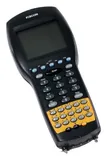
User's guide for the PSC Falcon DOS portable data terminals, models 310 to 345 including the Falcon 335 RF portable.
Covers · 2 models
The models it covers
Summary
What is in it
First-time user's guide for the PSC Falcon DOS portable data terminals: the 8-line and 16-line Falcon 310, 315, 320, 325, 330, 335, 340 and 345, in batch and wireless (RF) versions. It covers model numbers and safety labels, turning the unit on and off, batteries and the pistol grip, the serial port, the keypad and input modes, the viewport and backlight, laser scanning, the Falcon Dock, the 4-Slot Dock and the Vehicle Mount Powered Dock, plus troubleshooting, care and technical support.
Its parts
- About this Guide
- Introduction to Falcon Portables
- Falcon Basics
- Falcon Keypad
- Falcon Viewport
- Using a Laser with the Falcon
- The Falcon Dock
- The Falcon Four-Slot Dock
- The Falcon Vehicle Mount Powered Dock
- Troubleshooting, Care and Technical Support
From the manual
Key facts from this manual
Each line names its page in the PDF.
The PSC Falcon DOS Portable Terminals User's Guide (00-641-00, revision A, March 2001) for the Falcon 310, 315, 320, 325, 330, 335, 340 and 345; the Falcon 335 is the RF model of the 33X family. It explains turning the unit on, batteries, the keypad, laser scanning, the docks and accessories, troubleshooting and care.
- Device
- Falcon 335: RF (wireless) DOS portable data terminal; the Falcon 330 is the batch model p. 14, 16
- Battery
- Falcon 33X: NiMH battery pack only (individual alkaline batteries not compatible); built-in lithium backup battery p. 26
- Battery rating
- NiCD or NiMH batteries: 3.6 VDC /1600mAh p. 25
- Keypad
- Falcon 33X and 34X: 38 keys, with one Laser <Scan> key that cannot be reprogrammed p. 40, 67
- Laser
- Falcon 33X and 34X: built-in front shooting laser, angled down about 15 degrees p. 66
- Dock link
- Falcon 33X and 34X: IR data transmission to the dock, full duplex; RTS and CTS looped back on the dock p. 21, 78
- External scanners
- Falcon 33X and 34X: no external port for external lasers, even without an internal laser p. 72
- Dock power
- Falcon 33X and 34X: the dock's power must be on for serial communication p. 77
- Power key
- Falcon 33x and 34x: bottom left of the keypad matrix p. 24
- Battery charger
- Optional portable battery charger: full recharge in about 2 hours p. 22
- Cables
- PSC-specific RJ cable for the Falcon; 25-pin null modem cable for the dock p. 102
- Accessories
- Falcon Dock, Falcon 4-Slot Dock, Vehicle Mount Powered Dock, portable battery charger p. 21, 22
- Document
- 00-641-00 (Rev. A), March 2001 p. 4
What this manual walks you through
- Falcon model numbers and model families p. 14, 15, 16
- Turning the Falcon on and the first-time use message p. 24
- Replacing the NiMH battery pack in a Falcon 33x p. 29, 30, 31
- Low-battery warning and auto-shutoff p. 26, 27
- Keypad layout by model p. 40
- Scanning bar codes with the built-in laser p. 66, 67
- Using the Falcon Dock for communication and charging p. 76, 77, 78
- Optional docks, vehicle mount and battery charger p. 21, 22
- Troubleshooting bar codes, batteries, the dock and serial transfers p. 100, 101, 102
- Care and cleaning p. 102
Good to know
- Falcon 33x and 34x models do not work unless the battery compartment cover is in place and latched. p. 31
- Do not replace the battery pack in a dirty or harsh environment. p. 31
- Turn the Falcon off before changing batteries, or stored data can be lost. p. 27
- Applications that expect RTS and CTS through the 33X/34X dock need to be modified. p. 78
- Do not immerse the Falcon or the docks in liquid, and do not use abrasive cleaners on the display. p. 102
Questions this manual answers
What battery does the PSC Falcon 335 use?
A NiMH battery pack; individual alkaline batteries are not compatible with the 33x models. The guide rates NiCD or NiMH batteries at 3.6 VDC /1600mAh. p. 25, 26
How do I replace the battery in a Falcon 335?
Turn the unit off, unhook the hand strap, turn the dial counter-clockwise to release the cover, and pull the plastic ribbon to pop out the pack. Insert the new NiMH pack positive end first and latch the cover clockwise. p. 29, 30
Can I connect an external barcode scanner to the Falcon 335?
No. The Falcon 33X and 34X have no external port for external lasers, even when ordered without an internal laser. p. 72
Why won't my Falcon 335 turn on?
Replace the battery with a fully charged one and close the battery door securely; 33x models will not function unless the cover is latched. p. 31, 101
Does the Falcon 335 dock pass RTS and CTS signals?
No. The dock loops these signals back, so applications that expect them need to be modified. p. 78
Contents
Chapters and sections
Each line opens the PDF at its page.
The whole text · 11 parts
Read the manual here as text
Its text as extracted from the PDF, unedited, in parts; each page opens the PDF at that page.
The file