Manual · PSC
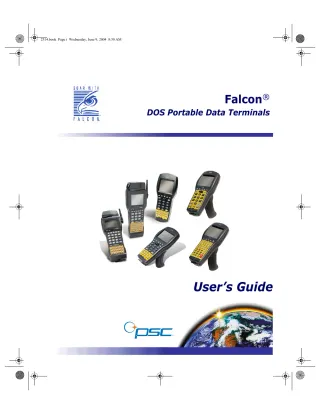
Falcon DOS Portable Data Terminals User's Guide
Manual116 pagesPDF 8.8 MB
User's guide for the PSC Falcon DOS portable data terminals (models 310 to 345), covering batteries, keypads, scanning and docks.
Covers · 4 models
The models it covers
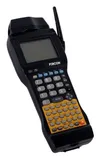 PSC 320Portable batch data collection terminal from$795.0020 in stock PSC 3252.4 GHz wireless portable data collection terminal from$795.008 in stock Datalogic 320Portable batch data collection terminal Call for availability Datalogic 3252.4 GHz wireless portable data collection terminal Call for availability
Summary
What is in it
The user's guide for the PSC Falcon DOS portable data terminal line, models 310, 315, 320, 325, 330, 335, 340 and 345, in batch and wireless (RF) versions with 8-line or 16-line displays. It covers laser safety statements, Falcon basics such as power, batteries and the serial port, each keypad layout, the viewport display, accessories, scanning with the integrated laser or imager, the Falcon Dock, 4-Slot Dock and Vehicle Mount Powered Dock, and maintenance, troubleshooting and technical support.
Its parts
- Preface
- Falcon Basics
- Falcon Keypads
- Falcon Viewport
- Falcon Accessories
- Using a Scanner
- The Falcon Dock
- Falcon Four-Slot Dock
- The Falcon Vehicle Mount Powered Dock
- Maintenance, Troubleshooting, and Technical Support
From the manual
Key facts from this manual
Each line names its page in the PDF.
User's guide for the PSC Falcon DOS portable data terminals: the Falcon 310, 315, 320, 325, 330, 335, 340 and 345. It explains basic use, batteries and scanning, plus the Falcon Dock, the 4-Slot Dock and the Vehicle Mount Powered Dock. It ends with maintenance and troubleshooting.
- What it is
- Handheld DOS data collection terminal; the Falcon 320 is the batch model and the Falcon 325 the RF (wireless) model p. 22, 23
- Display
- Falcon 32X: 16-line display screen p. 23
- Battery
- NiCD or NiMH pack, 3.6 VDC, 1600mAh or 2000mAh; NiMH packs recommended for the Falcon 32X p. 27, 28
- Backup battery
- Built-in lithium backup battery, not user accessible, keeps data while the main batteries are out p. 27, 28
- Scanning
- Some models have an integrated laser scanner or linear imager; models without one accept most industry-standard bar code readers p. 68
- Cables
- Terminal: PSC-specific RJ cable; Falcon Dock: 25-pin null modem cable p. 107
- Falcon Dock
- Docking station for the 31X and 32X batch models: charges the NiCD or NiMH pack and gives a serial link to the host p. 68
- Dock power
- Falcon Dock: input 120 VAC 60 Hz 12 W or 230 VAC 50 Hz 4.5 VA; output 9 VDC 500 mA p. 80
- Dock charge time
- 8 to 15 hours in the Falcon Dock, depending on the battery pack and its charge level p. 83
- 4-Slot Dock
- Charges and links one to four Falcon 31X and 32X units; input 100-125 VAC 47-63 Hz, output 7.5 VDC 2A p. 86
- 4-Slot Dock parts
- Power adapters 00-850-00 (US) and 00-851-00 (international); RS-232 host cable 00-884-32; dock-to-dock cables 00-884-36 (2-foot) and 00-884-37 (10-foot) p. 89
- Vehicle dock
- Vehicle Mount Powered Dock takes the Falcon 32X with or without integrated laser; needs a DC source of 11 V to 16.5 V p. 94
- Unpowered vehicle dock
- Vehicle Mount Dock (without power) for the Falcon 31X and 32X: PSC part number 00-445-00 p. 94
- Portable charger
- Optional portable battery charger recharges a fully drained pack in less than 3 hours p. 69
What this manual walks you through
- Turning the Falcon on and off and the first start-up message p. 26
- Replacing the battery pack in the Falcon 31X and 32X, 33X and 34X p. 29, 30, 31, 32, 33
- Attaching the Falcon Dock to a computer and adding the power adapter p. 81, 82
- Setting up a 4-Slot Dock and linking several into a dock network p. 86, 88, 89
- Reading the status lights on the 4-Slot Dock p. 87
- Using the Vehicle Mount Powered Dock in a vehicle p. 94
- Cleaning the terminal and its display p. 104
- Troubleshooting scanning, batteries, the dock and serial transfers p. 104, 105, 107
- Troubleshooting RF connectivity step by step p. 106
Good to know
- Turn the Falcon off before changing batteries; removing them while it is on can lose stored data. p. 29
- The Falcon 32X will not work unless the battery-compartment cover is in place and latched. p. 30
- Do not connect a power adapter to the dock when the Falcon holds alkaline batteries; they may leak. p. 81
- Use only a 9-volt power adapter from a PSC dealer with the Falcon Dock; another adapter can damage it. p. 81
- Do not immerse the terminal, docks or battery chargers in liquid. p. 104
Questions this manual answers
What battery does the PSC Falcon 320 use?
NiMH battery packs are recommended for the Falcon 32X. The packs are rated 3.6 VDC at 1600mAh or 2000mAh. p. 27, 28
What is the difference between the Falcon 320 and 325?
The Falcon 320 is the batch model and the Falcon 325 is the RF (wireless) model. p. 23
How long does a Falcon take to charge in its dock?
8 to 15 hours in the Falcon Dock, depending on the pack and its charge level. p. 83
Which cable connects the Falcon 4-Slot Dock to a computer?
The RS-232 cable, PSC part number 00-884-32, or an RS-422/485 cable built for the application. p. 89
Why did my Falcon lose its data?
Wait for the Powering Down screen to clear before replacing batteries, and never leave the unit for long without a main battery pack. p. 105
Contents
Chapters and sections
Each line opens the PDF at its page.
- Falcon® DOS Portable Data Terminals1
- International Caution Statements for CLASS 1, 2, 3R, II, and IIA Laser Devices15
- Maintenance, Troubleshooting, and Technical Support103
- Index111
- The Falcon Vehicle Mount Powered Dock93
- Falcon Four-Slot Dock85
- The Falcon Dock79
- Falcon Accessories67
- Using a Scanner71
- Falcon Keypads37
- Falcon Basics25
- Preface21
- Safety Information11
- PSC Falcon DOS Warranty10
- PSC Falcon DOS EULA7
The whole text · 12 parts
Read the manual here as text
Its text as extracted from the PDF, unedited, in parts; each page opens the PDF at that page.
The file