


Manual · Posiflex
Posiflex EVID SP1200 Manual
Manual2 pagesPDF 44 KB
Both pages are below, each with its text.
Covers · 1 model
The models it covers
From the manual · read page by page
Key facts from this manual
Each line names its page in the PDF.
Two-page user's manual for the Posiflex SP-1200 Series electronic signature pad, a USB touch pad with an LCD. It lists the pad's features, explains hardware and driver installation, and describes contrast adjustment, the signature capture area and the demo program in the software development kit.
- Device
- Electronic signature capture pad that connects to the host by USB p. 1
- Touch and display
- ITO resistive touch pad over a 3.8 in. FSTN LCD p. 1
- Display area
- 3 in. (H) x 2.3 in. (V), resolution 320 x 240 p. 1
- Touch resolution
- 500 dpi p. 1
- Power
- 70 mA at 5V DC from the USB interface p. 1
- Driver
- None needed by the end user when the operating system accepts USB HID p. 1
- Stylus
- Tethered non-electronic stylus p. 1
- Controls
- Recessed contrast knob is the only mechanical control on the pad p. 1, 2
- Software kit
- Software development tool kit with sample code, on the Posiflex Product Information CD or web site p. 1
- Signature area
- Set by the application software, up to the full 320 x 240 pixels p. 2
What this manual walks you through
- Connecting the pad to a USB port and placing the stylus p. 1
- Driver and software development kit for programmers p. 1
- What the pad shows at power-on p. 1
- Adjusting the LCD contrast p. 2
- Setting the signature area and on-pad control functions in software p. 2
- Using the demo program and its modes p. 2
- Disconnecting the pad safely p. 2
Good to know
- Use only the attached stylus; hard objects such as a ring may damage or break the glass surface. p. 1
- When connecting through a USB hub, a self-powered hub is advised. p. 1
- Disconnect the pad only with the system off, or when no application is controlling it. p. 2
- A protective film over the screen may help against minor scratches. p. 1
Questions this manual answers
Does the Posiflex SP-1200 signature pad need a driver?
Not for the end user, as long as the operating system accepts USB HID. Programmers include the driver and library from the software kit with their application. p. 1
How do I adjust the contrast on the SP-1200?
Turn the recessed contrast knob with a fingernail or a suitable tool until the LCD is easy to read. p. 2
What is the resolution of the SP-1200 signature pad?
The display is 320 x 240 and the touch resolution is 500 dpi. p. 1
How much power does the SP-1200 draw?
70 mA at 5V DC, taken from the USB interface. p. 1
Can I sign on the SP-1200 with a regular pen?
No. The manual says to use only the attached stylus, since hard objects may damage or break the glass surface. p. 1
The file
Size and text
Every page · 2
Read it here
Each page as it is printed, and its words beside it, so a phone can search and copy them.
Page1of 2
Open in the PDF
The text of page 1, from the PDF itself
SP-1200 Series SIGNATURE PAD USER’S MANUAL Rev. : A0
I.
FEATURES l l l l l l l l
ITO resistive touch pad over 3.8” FSTN LCD in USB interface Adjustable LCD backlight contrast Display area 3” (H) x 2.3” (V) with resolution 320 x 240 Touch resolution 500 dpi Tethered non-electronic stylus Low power consumption: 70 mA @ 5V DC under USB interface Provides smooth bitmap and resolution required for signature verification Simultaneous view of electronic signature on LCD pad (simulating familiar pen and paper experience) and monitor (for visual comparison with original card signature)
FCC NOTICE This equipment generates, uses, and can radiate radio frequency energy and, if not installed and used in accordance with the instructions manual, may cause interference to radio communications. It has been tested and found to comply with limits for a Class A digital device pursuant to subpart J of Part 15 of FCC Rules, which are designed to provide reasonable protection against interference when operated in a commercial environment. Operation of this equipment in a residential area is likely to cause interference in which case the user at his own expense will be required to take whatever measures to correct the interference.
WARRANTY LIMITS Warranty will terminate automatically when the equipment is opened by any person other than the authorized technicians. The user should consult his/her dealer for the problem happened. Warranty voids if the user does not follow the instructions in application of this merchandise. The manufacturer is by no means responsible for any damage or hazard caused by improper application. The hardware utility program, including instructions for its use, is provided “AS IS” without warranty of any kind. Posiflex Inc. further disclaims all implied warranties including without limitation any implied warranties of merchantability or of fitness for a particular purpose. The entire risk arising out of the use or performance of the software and documentation remains with you.
ABOUT THIS MANUAL This manual is written in an attempt with full strength to assist the user to utilize the electronic signature capture pad SP-1200. This device is a state of the art signature pad using an USB interface to connect to the host system. The manufacturer of the SP-1200 series heartily apologizes to the user for reserving the right to change or to modify this manual without notice due to the rapid and constant progress and improvement on science and technology. The user may always obtain the most up to date information through any of our web sites: http://www.posiflex.com or http://www.posiflex.com.tw. Copyright Posiflex Inc. 2006 All rights are strictly reserved. No part of this documentation may be reproduced, stored in a retrieval system, or transmitted in any form or by any means, electronic, mechanical, photocopying, or otherwise, without the prior written consent of Posiflex Inc. the publisher of this documentation
TRADE MARKS AND SERVICE MARKS POSIFLEX is a registered trademark of Posiflex Inc., an ISO-9001 and ISO-14001 certified manufacturer. Other brand and product names are trademarks and registered trademarks and service marks of their respective owners.
II.
P/N: 18110900020
INSTALLATION 1. HARDWARE INSTALLATION
Connect the USB cable to an USB port of the host system. Place the signature over a comfortable flat surface for application. Insert the stylus in the stylus hold at top middle of the pad. Should this device be connected to an USB HUB, it is most advisable to use a self-powered USB HUB.
2. DRIVER INSTALLATION The software development tool kit with sample code for this device is available in Posiflex Product Information CD or also in web site: http://www.posiflex.com or http://www.posiflex.com.tw. The software programmer can develop the application software accordingly and include the driver and library with the software. There is no need for driver installation in end user’s concern as long as the operating system accepts USB HID (human interface device).
III.
OPERATION GUIDE 1. PRECAUTIONS
Advice: Applying a protective film smoothly and evenly over the screen surface may help greatly the endurance against minor scratches. Warning: Never apply anything other than the attached stylus on the screen surface for normal signature writing. Any hard objects such as a ring when pressed against the screen surface may damage or even break the glass surface. Any consequent damage of such mistreatment is not covered by the product warranty and the manufacturer denies any liability of that.
2. OPERATIONS When the signature pad is powered on through the USB interface connection, the LCD panel backlight is turned on and then a name “POSIFLEX” displayed in the LCD panel for a few seconds. The pad is then ready for controls from the software program. The contrast adjustment is the only mechanical adjustment control on the signature pad itself.
Page 1 / 2
Page2of 2
Open in the PDF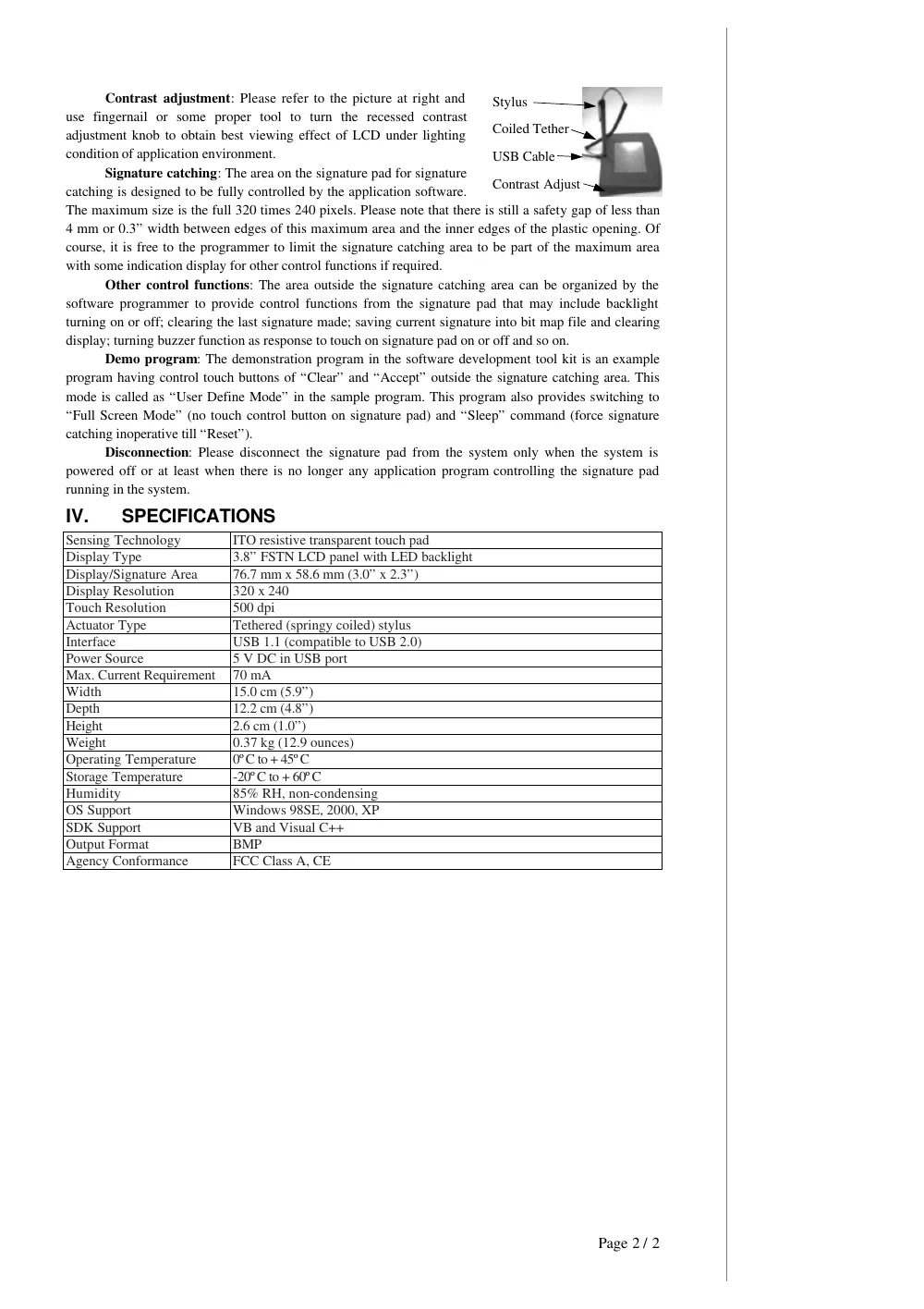
The text of page 2, from the PDF itself
Contrast adjustment: Please refer to the picture at right and Stylus use fingernail or some proper tool to turn the recessed contrast Coiled Tether adjustment knob to obtain best viewing effect of LCD under lighting condition of application environment. USB Cable Signature catching: The area on the signature pad for signature Contrast Adjust catching is designed to be fully controlled by the application software. The maximum size is the full 320 times 240 pixels. Please note that there is still a safety gap of less than 4 mm or 0.3” width between edges of this maximum area and the inner edges of the plastic opening. Of course, it is free to the programmer to limit the signature catching area to be part of the maximum area with some indication display for other control functions if required. Other control functions: The area outside the signature catching area can be organized by the software programmer to provide control functions from the signature pad that may include backlight turning on or off; clearing the last signature made; saving current signature into bit map file and clearing display; turning buzzer function as response to touch on signature pad on or off and so on. Demo program: The demonstration program in the software development tool kit is an example program having control touch buttons of “Clear” and “Accept” outside the signature catching area. This mode is called as “User Define Mode” in the sample program. This program also provides switching to “Full Screen Mode” (no touch control button on signature pad) and “Sleep” command (force signature catching inoperative till “Reset”). Disconnection: Please disconnect the signature pad from the system only when the system is powered off or at least when there is no longer any application program controlling the signature pad running in the system.
IV.
SPECIFICATIONS
Sensing Technology Display Type Display/Signature Area Display Resolution Touch Resolution Actuator Type Interface Power Source Max. Current Requirement Width Depth Height Weight Operating Temperature Storage Temperature Humidity OS Support SDK Support Output Format Agency Conformance USB Device Category Scan Rate Light Transparency Pen Sliding Durability Activation Force Contrast LCD View Angle LCD Luminance
ITO resistive transparent touch pad 3.8” FSTN LCD panel with LED backlight 76.7 mm x 58.6 mm (3.0” x 2.3”) 320 x 240 500 dpi Tethered (springy coiled) stylus USB 1.1 (compatible to USB 2.0) 5 V DC in USB port 70 mA 15.0 cm (5.9”) 12.2 cm (4.8”) 2.6 cm (1.0”) 0.37 kg (12.9 ounces) 0ºC to + 45ºC -20ºC to + 60ºC 85% RH, non-condensing Windows 98SE, 2000, XP VB and Visual C++ BMP FCC Class A, CE Low speed HID 120 data/sec 82 % 100,000 times min. (Tip R 0.8 mm) 50 g (Typical 20 g) 5 45º f, 35º b, 35ºl, 35ºr (CR>=2) 3 cd/m2 (30 cd/m2 for bare Blue LED)
Page 2 / 2