Manual · Philips
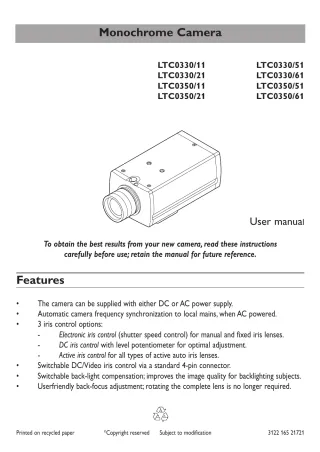
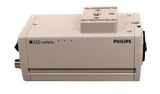
Monochrome Camera LTC0330/LTC0350 User manual
Manual8 pagesPDF 292 KB
User manual for the LTC0330 and LTC0350 monochrome CCTV cameras in low voltage and mains voltage versions.
Covers · 2 models
The models it covers
Summary
What is in it
User manual for the LTC0330 and LTC0350 series monochrome cameras (/11, /21, /51 and /61 versions), covering low voltage and mains voltage models in medium and high resolution. It lists the features, safety instructions and FCC statement, explains lens choices for the CS-mount, installation and power wiring, the iris control connector and switches, AES and back-light compensation, V-phase adjustment, back-focus adjustment, and gives technical specifications for each model.
Its parts
- Features
- Warnings
- Important safety instructions
- FCC statement
- Lenses
- Installation
- Back-focus adjustment
- Technical specifications
From the manual · read page by page
Key facts from this manual
Each line names its page in the PDF.
The user manual for the Philips monochrome cameras LTC0330/11, /21, /51 and /61 and LTC0350/11, /21, /51 and /61, in low voltage and mains voltage versions. It explains lens choice, mounting, power wiring, the iris connector and the camera switches. It also covers back-focus and V-phase adjustment and gives the technical specifications.
- Device
- Monochrome camera with a 1/3" IT CCD and a CS lens mount p. 7
- Power options
- Runs on DC or AC power; mains voltage cameras take 100-240 V AC, 50/60 Hz p. 1, 5
- Low voltage input
- CCIR: 12 - 24 V AC or 12 - 30 V DC; EIA: 12 - 28 V AC or 12 - 36 V DC p. 4
- Power terminals
- a: DC positive or one AC wire; b: DC negative or the other AC wire; c: mechanical ground p. 5
- Iris connector
- 4-pin plug for a DC iris lens or a video iris lens, selected with the IRIS switch p. 5, 6
- Video iris pins
- 1: not used; 2: video; 3: +12V; 4: ground p. 5
- DC iris pins
- 1: damping coil; 2: damping coil +; 3: drive coil +; 4: drive coil - p. 5
- Video output
- CVBS, 1 Vpp, 75 Ohm impedance p. 6, 7
- Minimum illumination
- Under 0.1 lux; signal-to-noise over 48 dB p. 7
- Power consumption
- Under 2.0 W p. 7
- Dimensions
- 48 x 49 x 119 mm (W x H x D) p. 7
- Operating temperature
- -20 to 50°C p. 7
- Synchronization
- Internal, or line lock when AC powered, with V-phase adjustment from 0 to 300° p. 6, 7
- Tripod mount
- 1/4" -20 UNC, top and bottom p. 7
What this manual walks you through
- Choosing a lens for indoor or outdoor use p. 4
- Mounting the camera and its screw block p. 4
- Wiring low voltage or mains power p. 4, 5
- Connecting a DC or video iris lens p. 5
- Setting the AES, BLC and IRIS switches p. 5, 6
- Synchronizing several AC-powered cameras with V-phase p. 6
- Adjusting the back focus p. 6
Good to know
- The mounting screw may be at most 8 mm long. p. 4
- Set the AES switch to OFF when a DC or video iris lens is used. p. 5
- The voltage between any supply wire and mechanical ground should be less than 50 V. p. 5
- An EIA camera needs class 2 wiring and a power supply compliant with UL1492. p. 5
- C-mount lenses need the optional C to CS adapter ring. p. 4
Questions this manual answers
What is the iris connector pinout on the Philips LTC0330?
For a video iris lens: pin 1 not used, 2 video, 3 +12V, 4 ground. For a DC iris lens: pins 1 and 2 are the damping coil, 3 and 4 the drive coil. p. 5
How do I adjust the back focus on the LTC0350?
Open the iris fully, set the lens focus ring, release locking screw c, turn screw d until the image is sharp, then lock screw c again. p. 6
Why does the picture roll when switching between cameras?
AC phase differences between cameras on different AC power groups; the V-phase adjustment synchronizes them when the cameras are AC powered. p. 6
What voltage does the mains version of the LTC0330 take?
100-240 V AC, 50/60 Hz. p. 5
The whole text · 1 part
Read the manual here as text
Its text as extracted from the PDF, unedited, in parts; each page opens the PDF at that page.
The file