Manual · Panduit
Panduit Pan-Quik LS3 Manual
Manual3 pagesPDF 24 KB
All 3 pages are below, each with its text.
Covers · 1 model
The models it covers
From the manual · read page by page
Key facts from this manual
Each line names its page in the PDF.
A three-page list of the questions most often asked about the Panduit Pan-Quik LS3 and LS3E label printers. It gives short fixes for light print, power and battery faults, label feeding and jamming, print head problems and common setup menu tasks.
- Device
- LS3 and LS3E battery powered label printers with a self-inking dot matrix ribbon p. 1
- Ribbon part number
- LS3-RIB p. 1
- Ribbon life
- About 50,000 characters p. 1
- Battery voltage
- 14.5 when fully charged; under 10 volts when dead p. 1
- Charger output
- 24 to 26 volts p. 1
- Battery adapter
- LS3-P makes a new battery fit an old charger p. 2
- Label code
- Printed in the core of the label roll p. 2
- Serial number
- On a small white label under the gray cover at the back of the base p. 3
What this manual walks you through
- Fixing print that is too light p. 1
- Checking the battery and charger when the printer will not power on p. 1
- Cleaning the print head, ribbon tear bar and print shield p. 1
- Fixing labels that jam, skip or do not feed straight p. 1, 2, 3
- Changing the label code and rotating text from the setup menu p. 2
- Leaving the setup menu p. 2
Good to know
- An opened ribbon dries out; storing it in a zippered bag in the refrigerator preserves it. p. 1
- A new ribbon must be turned about thirty times to ink it. p. 1
- Brady labels cannot be used in Panduit printers. p. 3
- On the LS3E, a refused label code could be a firmware problem in the newest build. p. 2
Questions this manual answers
What ribbon does the Panduit LS3 printer use?
Part number LS3-RIB, a self-inking dot matrix ribbon good for an estimated 50,000 characters. p. 1
Why is my Pan-Quik LS3 print too light?
The battery may be low, a new ribbon may need turning about thirty times, or an old ribbon may have dried out. Setting the font to Letter Quality and density to Bold also helps. p. 1
How do I test the LS3 battery and charger?
With a volt meter: a full battery reads 14.5 and a dead one under 10 volts; the charger output should be 24 to 26 volts. p. 1
My new LS3 battery does not fit my old charger. What do I need?
An LS3-P, which converts the battery to fit the charger. p. 2
Where is the serial number on the LS3 printer?
Turn the printer over and lift the gray cover; it is on a small white label at the back of the base. p. 3
The file
Size and text
Every page · 3
Read it here
Each page as it is printed, and its words beside it, so a phone can search and copy them.
Page1of 3
Open in the PDF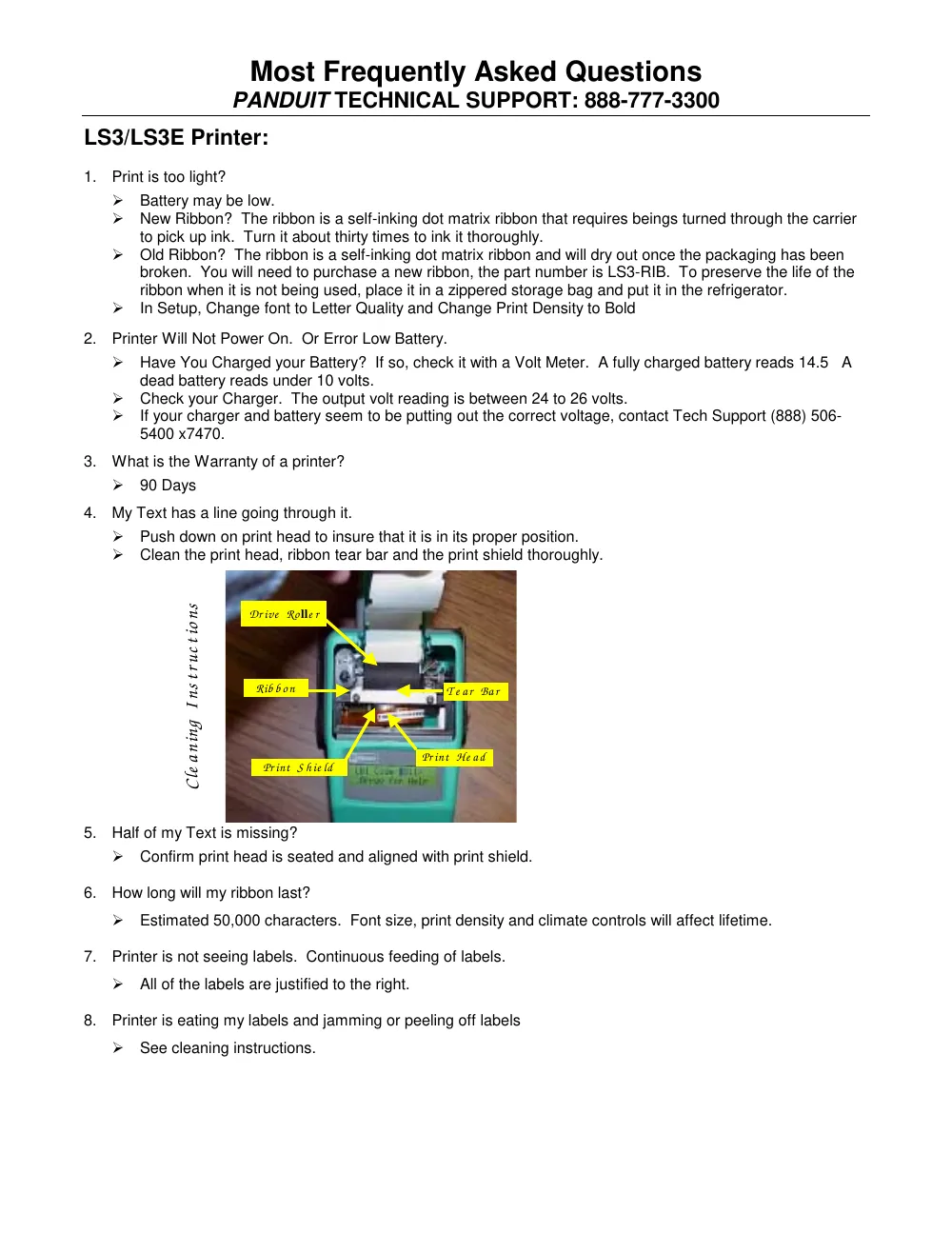
The text of page 1, from the PDF itself
Most Frequently Asked Questions PANDUIT TECHNICAL SUPPORT: 888-777-3300 LS3/LS3E Printer: 1. Print is too light? ! ! ! !
Battery may be low. New Ribbon? The ribbon is a self-inking dot matrix ribbon that requires beings turned through the carrier to pick up ink. Turn it about thirty times to ink it thoroughly. Old Ribbon? The ribbon is a self-inking dot matrix ribbon and will dry out once the packaging has been broken. You will need to purchase a new ribbon, the part number is LS3-RIB. To preserve the life of the ribbon when it is not being used, place it in a zippered storage bag and put it in the refrigerator. In Setup, Change font to Letter Quality and Change Print Density to Bold
2. Printer Will Not Power On. Or Error Low Battery. ! ! !
Have You Charged your Battery? If so, check it with a Volt Meter. A fully charged battery reads 14.5 A dead battery reads under 10 volts. Check your Charger. The output volt reading is between 24 to 26 volts. If your charger and battery seem to be putting out the correct voltage, contact Tech Support (888) 5065400 x7470.
3. What is the Warranty of a printer? !
90 Days
4. My Text has a line going through it. Push down on print head to insure that it is in its proper position. Clean the print head, ribbon tear bar and the print shield thoroughly.
Cleaning Instructions! !Drive RollerRibbonPrint ShieldTear BarPrint Head
5. Half of my Text is missing? !
Confirm print head is seated and aligned with print shield.
6. How long will my ribbon last? !
Estimated 50,000 characters. Font size, print density and climate controls will affect lifetime.
7. Printer is not seeing labels. Continuous feeding of labels. !
All of the labels are justified to the right.
8. Printer is eating my labels and jamming or peeling off labels !
See cleaning instructions.
Page2of 3
Open in the PDF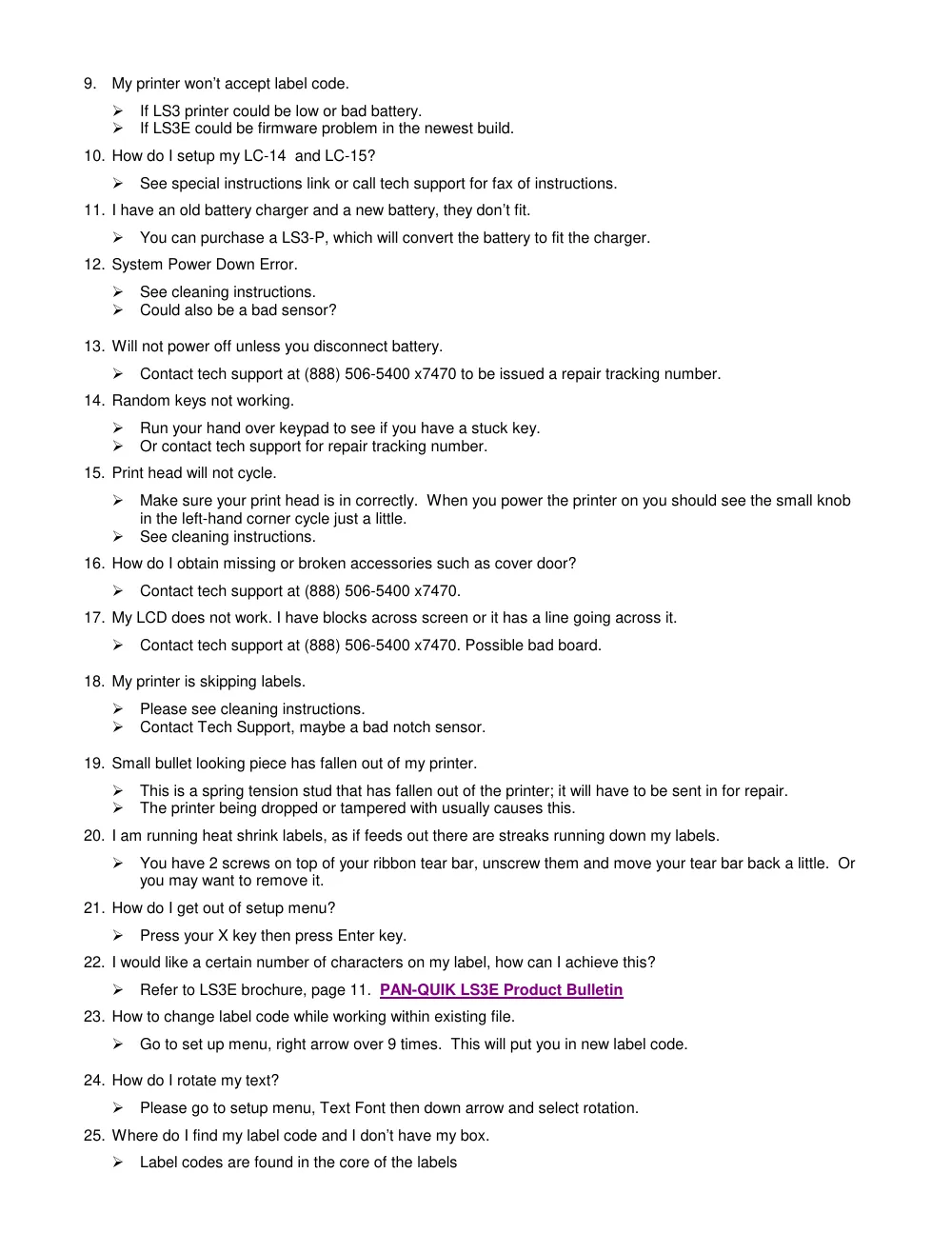
The text of page 2, from the PDF itself
9. My printer won’t accept label code. ! !
If LS3 printer could be low or bad battery. If LS3E could be firmware problem in the newest build.
10. How do I setup my LC-14 and LC-15? !
See special instructions link or call tech support for fax of instructions.
11. I have an old battery charger and a new battery, they don’t fit. !
You can purchase a LS3-P, which will convert the battery to fit the charger.
12. System Power Down Error. ! !
See cleaning instructions. Could also be a bad sensor?
13. Will not power off unless you disconnect battery. !
Contact tech support at (888) 506-5400 x7470 to be issued a repair tracking number.
14. Random keys not working. ! !
Run your hand over keypad to see if you have a stuck key. Or contact tech support for repair tracking number.
15. Print head will not cycle. ! !
Make sure your print head is in correctly. When you power the printer on you should see the small knob in the left-hand corner cycle just a little. See cleaning instructions.
16. How do I obtain missing or broken accessories such as cover door? !
Contact tech support at (888) 506-5400 x7470.
17. My LCD does not work. I have blocks across screen or it has a line going across it. !
Contact tech support at (888) 506-5400 x7470. Possible bad board.
18. My printer is skipping labels. ! !
Please see cleaning instructions. Contact Tech Support, maybe a bad notch sensor.
19. Small bullet looking piece has fallen out of my printer. ! !
This is a spring tension stud that has fallen out of the printer; it will have to be sent in for repair. The printer being dropped or tampered with usually causes this.
20. I am running heat shrink labels, as if feeds out there are streaks running down my labels. !
You have 2 screws on top of your ribbon tear bar, unscrew them and move your tear bar back a little. Or you may want to remove it.
21. How do I get out of setup menu? !
Press your X key then press Enter key.
22. I would like a certain number of characters on my label, how can I achieve this? !
Refer to LS3E brochure, page 11. PAN-QUIK LS3E Product Bulletin
23. How to change label code while working within existing file. !
Go to set up menu, right arrow over 9 times. This will put you in new label code.
24. How do I rotate my text? !
Please go to setup menu, Text Font then down arrow and select rotation.
25. Where do I find my label code and I don’t have my box. !
Label codes are found in the core of the labels
Page3of 3
Open in the PDF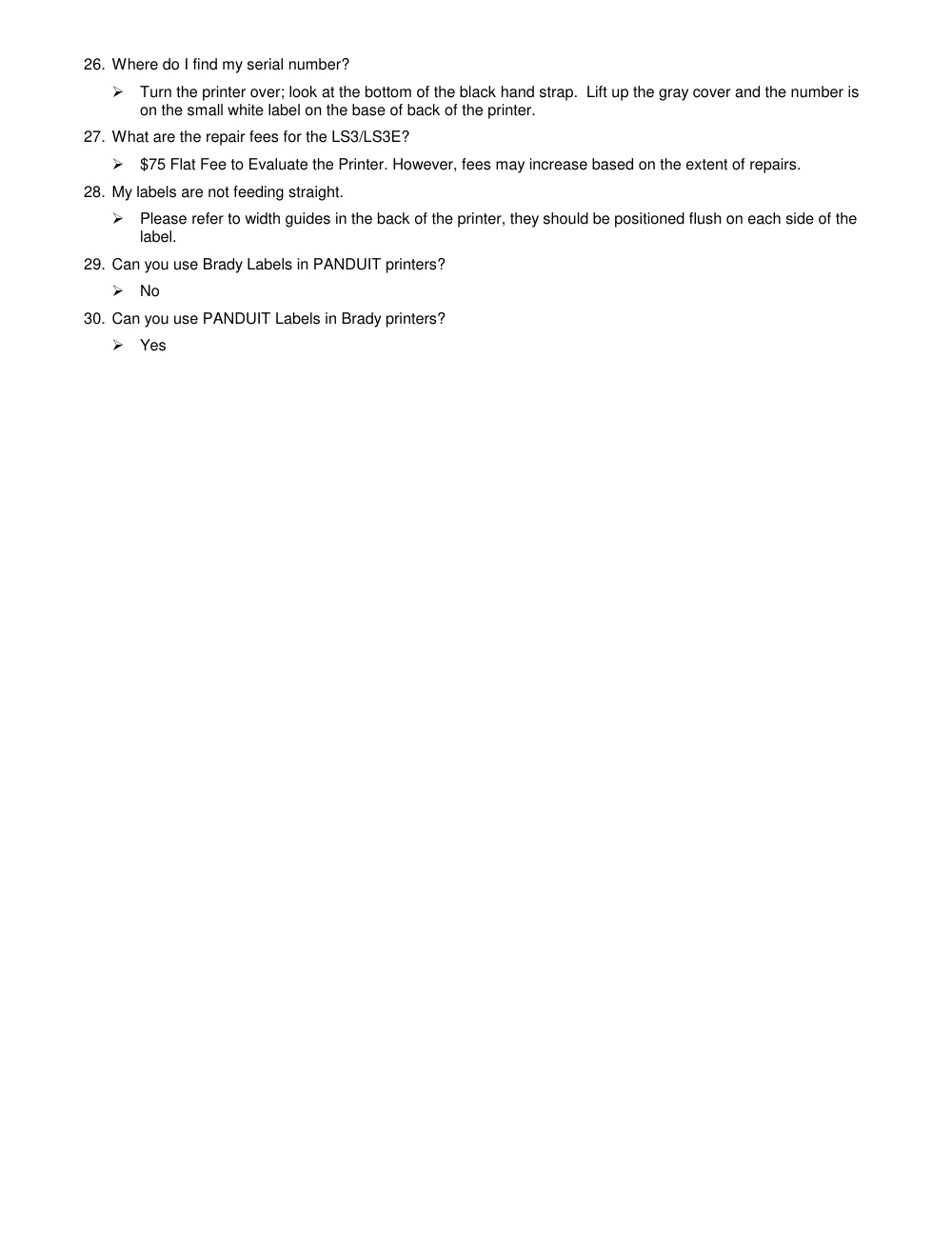
The text of page 3, from the PDF itself
26. Where do I find my serial number? !
Turn the printer over; look at the bottom of the black hand strap. Lift up the gray cover and the number is on the small white label on the base of back of the printer.
27. What are the repair fees for the LS3/LS3E? !
$75 Flat Fee to Evaluate the Printer. However, fees may increase based on the extent of repairs.
28. My labels are not feeding straight. !
Please refer to width guides in the back of the printer, they should be positioned flush on each side of the label.
29. Can you use Brady Labels in PANDUIT printers? !
No
30. Can you use PANDUIT Labels in Brady printers? !
Yes