Manual · Panasonic
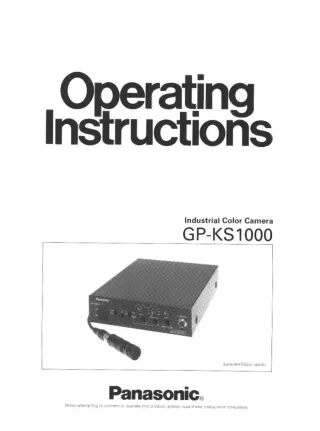
Operating Instructions, Industrial Color Camera GP-KS1000
Manual14 pagesPDF 705 KB
Operating instructions for the Panasonic GP-KS1000 industrial color camera, a miniature camera head with a separate camera control unit.
Covers · 1 model
The models it covers
Summary
What is in it
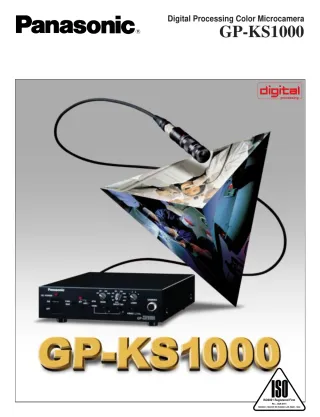
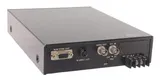
Panasonic operating instructions for the GP-KS1000 industrial digital signal processing color camera, a small camera head connected by cable to a camera control unit. It covers features, precautions, the system block diagram with cables and optional lenses, the controls and connectors of the control unit (white balance, gain, electronic shutter, user switch, RGB, S-Video and gen-lock), preparations, installation, connections, user file settings, preventing blooming and smear, specifications and optional accessories.
Its parts
- Preface
- Features
- Precautions
- System Block Diagram
- Major Operating Controls and Their Functions
- Preparations
- Installations
- Connections
- User File Setting
- Prevention of Blooming and Smear
- Specifications
- Optional Accessories
From the manual · read page by page
Key facts from this manual
Some pages are scans or cannot be read; this says only what the readable text supports. Each line names its page in the PDF.
These are the Panasonic operating instructions for the GP-KS1000 industrial color camera, a tiny CCD camera head that runs from a separate camera control unit. They explain the controls and connectors, fitting lenses, mounting, connections for internal sync and gen-lock, user file settings, and the specifications.
- Device
- Industrial digital signal processing color camera: 18 g camera head on up to 10 m of cable from a camera control unit p. 3
- Image sensor
- 1/2" interline transfer CCD, 830 (H) x 970 (V) pixels p. 13
- Resolution
- 560 lines at center; S/N 54 dB p. 13
- Minimum illumination
- 5 lx (0.5 fc) at F1.4 with +18dB gain p. 13
- Video outputs
- BNC composite 1.0 V p-p NTSC; S-Video Y/C; D-SUB 9-pin RGB/SYNC p. 13
- Gen-lock
- Gen-lock input (VBS / VS selectable) with 75 ohm termination switch p. 7, 13
- Power
- 12V DC, 700 mA, from a Class 2 power supply only p. 7, 13
- Camera cables
- GP-CA1K/2 (2m), GP-CA1K/3 (3m), GP-CA1K/38 (3.8m), GP-CA1K/10 (10m), to a 20-pin connector p. 6, 7, 13
- Lenses and mounts
- Wide angle GP-LM3TA or GP-LM7TA; pinhole GP-LP12TA; tele GP-LM15TA or GP-LM24TA; C-mount adaptor GP-AD22TA; holder GP-AD1K p. 13
- Scanning
- 525 lines, 60 fields, 30 frames; NTSC p. 13
- Electronic shutter
- AUTO, 1/100, 1/250, 1/500, 1/1000, 1/2000, 1/4000 and 1/8000 p. 13
- Gain
- AGC or fixed OFF / LOW / HIGH (0 / +9 / +18dB) p. 13
- Size and weight
- Head 17 mm diameter x 42 mm, 18g; control unit 170 (W) x 43.5 (H) x 227 (D) mm, 1.3 kg p. 13
- Environment
- Operating -10°C to +40°C, 30% to 90% humidity p. 13
What this manual walks you through
- Controls and connectors of the camera control unit p. 6, 7
- Setting the cable switches for the camera cable length p. 7
- Fitting a lens or the C-mount adaptor and focusing p. 8, 9
- Installing the camera head with the camera holder p. 9
- Connecting for internal sync or gen-lock operation p. 10
- Working out the longest power cable to the control unit p. 10
- Storing settings in the four user files p. 11
- Avoiding blooming and smear from bright light p. 12
Good to know
- Connect only the camera head and control unit packed in the same box as a pair. p. 10
- Turn off the DC power switch before connecting or disconnecting the camera cable, or the head may be damaged. p. 4
- Aiming at the sun or a very bright light such as a laser for long may burn in the CCD. p. 12
- A C-mount lens over 50 mm diameter, 70 mm length or 300 g needs both camera and lens secured. p. 9
- The cable switches must match the camera cable length, or normal video is not obtained. p. 7
Questions this manual answers
What power does the GP-KS1000 camera control unit need?
12V DC at 700 mA, from a Class 2 power supply only. p. 7, 13
How do I set the GP-KS1000 for a 10 meter camera cable?
Set both cable switches on the control unit to ON for the GP-CA1K/10 (10m) cable. p. 7
What lenses fit the GP-KS1000?
Wide angle GP-LM3TA or GP-LM7TA, pinhole GP-LP12TA, tele GP-LM15TA or GP-LM24TA, or a C-mount lens on adaptor GP-AD22TA. p. 13
Can the GP-KS1000 be gen-locked?
Yes. A gen-lock signal on the G/L IN connector synchronizes the camera, but a jittery signal such as VCR playback will not. p. 7
Contents
Chapters and sections
Each line opens the PDF at its page.
The whole text · 2 parts
Read the manual here as text
Its text as extracted from the PDF, unedited, in parts; each page opens the PDF at that page.
The file