Manual · Palm
Handbook for the Palm VII Handheld
Manual310 pagesPDF 3.2 MB
User handbook for the Palm VII wireless handheld: setup, Graffiti data entry, basic applications, web clipping, HotSync and preferences.
What this file really is
The old site listed this file as a manual for the HP VIIx and Palm VIIx. The file is named for the VIIx, but the document is the handbook for the Palm VII handheld and does not name the VIIx.
Filed with · 2 models
Also filed with these models on the old site
Summary
What is in it
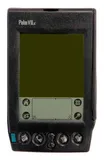
The user handbook for the Palm VII handheld, a Palm OS organizer with an antenna for the Palm.Net wireless service. It explains the controls and batteries, entering data with Graffiti writing or the onscreen keyboard, managing and securing applications, the Date Book, Address Book, To Do List, Memo Pad, Calculator and Expense applications, web clipping and iMessenger, desktop e-mail and beaming, advanced HotSync operations and handheld preferences. A cover note says the Palm.Net service was discontinued on August 31, 2004.
Its parts
- About This Book
- Introduction to Your Palm VII Handheld
- Entering Data in Your Palm VII Handheld
- Managing Your Applications
- Using Your Basic Applications
- Web Clipping Applications and the iMessenger Application
- Managing Desktop E-Mail and Beaming Information
- Advanced HotSync Operations
- Setting Preferences for Your Handheld
From the manual
Key facts from this manual
Some pages are scans or cannot be read; this says only what the readable text supports. Each line names its page in the PDF.
This is Palm's handbook for the Palm VII handheld, which has a built-in transmitter and antenna for the Palm.Net wireless service; the text is written for the Palm VII. It explains the controls, batteries, Palm Desktop installation and HotSync, the wireless features, care of the handheld, resets and common problems. A cover note says the Palm.Net service was discontinued as of August 31, 2004.
- Device
- Palm VII handheld with built-in transmitter and antenna for wireless web clipping and messaging p. 11, 22
- Batteries
- Two AAA alkaline batteries; alkaline only p. 17, 246
- Transmitter battery
- Built-in rechargeable NiCad, charged from the AAA batteries; first charge about 70 minutes p. 247
- PC connection
- Serial (COM) port into the handheld cradle for HotSync; needs a dedicated computer port p. 16
- Infrared
- IR port for beaming to other Palm OS handhelds and IR HotSync p. 13
- PC requirements
- 486 or higher; Windows 95/98 (8 MB RAM), NT 4.0 (16 MB) or 2000 (64 MB); 20 MB disk; serial or USB port p. 12
- USB and Mac
- PalmConnect USB Kit or PalmConnect Serial Kit, sold separately p. 12
- Optional equipment
- PalmModem accessory, printer, infrared device p. 12
- Antenna
- Replaceable; clicks at 90°, 135° and 180°; transmit with it raised at least 90° p. 249
- Battery life
- Weeks of use from the AAA batteries, depending on usage p. 17
- Auto-off
- 30 seconds, one, two or three minutes p. 257
- Backlight
- Hold the power button about two seconds p. 13
- Software
- Palm Desktop organizer software on CD-ROM, with a conduit for Microsoft Outlook p. 2, 22
What this manual walks you through
- Installing and replacing the AAA batteries p. 17, 18
- First setup and charging the transmitter p. 18
- Upgrading from an older Palm OS handheld p. 18, 19
- Installing Palm Desktop software p. 21
- Activating the Palm.Net wireless service p. 22
- Caring for the handheld p. 245
- Checking transmitter charge in Diagnostics p. 247
- Removing and replacing the antenna p. 249, 250
- Performing a soft reset p. 251
- Fixing a blank screen, full memory or a frozen handheld p. 257
Good to know
- The Palm.Net service was discontinued as of August 31, 2004, so the wireless sections no longer apply. p. 1
- The handheld is not waterproof and should be kept from rain and moisture. p. 245
- The transmitter cannot be replaced by the user and there are no user-replaceable parts inside. p. 248
- Using the wireless features without an antenna can damage the handheld. p. 249
- Leaving drained batteries in for a long time can lose all stored data. p. 246
Questions this manual answers
What batteries does the Palm VII take?
Two AAA alkaline batteries; the handbook says to use only alkaline batteries of the same type. p. 17, 246
Does the Palm VII wireless service still work?
A note on the handbook says the Palm.Net service was discontinued as of August 31, 2004. p. 1
How do I reset a frozen Palm VII?
Do a soft reset: press the reset button in the hole on the back with the tool inside the stylus or an unfolded paper clip. Records are kept. p. 251
How long can the Palm VII be without batteries before losing data?
Backup power keeps memory while batteries are out; the handbook advises replacing them within one minute. p. 18
Contents
Chapters and sections
Each line opens the PDF at its page.
The whole text · 31 parts
Read the manual here as text
Its text as extracted from the PDF, unedited, in parts; each page opens the PDF at that page.
- Pages 1 to 101-10
- Pages 11 to 2011-20
- Pages 21 to 3021-30
- Pages 31 to 4031-40
- Pages 41 to 5041-50
- Pages 51 to 6051-60
- Pages 61 to 7061-70
- Pages 71 to 8071-80
- Pages 81 to 9081-90
- Pages 91 to 10091-100
- Pages 101 to 110101-110
- Pages 111 to 120111-120
- Pages 121 to 130121-130
- Pages 131 to 140131-140
- Pages 141 to 150141-150
- Pages 151 to 160151-160
- Pages 161 to 170161-170
- Pages 171 to 180171-180
- Pages 181 to 190181-190
- Pages 191 to 200191-200
- Pages 201 to 210201-210
- Pages 211 to 220211-220
- Pages 221 to 230221-230
- Pages 231 to 240231-240
- Pages 241 to 250241-250
- Pages 251 to 260251-260
- Pages 261 to 270261-270
- Pages 271 to 280271-280
- Pages 281 to 290281-290
- Pages 291 to 300291-300
- Pages 301 to 310301-310
The file