Manual · O'Neil
User Manual and Technical Guide: The O'Neil microFlash Series of Printers
Manual135 pagesPDF 727 KB
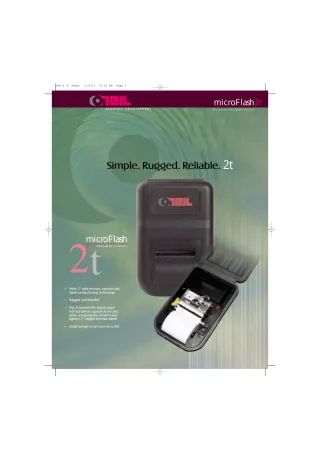
User manual and technical guide for the O'Neil microFlash portable printers, including the microFlash2, 2t, 2i and 4t models.
Covers · 6 models
The models it covers
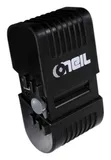 O'Neil MicroFLASH-2Portable receipt printer from$495.0023 in stock
 O'Neil MicroFLASH-2IPortable label printer from$495.001 in stock O'Neil MicroFLASH-2T (MF2T)Portable label printer from$495.0040 in stock Datamax MicroFLASH-2Portable receipt printer Call for availability Datamax MicroFLASH-2IPortable label printer Call for availability Datamax MicroFLASH-2T (MF2T)Portable label printer Call for availability
Summary
What is in it
The user manual and technical guide for the O'Neil microFlash series of portable printers: the microFlash2, microFlash3, microFlash2t/2tCR, microFlash2i/2iCR and microFlash4t/4tCR. It shows each model and its parts list, then covers a quick demo, the microFlash Configuration program, paper loading, batteries and charging, building custom receipts and labels in Line Printer and Easy Print modes, card reader commands, cleaning, troubleshooting, and specifications for the printer, battery, cables and thermal paper.
Its parts
- Introduction
- Quick Demo
- microFlash Configuration
- Paper Loading
- Batteries
- Custom Receipts and Labels
- CardReader Commands
- Cleaning Your Printer
- Troubleshooting
From the manual
Key facts from this manual
Each line names its page in the PDF.
The O'Neil Product Development user manual and technical guide (Version 7.0, 12/27/1999) for the microFlash series of portable printers. It covers the microFlash2, microFlash3, microFlash2t/2tCR, microFlash2I/2iCR and microFlash4t/4tCR, with parts lists, configuration, paper loading, batteries, receipt and label commands, card reader commands, troubleshooting and specifications.
- Device
- Ruggedized portable printer with an IrDA infrared transceiver that takes data from a hand-held computer or notebook up to one meter away p. 11
- Interface
- RS232C, infrared, IrDA and ASK; RJ-11 six position, six conductor modular jack p. 99, 100, 103
- Print method
- microFlash 2 and 2t: direct thermal, 2 inches per second; microFlash 2I: impact dot matrix with ink ribbon cassette, 1.9 lines per second p. 99, 100
- Paper width
- 2.26 inches (58 mm) on the microFlash 2, 2t and 2I p. 99, 100
- Battery
- microFlash 2: Ni-Cad, 5 x AA, 6.0 V, .85 Ah (replacement 550019-000); microFlash 2t and 2i: NMH 1800mAhr (replacement 550025-000) p. 13, 17, 21, 102
- Flash memory
- microFlash 2: one meg downloadable, 4 Meg option; microFlash 2t and 2I: 4 Meg p. 99, 100
- Size and weight
- microFlash 2: 3.75 x 6.25 x 2.25 inches, 23 ounces (651 grams); microFlash 2t and 2I: 4.625 x 7.125 x 1.75 inches, 23.3 ounces (660 grams) p. 99, 100
- Operating temperature
- microFlash 2: -15 to +50 C; microFlash 2t: -25 to +50 C; microFlash 2I: 0 to +50 C p. 99, 100
- Print per charge
- microFlash 2: more than 2,800 inches; microFlash 2t: more than 6,000 inches; microFlash 2I: more than 2,400 inches p. 99, 100
- Data cables
- microFlash 2: DB9F data cable 210147-000 (7 ft, non-coiled) or 210050-000 (coiled); 2t and 2i: DB9F coiled RJ11 R/A cable 210164-000, right angle RJ11 adapter 210158-000 for MF2/3 cables p. 13, 17, 21
- Power adapters
- AC adapter 490008-003 (110 V) or 490017-000 (220 V); cigarette lighter adapter 510002-002 (microFlash 2) or 510002-003 right angle (2t and 2i) p. 13, 17, 21
- Supplies
- microFlash2 paper 740009-002, linerless label 740009-200; 2t paper 740023-200; 2i 2-ply impact paper 740023-201 and black ink ribbon 410007-000; cleaning cards 770015-000 p. 13, 17, 21
- Printer part numbers
- microFlash 2: 200050-000 (stainless belt clip), 200051-000 (swivel); 2t: 200070-001, 220071-001; 2i: 200075-001, 200076-001 p. 13, 17, 21
- Print language
- Easy Print Protocol for bar codes, stored graphics and rotated fonts; full IBM and international character sets p. 99, 100
What this manual walks you through
- Waking the printer, running the self test and the demo p. 7
- Setting up the printer with the microFlash Configuration Program p. 7, 8
- Loading paper, automatically or by hand p. 8
- Charging and replacing the battery and fuse p. 8, 9
- Printing custom receipts and labels in line printer and Easy Print modes p. 9
- Card reader commands for magnetic and smart cards p. 9
- Cleaning the printer p. 9
- Troubleshooting paper loading, printing, charging and print quality p. 10
- Cable pinout from the RJ-11 jack to a DB9F connector p. 103
Good to know
- The microFlash2t uses MF2/3 cables only through the right angle RJ11 adapter cable 210158-000. p. 17
Questions this manual answers
What battery does the O'Neil microFlash 2t take?
An NMH 1800mAhr replacement battery, part 550025-000. p. 17
Is the microFlash 2I a thermal printer?
No, the 2I prints by impact dot matrix with an ink ribbon cassette; the black ink ribbon is part 410007-000. p. 21, 100
The whole text · 14 parts
Read the manual here as text
Its text as extracted from the PDF, unedited, in parts; each page opens the PDF at that page.
The file