Manual · O'Neil
User Manual and Technical Guide: The O'Neil microFlash Series of Printers
Manual135 pagesPDF 799 KB
User manual and technical guide for the O'Neil microFlash series of portable infrared receipt and label printers.
What this file really is
The old site listed this file as a manual for the Datamax MicroFLASH 3, Fujitsu 8I and 2 more models. The file is named as a Fujitsu 8I manual, but it is O'Neil's manual for the microFlash series; the 8I appears only in the model list of its declaration of conformity.
Names · 3 models
The models it names
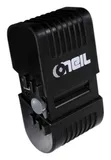 O'Neil MicroFLASH 3Portable receipt printer from$595.0020 in stock
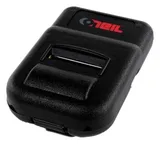 Symbol Microflash-2TPortable receipt printer from$595.007 in stock Datamax MicroFLASH 3Portable receipt printer Call for availability
Filed with · 1 model
Also filed with these models on the old site
Summary
What is in it
O'Neil user manual and technical guide for the microFlash series of portable printers: the microFlash2, microFlash3, 2t, 2tCR, 2i, 2iCR, 4t and 4tCR. It shows each model's parts, a quick demo and self test, the Windows configuration program for communication, paper, infrared, font and graphics settings, paper loading, batteries and charging, line printer and Easy Print commands for custom receipts and labels, card reader commands, cleaning, troubleshooting, specifications and query replies.
Its parts
- Introduction
- Quick Demo
- microFlash Configuration
- Paper Loading
- Batteries
- Custom Receipts and Labels
- CardReader Commands
- Cleaning Your Printer
- Troubleshooting
From the manual
Key facts from this manual
Each line names its page in the PDF.
User manual and technical guide for the O'Neil microFlash series of rugged mobile printers. It covers the microFlash2, microFlash3, microFlash2t/2tCR, microFlash2I/2iCR and microFlash4t/4tCR. It gives parts lists, charging and battery care, troubleshooting and specifications.
- Device
- Rugged mobile printer that takes data from a hand-held computer by infrared, up to one meter away p. 11
- Interfaces
- RS232, infrared (IrDA) and ASK p. 99, 100, 101
- Data connector
- RJ-11 six position, six conductor modular jack p. 103
- AC adapters
- 490008-003 (110 volt) and 490017-000 (220 volt) p. 17
- DC jack
- 2.5 mm, center pin positive p. 57
- Flash memory
- Fonts, graphics, operating system and settings are updated from a PC with the microFlash Configuration Program p. 28
- Battery
- microFlash3: DR-30 nickel metal hydride, 3500 mAhr, part 550028-000; microFlash2t: NMH 1800mAhr, part 550025-000 p. 15, 17, 99
- Charge time
- microFlash3: about four hours; microFlash2t: about six to nine hours p. 56
- Data cables
- microFlash3: DB9F 210147-000 (7' non-coiled) or 210050-000 (coiled); microFlash2t: DB9F 210164-000 (RJ11 right angle, coiled) p. 15, 17
- Terminal cables
- microFlash3: HHP Microwand 210050-001, Symbol 3300 210050-002, Telxon 210050-005, Teklogix 210050-006, Symbol 3100 210050-008, Fujitsu AT 3000 210082-000 p. 15
- 2t adapter cable
- microFlash2t: RJ11 right angle adapter 210158-000 lets it use microFlash2/3 cables p. 17
- Paper
- microFlash3: 740009-100, heavy duty 740009-102, linerless 740009-300; microFlash2t: 740023-200 p. 15, 17
- Car adapter
- microFlash3: 510002-002; microFlash2t: right angle 510002-003; fuse 5A 250V p. 15, 17, 57
- Charge light
- Solid red charging, green charged, red or orange flashing for temperature, voltage, timeout or internal faults p. 58
What this manual walks you through
- Checking the battery charge with a self test p. 55, 56
- Charging from an AC adapter or a vehicle cigarette lighter p. 56, 57
- Replacing the fuse in the cigarette lighter adapter p. 57
- Replacing the battery in each model p. 58
- Fixing a printer that will not print p. 95
- Solving programming and Easy Print command errors p. 96, 97
- Solving configuration download problems p. 97
- Making light print darker p. 98
- Ordering spare parts by part number p. 13, 15, 17
Good to know
- Configuration downloads work over a cable only, not over infrared. p. 97
- Updating the firmware erases data stored in the printer's internal memory. p. 96
- Many vehicles cut power to the cigarette lighter when the engine is off, which stops charging. p. 57
- Cleaning the printer by methods other than the manual's could damage the print head. p. 98
Questions this manual answers
What battery does the microFlash3 printer use?
A DR-30 nickel metal hydride pack, 3500 mAhr, part number 550028-000. p. 15, 99
How long does a microFlash2t take to charge?
About six to nine hours. p. 56
What does a flashing charge light on a microFlash mean?
Solid red is charging and green is charged; red, red/orange or orange flashes signal temperature, voltage, timeout or internal errors. p. 58
What fuse does the microFlash cigarette lighter adapter take?
A 1/4 inch diameter, 1-1/4 inch long fuse rated 5A 250V. p. 57
Can I load a new configuration into a microFlash over infrared?
No. The manual says to download by cable only, not infrared. p. 97
The whole text · 14 parts
Read the manual here as text
Its text as extracted from the PDF, unedited, in parts; each page opens the PDF at that page.
The file